15
5.Specifying the function of the Value Dial
You can specify the function that the Value dial
will perform in Play mode. In Play mode, hold
down the EXIT button and press either the √
button or the ® button to assign the following
functions.
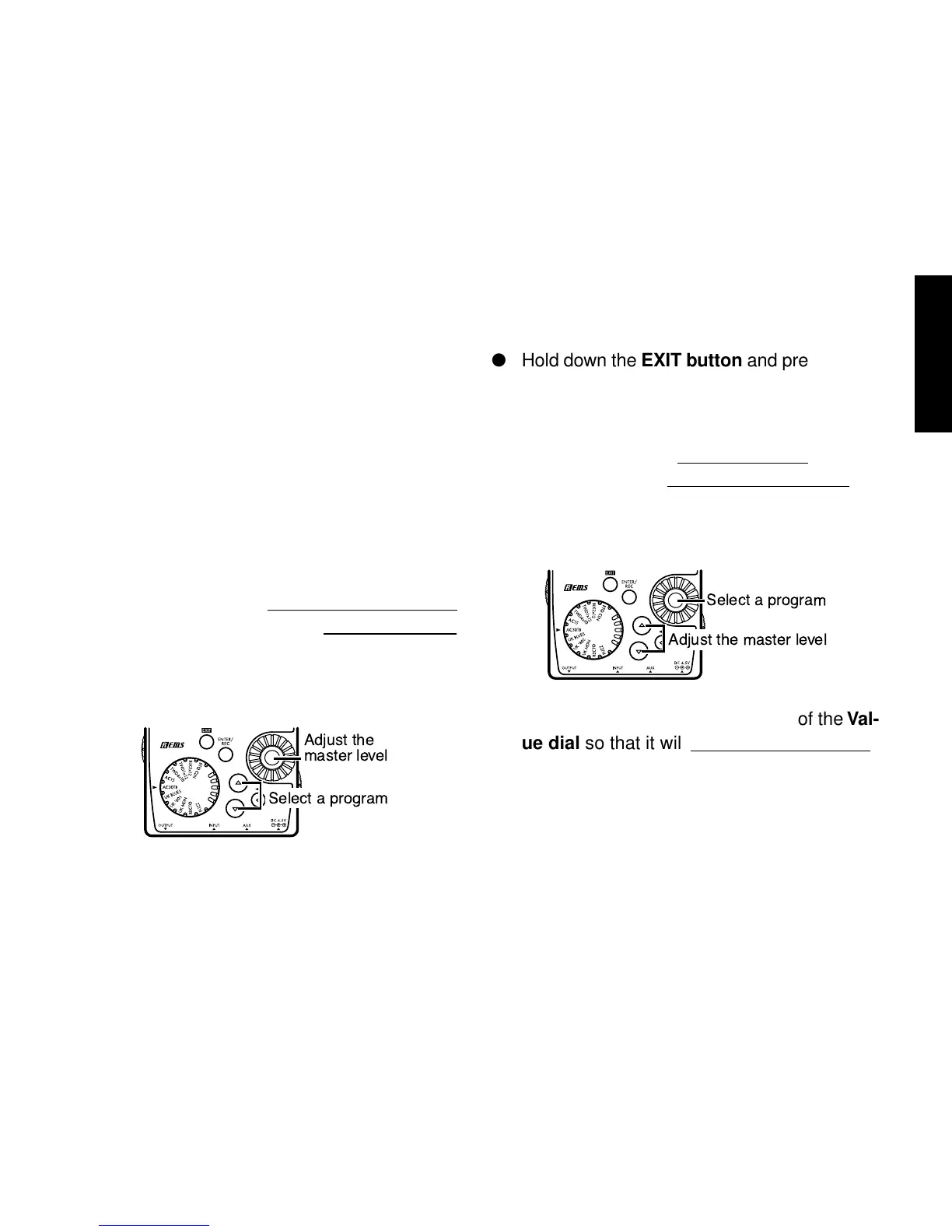
● Hold down the EXIT button and press the √
button.
The LCD will indicate “MASTER” for approx-
imately one second.
The Value dial will
adjust the master level,
and the ▲/▼ buttons will
select programs.
You can use the Value dial to adjust the mas-
ter level quickly. Each time the power is turned
on, this setting will be in effect.
Adjust the
master level
Select a program
● Hold down the EXIT button and press the ®
button.
The LCD will indicate “PROGRAM” for ap-
proximately one second.
The Value dial will
select programs, and the
▲/▼ buttons will
adjust the master level.
You can use the Value dial to select programs
quickly.
If you want to change the function of the Val-
ue dial so that it will
adjust the master level,
hold down the EXIT button once again and
press the √ button, or turn on the power
once again.



 To Next Page