25
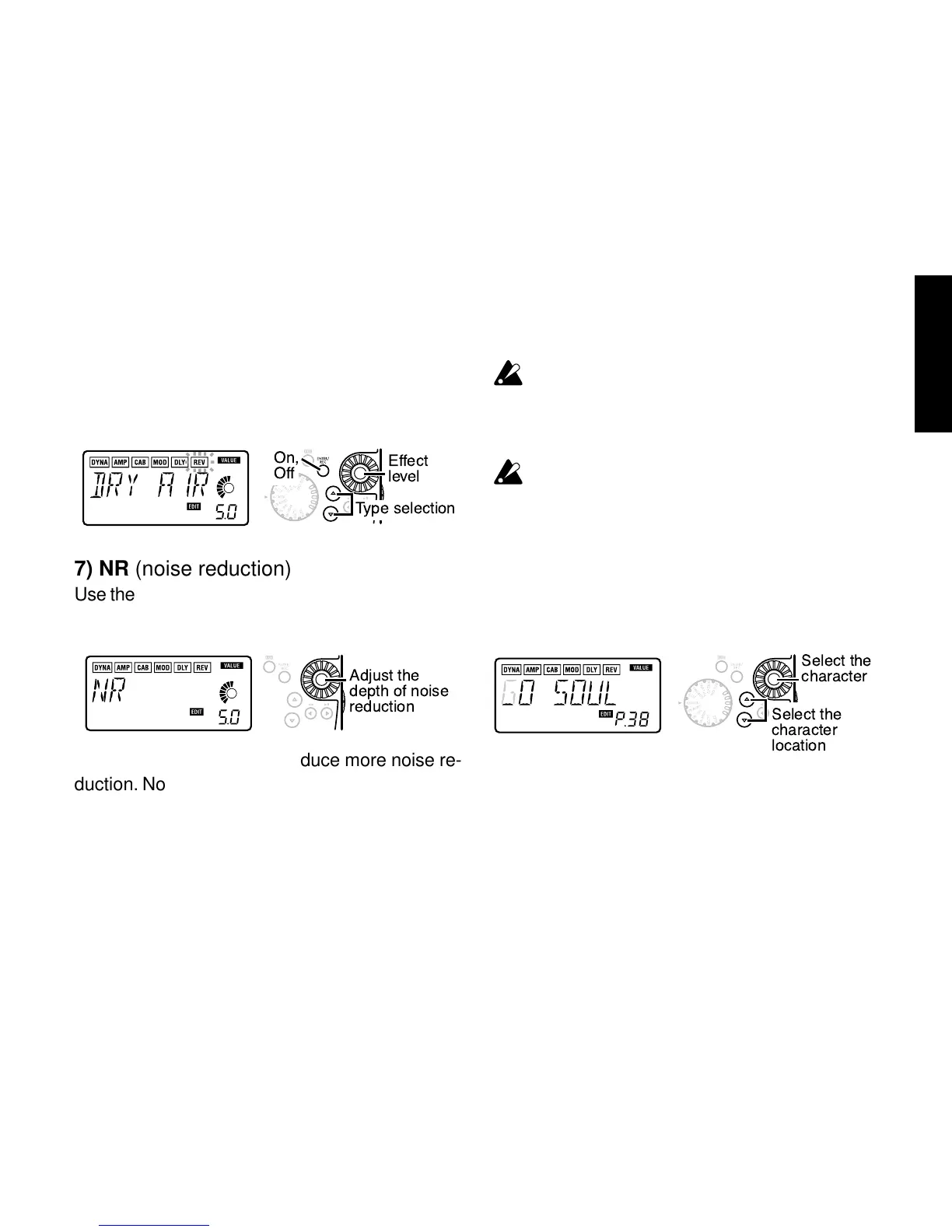
6) REV (Reverb Modeling)
These are spatial-type effects that add spacious-
ness to the sound.
Effect
level
Type selection
On,
Off
7) NR (noise reduction)
Use the Value dial to adjust the depth of the noise
reduction that is applied.
Adjust the
depth of noise
reduction
Increasing this value will produce more noise re-
duction. Normally you will adjust this so that you
do not hear obtrusive noise when the strings are
lightly muted.
If the NR value is raised excessively, the sound
may be cut off prematurely, depending on the
device that is connected. If this occurs, reduce
the value.
Adjust the NR level as suitable for your guitar or
pickup.
8) RENAME
Here you can specify a name for each program.
The following characters can be used: space, 0–
9, A–Z, “, ‘, ❋, +, -, /.
Select the
character
Select the
character
location



 To Next Page