30
connector to the second-from-the-bottom hole in the
horn. Connect the pushrod to the screw-lock pushrod
connector with a 4-40 x 1/8" [3mm] SHCS.
❏ 9. Snap the ball link on the pushrod onto the ball
on the door lever. Use medium CA to glue the horn to
the nose gear door where shown.
❏ 10. Temporarily guide the air lines for the nose
gear out the front of the fuselage so you can connect
them to your air can to test the gear and door. Use
compressed air to operate the door and adjust the
pushrod in the screw-lock until the door closes fully
when the gear is retracted.
FINAL ASSEMBLY
ASSEMBLE THE COCKPIT
Most of the scale details will be done later, but it’s best to
work on the cockpit now before fi nal radio installation.
❏ 1. Cut both 3/16" x 3/16" x 5" [5 x 5 x 130mm] balsa
sticks to fi t between the forward cockpit fl oor and the
cockpit bulkhead. Glue the sticks into position.
❏ 2. Using the holes in the plywood cockpit fl oor as
a guide, drill 1/16" [1.6mm] holes through the balsa
sticks for the mounting screws. Mount the cockpit
fl oor with four #2 x 3/8" [9.5mm] button-head Allen
screws. Remove the screws, harden the holes with a
drop of thin CA and allow to harden.
❏ 3. If painting the cockpit, now is the best time to
do so. The cockpit shown in this manual was simply
painted fl at black, but you could add more details if
preferred. The best method for painting is with an
airbrush because it coats evenly, but a regular bristle
brush could also be used.
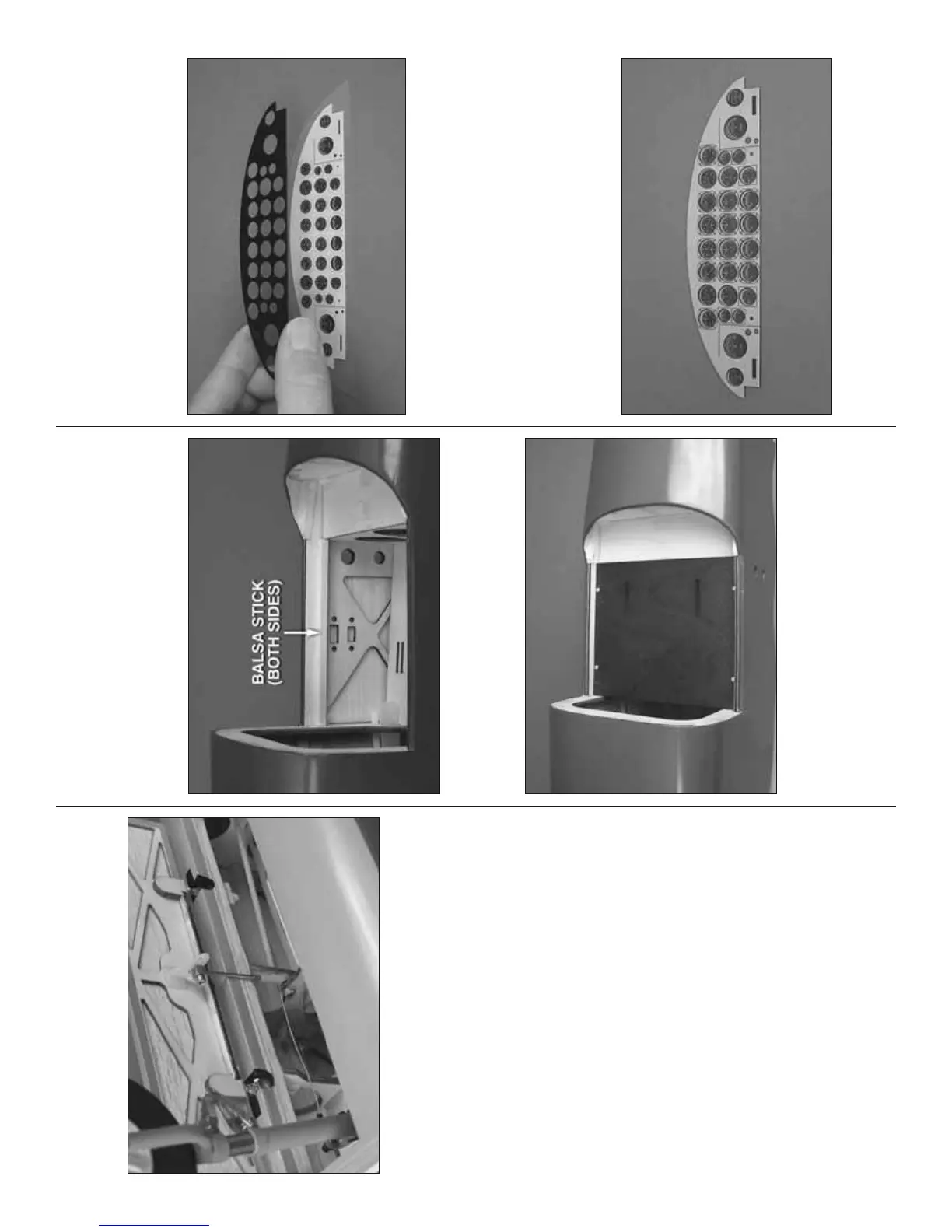
❏ 4. Cut both instrument panel decals from the decal
sheet with an approximately 1/8" [3mm] border all
the way around. Use 3M spray adhesive or similar
craft adhesive to glue the back of the black, plastic
instrument panel to the front of the instrument panel
decal that has the instruments.
❏ 5. Use a hobby knife or a single-edge razor blade
to trim the edges of the decal even with the edges of
the instrument panel.
❏ 6. Stick the front of the other instrument panel
decal that has only the faces of the instruments to the
instrument panel. Trim the edges of the decal again.



 To Next Page