16
Height Alert function
When auto-leveling and height alert function re active, this function prevents the instrument
from operating if it is disturbed. This insures accurate control. If the unit is disturbed, all dis-
plays and Auto-leveling lamp will flash. The elevation (height of instrument) should be verified
and re-established if necessary.
To activate the height alert function
To activate the height alert function, depress and hold the Manual key [MANU] while turning
on the instrument by pressing the Power key. The display will show “HiON” for two seconds
before starting auto-leveling. Height alert function will be turned ON automatically after 10
minutes since the auto-leveling is completed.
Turn the power key OFF and ON again, the height alert function will be de-active again.
Changing rotation speed
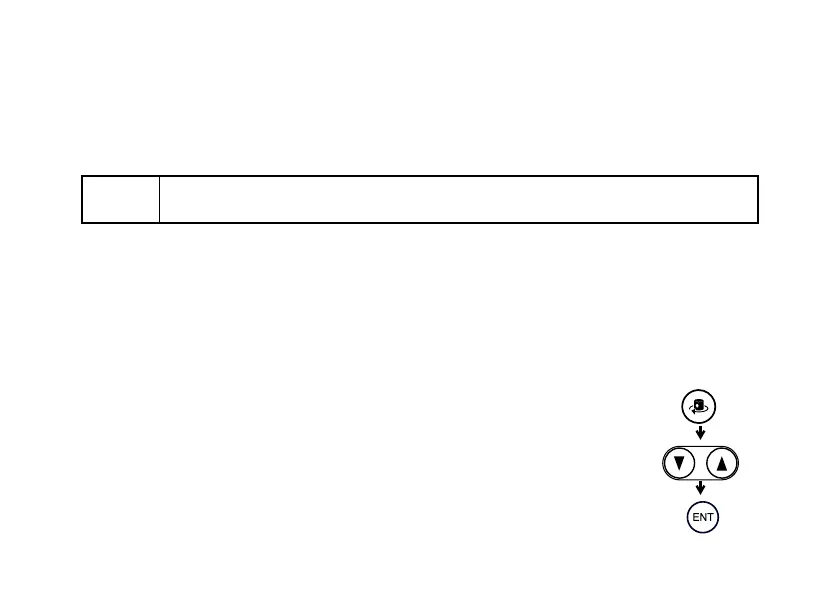
Press Rotation Control key to activate rotation speed mode. Select the
rotation speed 300 r.p.m or 600 r.p.m by pressing the arrow keys.
Press the Enter key to accept the setting.
Note
• The LS-70A and LS-70B laser sensors can detect and signal the height alert
warning.



 To Next Page