28
8
Turn Off the instrument by pressing the Power key.
9
Turn the power ON again and follow the checking procedure again to confirm that proper
calibration has been completed.
10
Repeat the checking and, if necessary, the adjusting procedure for the Y-axis.
11
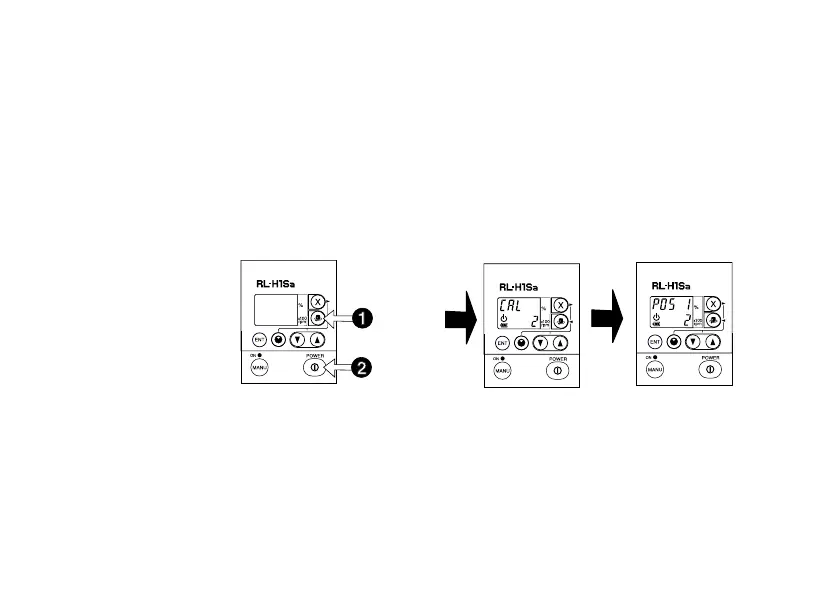
If the Y-axis requires adjustment, begin at Step 1 on page 24. However, when turning on
the instrument in calibration mode, press and hold the Rotation key while pressing the
Power key. This activates the Y-axis calibration mode and is confirmed by displaying a 2
on the rotation indicator.
Press
Press and
Hold
For Y-axis
calibration



 To Next Page