38
BASIC OPERATIONS
4 Make the same adjustments, as 3~10 for "COLOR PHOTOGRAPHY", and focus the reti-
nal image properly.
5 Prepare for the intravenous injection of fluorescein.
How to take distinct fluorescein photographs:
If too much time is taken in giving the intravenous injection, the fluorescein will be dif-
fused in the blood vessels and diagnostic quality photographs will not be possible.
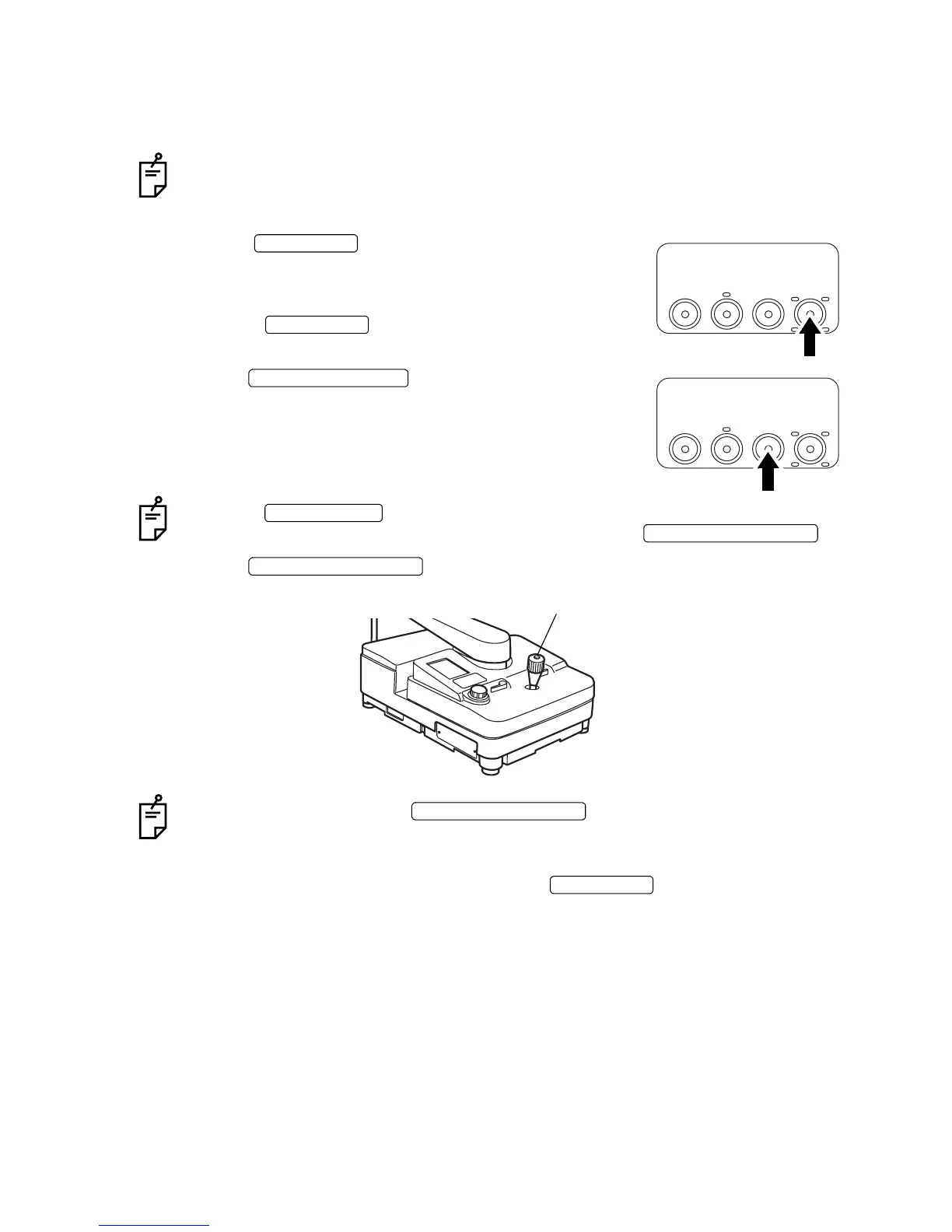
6 Press the at the same time as an intrave-
nous injection of fluorescein is given to the patient.
• When the timer starts, it will beep every second up to 20
seconds.
• Also, the will blink simultaneously every
second until the timer goes OFF.
7 Press the .
When the is ON (white letters on black background), the barrier filter is
inserted into the photography unit in a link operation with the .
8 Press the .
When you keep pressing the , it is possible to take one (1) pic-
ture per second.
9 When you have finished photographing, press the to stop the timer.
Ex
TIME
SPLIT
Ba
TIME SWITCH
TIME SWITCH
Ex
TIME
SPLIT
Ba
Ba (BARRIER) SWITCH
FILTER SWITCH
PHOTOGRAPHY SWITCH
PHOTOGRAPHY SWITCH
Photography switch
PHOTOGRAPHY SWITCH
TIME SWITCH


 To Next Page