23
SETUP
SETTING ON THE SET MENU DISPLAY
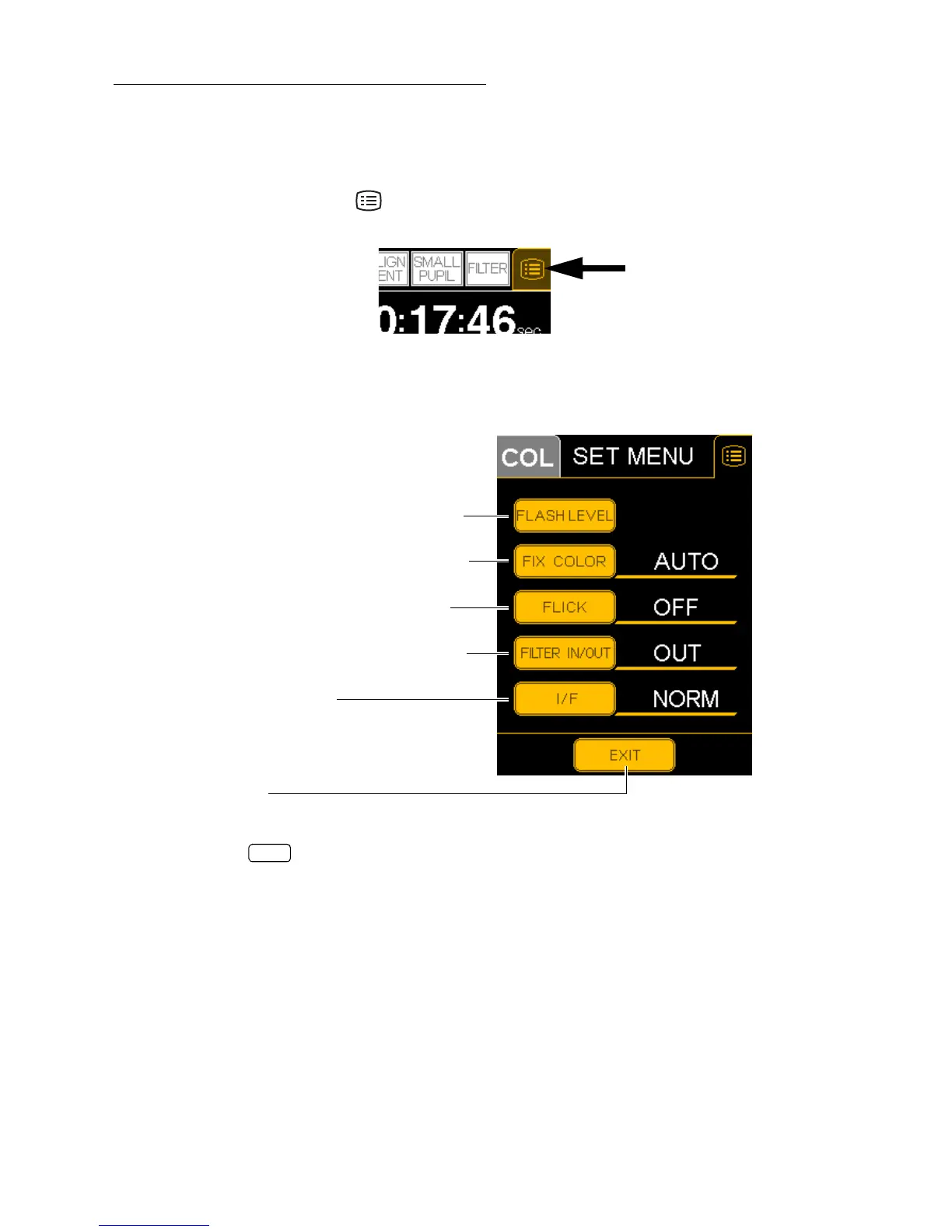
Setting for the following items can be done on the "SET MENU" display on the control panel:
"FLASH LEVEL" (flash level standard setting), "FIX COLOR" (external fixation color selection),
"FLICK" (external fixation blinking selection) and "FILTER IN/OUT" (filter link operation
method).
1 Press the MENU switch on the setting operation display on the control panel.
2 The "SET MENU" display appears.
3 Press the switch, and the setting operation display appears again.
FLASH LEVEL (Flash level standard setting)
FIX COLOR (External fixation color selection)
FLICK (External fixation blinking selection)
FILTER IN/OUT (Filter link operation method)
I/F (Interface selection)
EXIT switch
EXIT


 To Next Page