45
OBJECTIVE OPERATIONS
INTERNAL FIXATION TARGET MOUNT (ONLY IN TYPE IA)
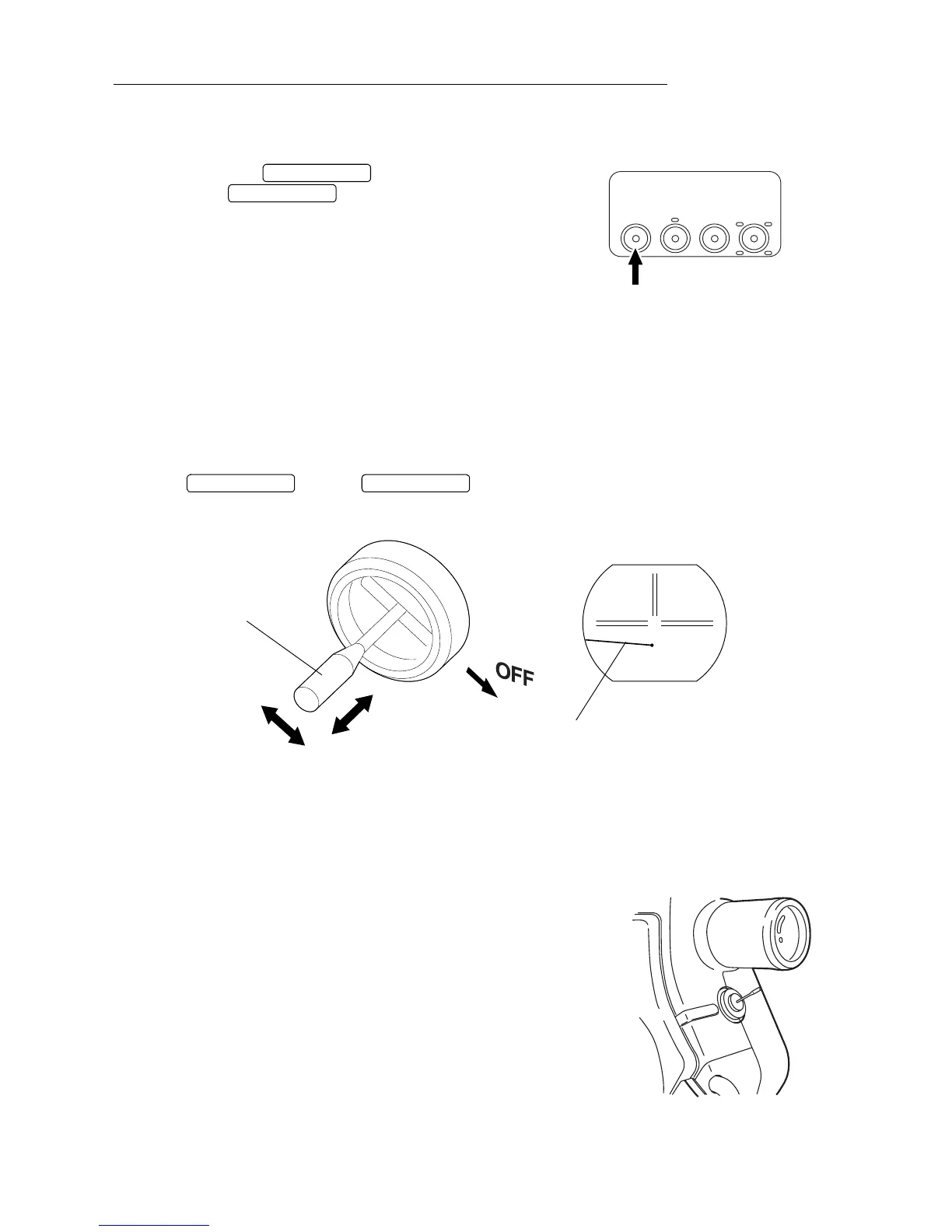
Internal fixation target mount (in "With split" type of Type IA)
1 Look into the optical finder and focus the retinal image.
2 Turn off the .
* If the is turned on, the knob will be
locked.
3 Move the knob to guide the patient's eye.
The knob can be pushed and pulled and moved back and forth. The fixation point will
move left/right and back/forth by operating the knob. Focusing is not necessary. Move it
slowly to guide the patient's eye.
4 Perform alignment and photography for the eye according to the same procedure as
"COLOR PHOTOGRAPHY".
* The fixation point will also be photographed with the retinal image.
* When using the SPLIT lines, bring the knob to the "OFF" position and then turn on the
. If the is ON without setting the knob to "OFF", photo-
graphs cannot be taken. Be sure to set the knob to the "OFF" position.
Internal fixation target mount (in "Without split" type of Type IA)
• Operating procedures
(1) Move the knob and guide the patient's eye with the fixation point, while checking
movement through the finder.
The knob moves in every direction. Up-and-down move-
ment is used for obtaining proper focus, while right-and-
left and back-and-forth movements are used to move the
fixation point in the finder. Movement should be done
slowly, in order not to confuse the patient when guiding
the patient's eye.
• Along with the retinal image, the fixation point is also
recorded. (Present in the photograph)
EX
TIME
SPLIT
Ba
SPLIT SWITCH
SPLIT SWITCH
SPLIT SWITCH SPLIT SWITCH
Knob
Move back and forth.
Push and pull.
Fixation point


 To Next Page