48
BEFORE REQUESTING SERVICE
Operator cannot see the
patient's eye.
• Illumination light is not ON. Adjust the illumination level. 33
• The objective lens cap is set. Remove the objective lens cap. ---
• BARRIER filter and EXCITER filter are
set to "IN".
Set BARRIER filter and EXCITER filter to
"OFF".
15
• Angle changing lever stops in the mid-
dle of the "click" process.
Turn Angle changing lever to the "click"
position.
12
• Diopter compensation lens selector
stops in the middle of the "click" pro-
cess.
Turn Diopter compensation lens selector
to the "click" position.
12
Internal fixation target
mount does not work.
• SPLIT switch is not set to "OFF". Set SPLIT switch to "OFF". 15
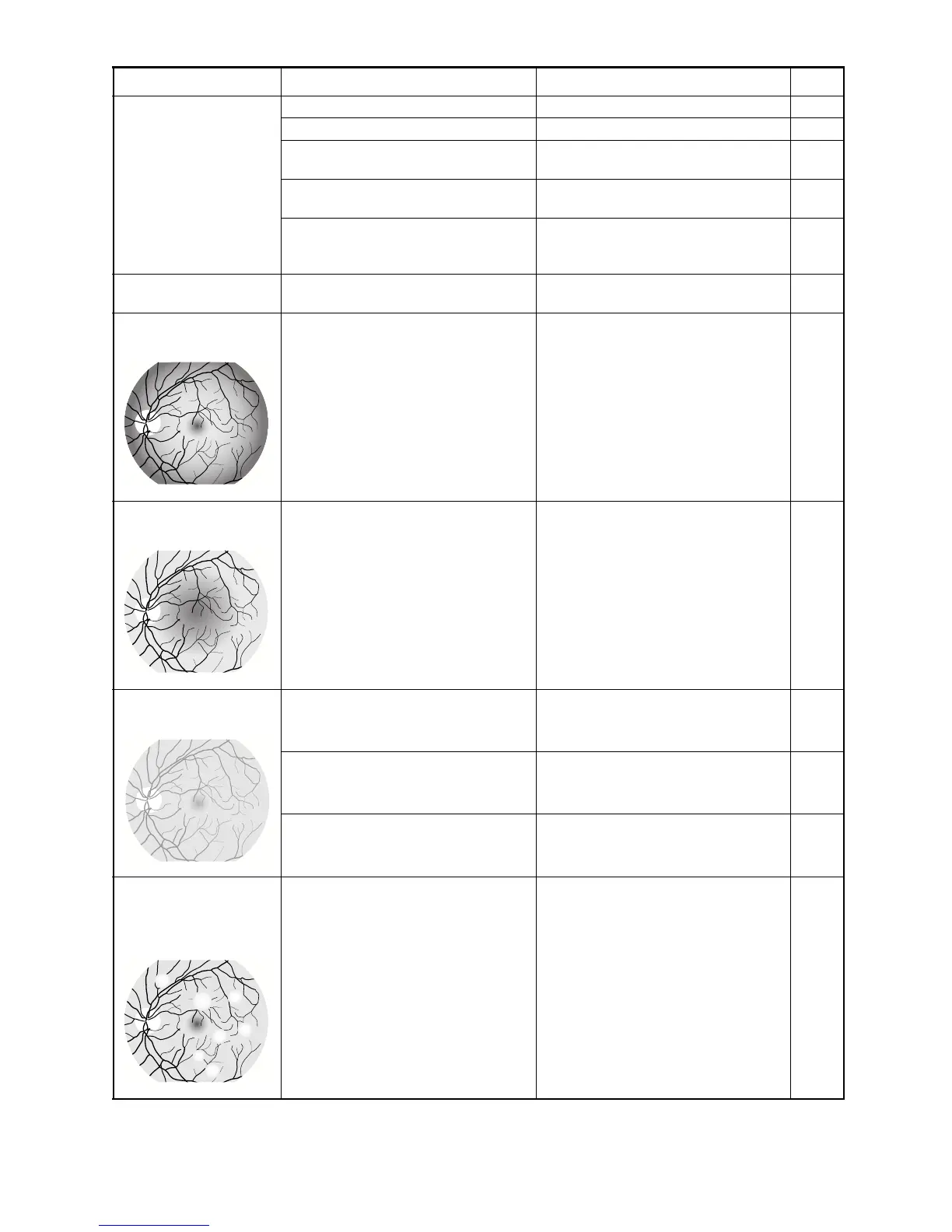
Photograph of the retinal
peripheries is dark.
• The distance between the patient's eye
and the instrument is longer than the
proper working distance.
Set the patient's eye closer to the instru-
ment and then take a picture.
29
Photograph of retinal cen-
ter is dark.
• The pupil of the patient's eye is not fully
dilated.
Dilate the patient's eye fully. 30
Photograph is influenced
by overall flare.
• The distance between the patient's eye
and instrument is shorter than the
proper working distance.
Set the patient's eye far away from the
instrument and then take a picture.
29
• SMALL PUPIL switch is pressed in
angle of coverage 50°.
Press SMALL PUPIL switch to cancel
the microcoria mode.
16
• Flash level is higher than necessary. Set the flash level to a low value. 33
Vague white dots are seen
through the finder and
also appear on the photo-
graph.
• Tears or others adhere to the objective
lens.
Clean the objective lens. 60
Problem Condition Check Page


 To Next Page