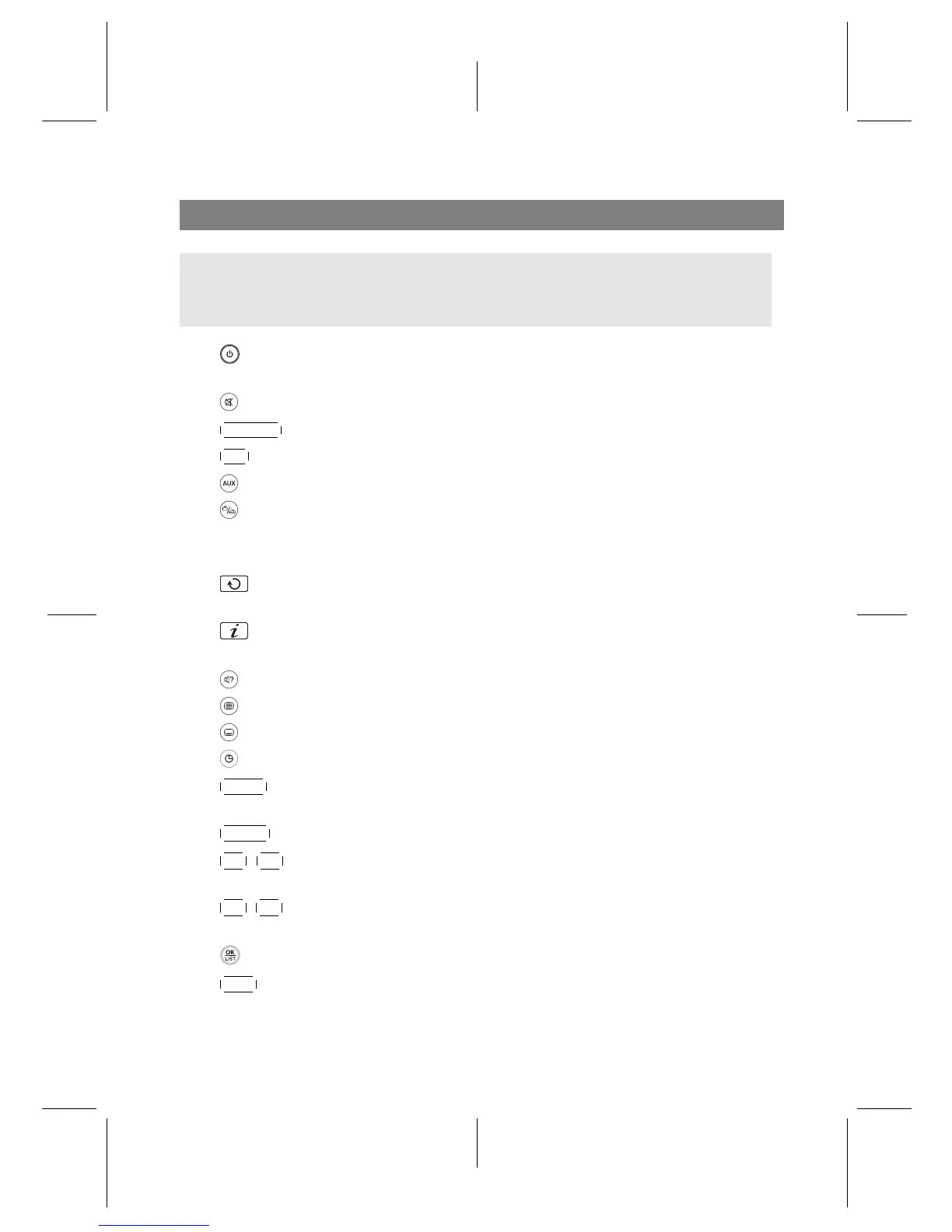
Remote Control
NOTE
All buttons on your remote control might not apply to your model.
Please check below.
• switches the digital receiver between standby mode and active mode
(ON).
• mutes the sound. Press again to switch it back on.
•
V.Format changes video resolution.
•
A/R changes aspect ratio.
• not used in this model.
• switches over between television services and radio services.
• Numeric buttons are used to enter a service number for service change or to
specify values for menu options.
• switches over between the current service and the previously viewed
one.
• displays the service information box. Also, displays more information
about a programme.
• selects audio track and sound mode.
• not used in this model.
• selects subtitle track.
• sets sleep timer in 10, 30, 60, 90, 120 minute increments.
•
MENU displays the main menu. Also, returns to the previous menu from a
submenu.
•
GUIDE displays the electronic programme guide.
•
P− ,
P+ buttons switch to the previous or next service. Also, navigate in
menus and interactive screens.
•
V− ,
V+ buttons decrease or increase the volume. Also, change values for
menu options.
• displays the services list. Also, selects a menu item.
•
EXIT exits a menu or hides the on-screen information.
6










 To Next Page