24 Every Day Use
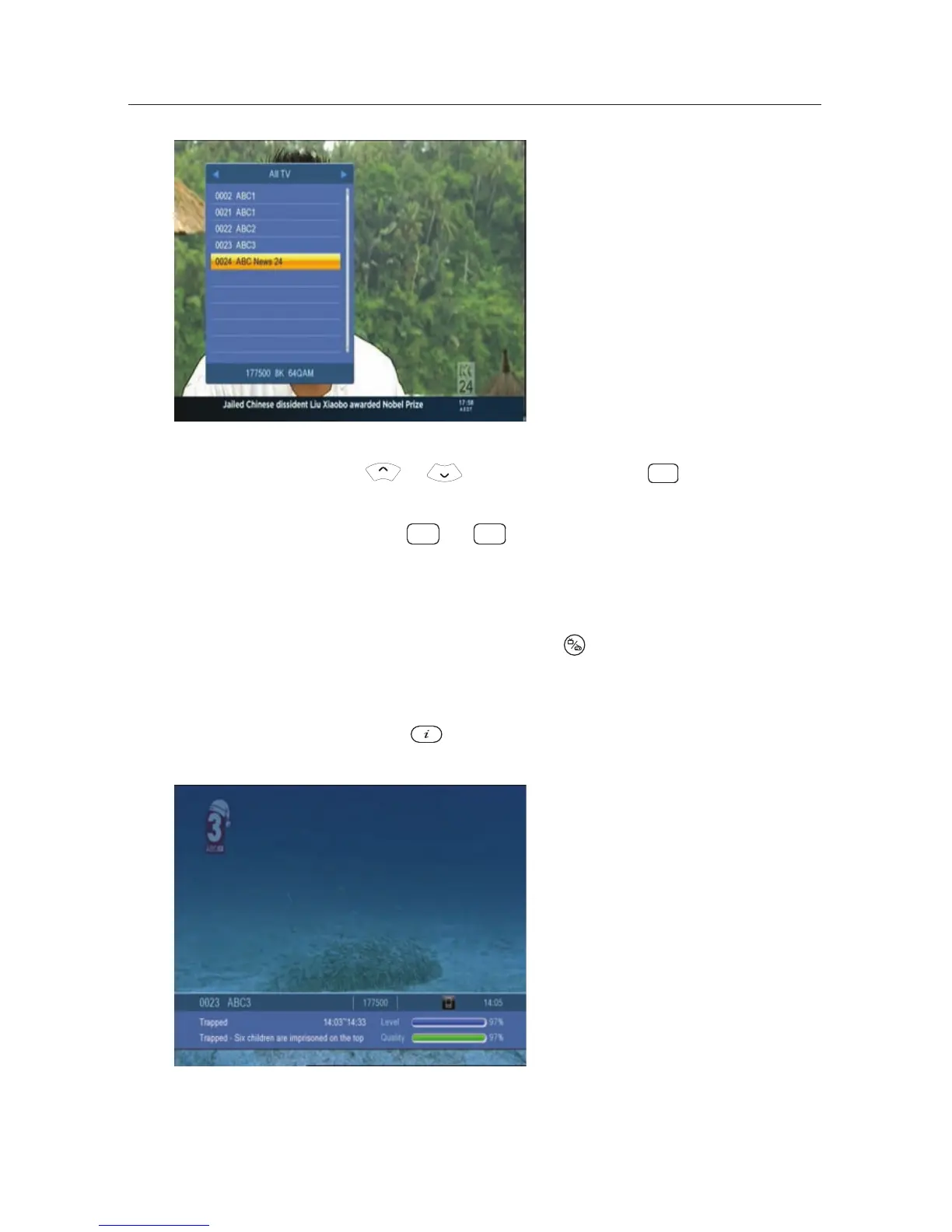
On the services list, you can see
the service information as fol-
lows:
• Service number and name
• Multiplex information
To select a desired ser vice, put t he highlight bar on its entry
with the or button and press the
OK button, then the
selected service will be presented.
Pressing the
P− or P+ button skips over 10 entries up or
down. Entering a service number with the numeric buttons
puts the highlight bar on its entry.
You can switch between t he television services list and the ra-
dio services list by pressing the
button.
5.2.2 Viewing programme infor mation
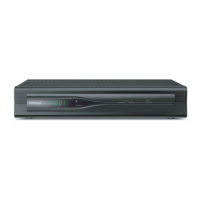
Pressing the button displays the information box, on
which you can see all of the following:
• Service number and name
• Transponder information
• Signal level and quality
• Programme name
• Programme classication sign
• Programme summary
• Broadcasting time
• Current time
In addition, you might see the following symbols:


 To Next Page