7.2 File archive 35
7.1.3 Scheduling recordings using the programme guide
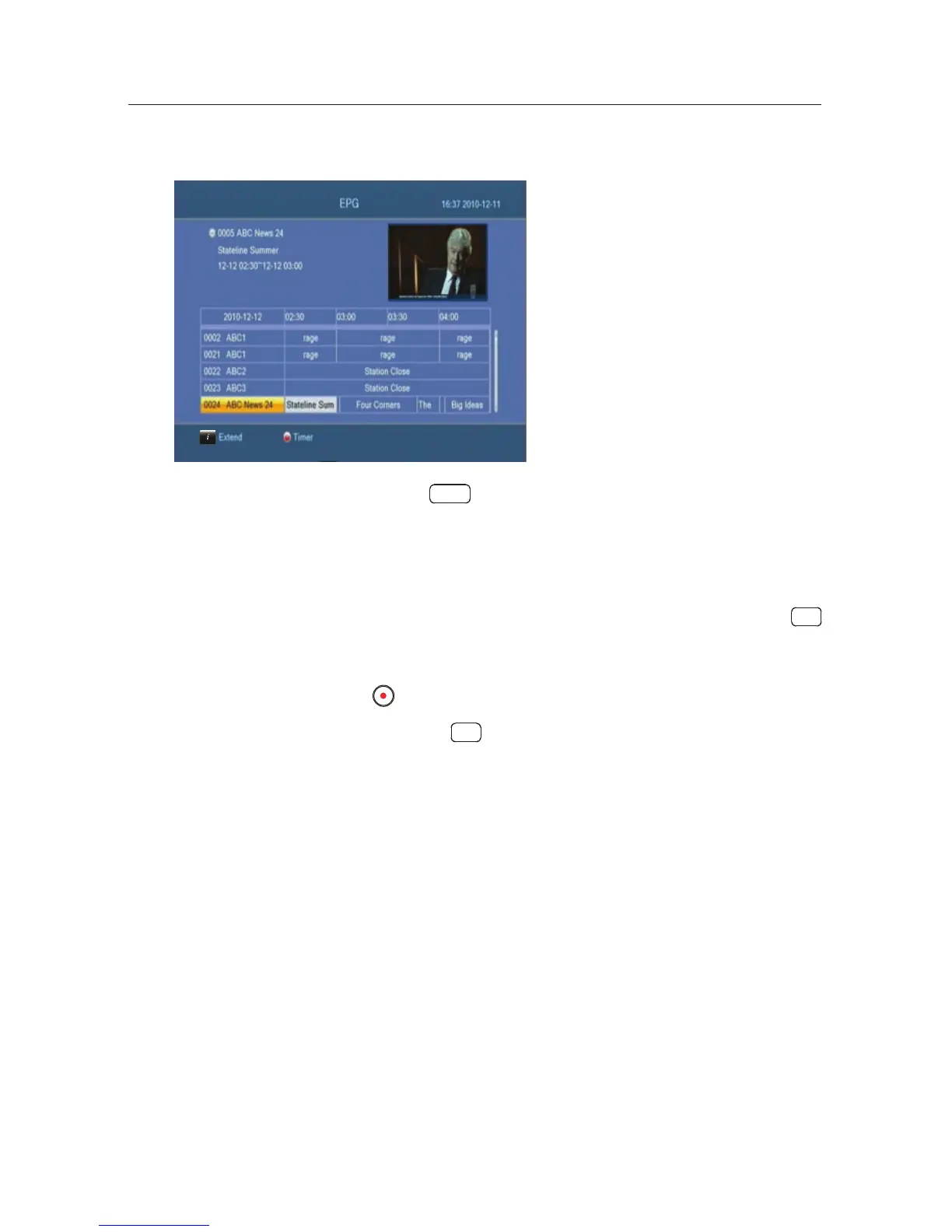
If the electronic programme
guide is properly provided,
you can make timer events on
it. The instructions on how to
make timer recordings using the
electronic programme guide are
as follows:
1. Press the
EPG button to display the electronic pro-
gramme guide.
2. Selectaprogramme you want to record with the naviga-
tion buttons.
3. To make a timer event without recording, press the
OK
button; the letter P is displayed. To make a timer event
with recording, press it once more or alternatively press
the
button, then the letter R is displayed.
4. Pressing the
OK button once more will cancel the timer.
7.2 File archive
When a programme is recorded, it is stored asale on the hard
drive of the digital receiver. You can select a recording to play
back from t he recorded programme list.


 To Next Page