27
Chapter 4
Service Search
After connecting up the digital receiver, you will need to per-
form a service search.
4.1 Searching broadcasting services
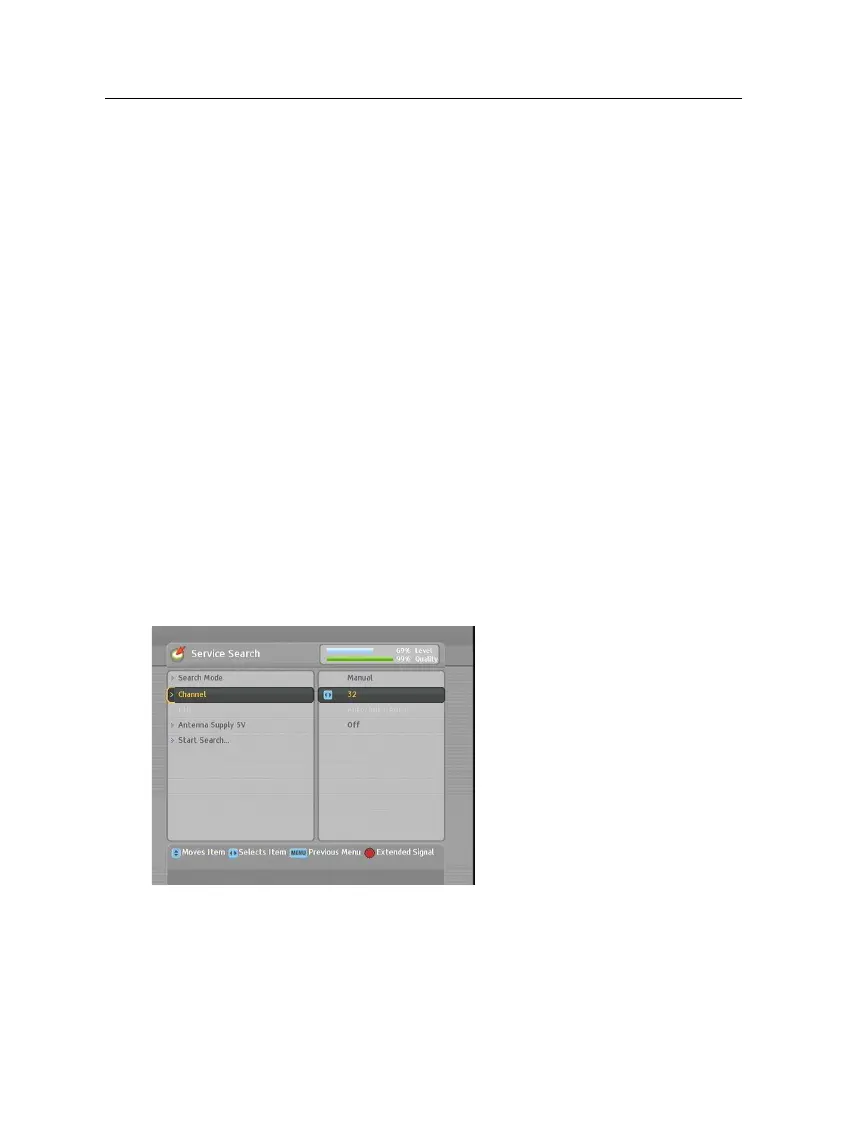
To perform service search, select
the Installation
>
Service Search
menu. You should see a screen
like the left figure.
If you have an antenna booster,
you should set the Antenna Sup-
ply 5V option to On to supply
power to it.
You should set the Search Mode option to Auto for the first
time after connecting up the digital receiver; then the digital
receiver will search for all available services.
You may choose to only search for services of a specific trans-
ponder because more than one service are provided via each














 To Next Page