30 Daily Usage
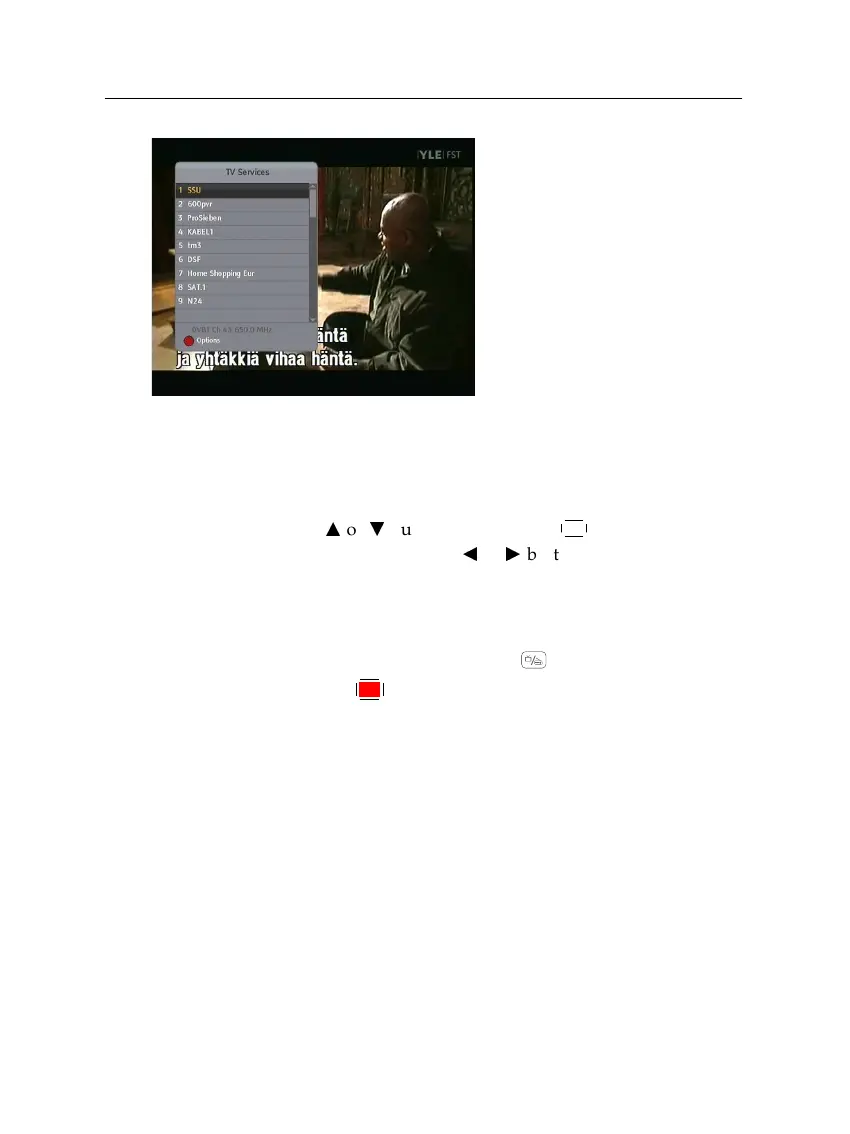
On the services list, you can see
the service information:
• Service number and name
• Transponder information
A dollar sign (
$
) may be marked on some entries, indicating
pay service. To watch pay services, you need the subscription
card.
To select a desired service, put the highlight bar on its entry
with the
a
or
c
button and press the
OK
button; then it will
be presented. Pressing the
b
or
d
button skips over 10 entries
up or down. Entering a service number with the numeric
buttons puts the highlight bar on its entry.
You can switch between the television services list and the
radio services list by pressing the button.
Pressing the
F1
button displays the additional options, with
which you can do the following:
•
By setting the Show Provider option to On, you can view
service entries by groups of broadcasters.
•
To change the name of the highlighted service, select the
Rename option; then the on-screen keyboard appears,
with which you can enter a new name. See
§
6.3 for how
to use the on-screen keyboard.
•
You can prevent other family members from watching the
highlighted service by setting the Lock option to Locked.
You have to enter your personal identification number to
watch or unlock it.














 To Next Page