8.2 Configuring the wireless network settings on the digital receiver 67
NOTE
You can access the FTP server with an anonymous account.
However, with an anonymous account you can only download
files. You cannot upload files.
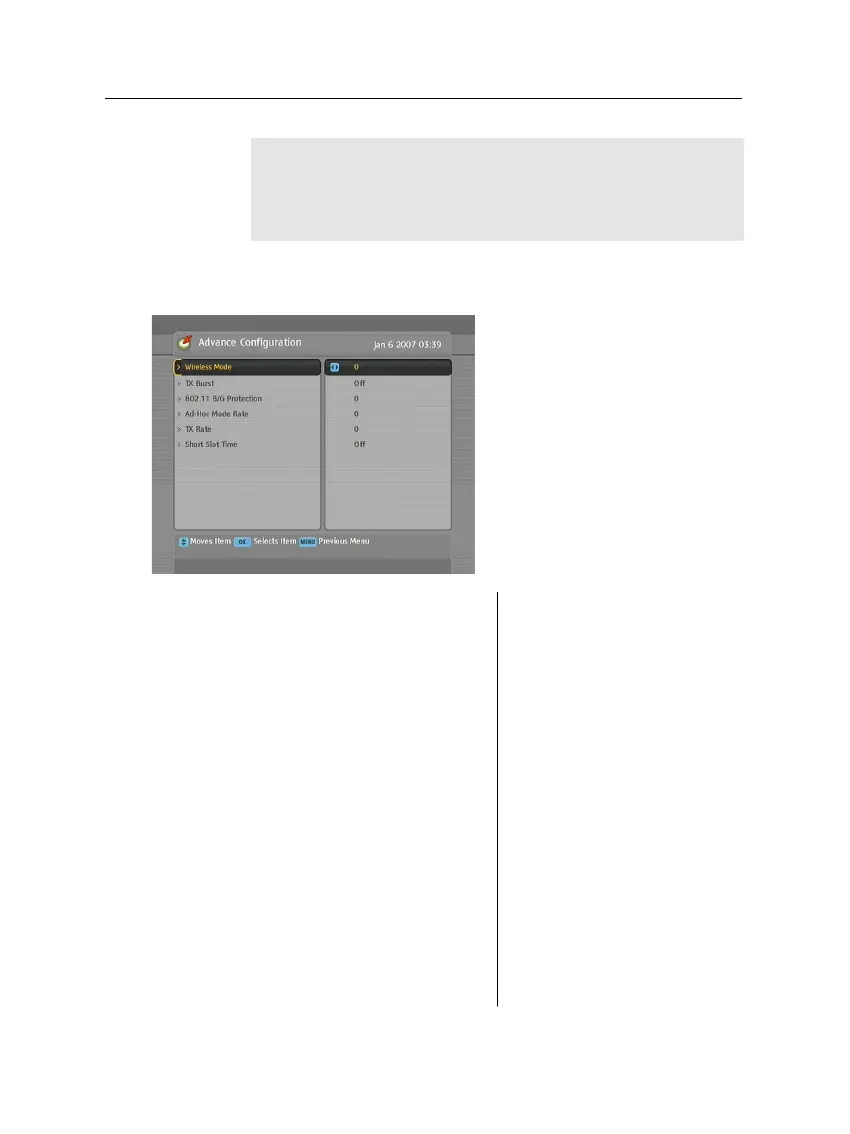
Advance configuration
To configure the network envi-
ronment for the digital receiver
in detail, select the Installation
>
LAN Setting
>
Advance Configu-
ration menu.
The available values of each op-
tion are as follows:
Wireless Mode
0: 802.11 B/G mixed.
1: 802.11 B only
TX Burst
802.11 B/G Protection
0: Auto
1: Always on
2: Always off
Ad-Hoc Mode Rate
0: Adhere Wi-Fi spec
1: Violate Wi-Fi spec
TX Rate
0: Auto
1: 1 Mbps
2: 2 Mbps
3: 5.5 Mbps
4: 11 Mbps
5: 6 Mbps
6: 9 Mbps
7: 12 Mbps
8: 18 Mbps
9: 24 Mbps
10: 36 Mbps
11: 48 Mbps
12: 54 Mbps
Short Slot Time
0: Disable
1: Enable














 To Next Page