75
To run a TAP in the digital receiver, perform the following
steps:
1.
Press the button and then the or button to
display the program file list.
2. Place the highlight bar on a file entry you want to run.
3. Press the
OK
button to start the program.
4. To exit the program, press the
EXIT
button.
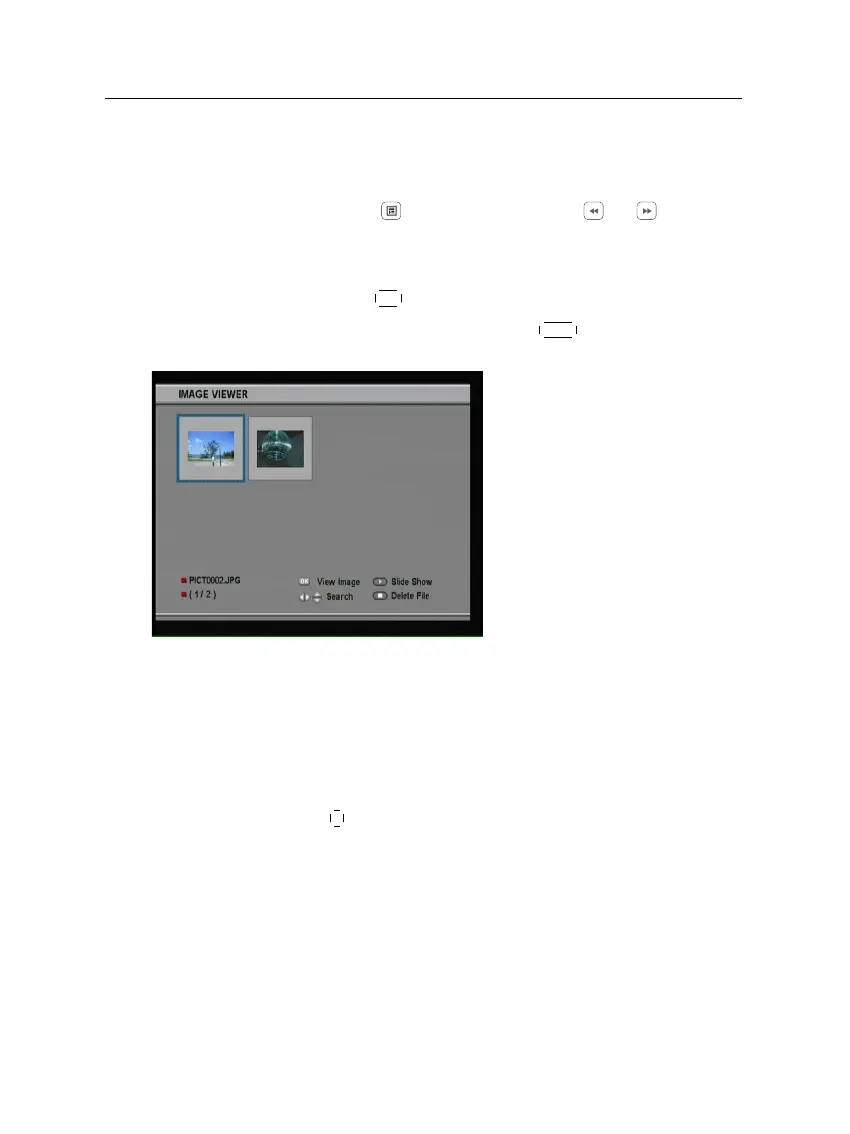
The figure on the left is a run-
ning screen of a TAP, Image
Viewer, which displays image
files of BMP, GIF and JPG for-
mat. This TAP is available
from the web site,
http://www.
i-topfield.com.
In the program file list, you can use a variety of file control
functions including: renaming, sorting, deleting and so on. For
detailed descriptions about the file control functions, refer to
§ 7.2.
If you want a program to run automatically when the digital
receiver starts up, move the program to the Auto Start folder.
Press the
0
button at start-up if you want the program not to
run.














 To Next Page