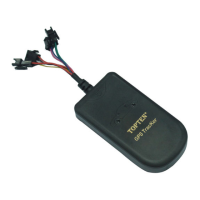
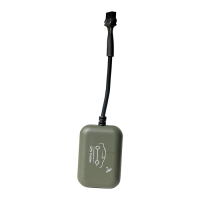
TK108 GPS Vehicle Tracker
Check the Real Physical Address
SMS command: 111111ADD (or 111111add)
When user sends this SMS command to the tracker, the tracker will automatically send
back the car’s real physical address (such as city name, street name) to your mobile by
SMS. There is no need for the user to setup any server, but it needs supports from our
platform.
Remark: (1) The GPRS data service of the tracker’s SIM card must be activated, and
the correct GPRS setting is needed (refer to the chapter of the setting of GPRS
connection), user can set up the GPRS upload time interval to 0 so as to save the GPRS
flow; (2) The physical address depends on the Google map’s address information. If the
place has very detailed information on Google map, then the physical address by SMS is
very detailed.
SMS command: 111111PSWnnnnnn (or 111111pswnnnnnn)
This instruction is used to change the user password. The length of the
User’s password is 3~6 digits. Users are suggested to change to the new
Example: User sends the SMS “111111PSW12345” to the system SIM card
number, and gets the confirmed SMS “111111PSW12345” in 3 seconds. It
means that the user password has been changed to 12345.
Remark: Please keep the password deep in mind if it is changed.
SMS command: 111111STP (or 111111stp)
This instruction is used to stop the car immediately
Attention: It is very dangerous to stop the car when the vehicle is running at high
speed. We do not take any responsibility to the consequence caused by this
action.


 To Next Page