- 30 -
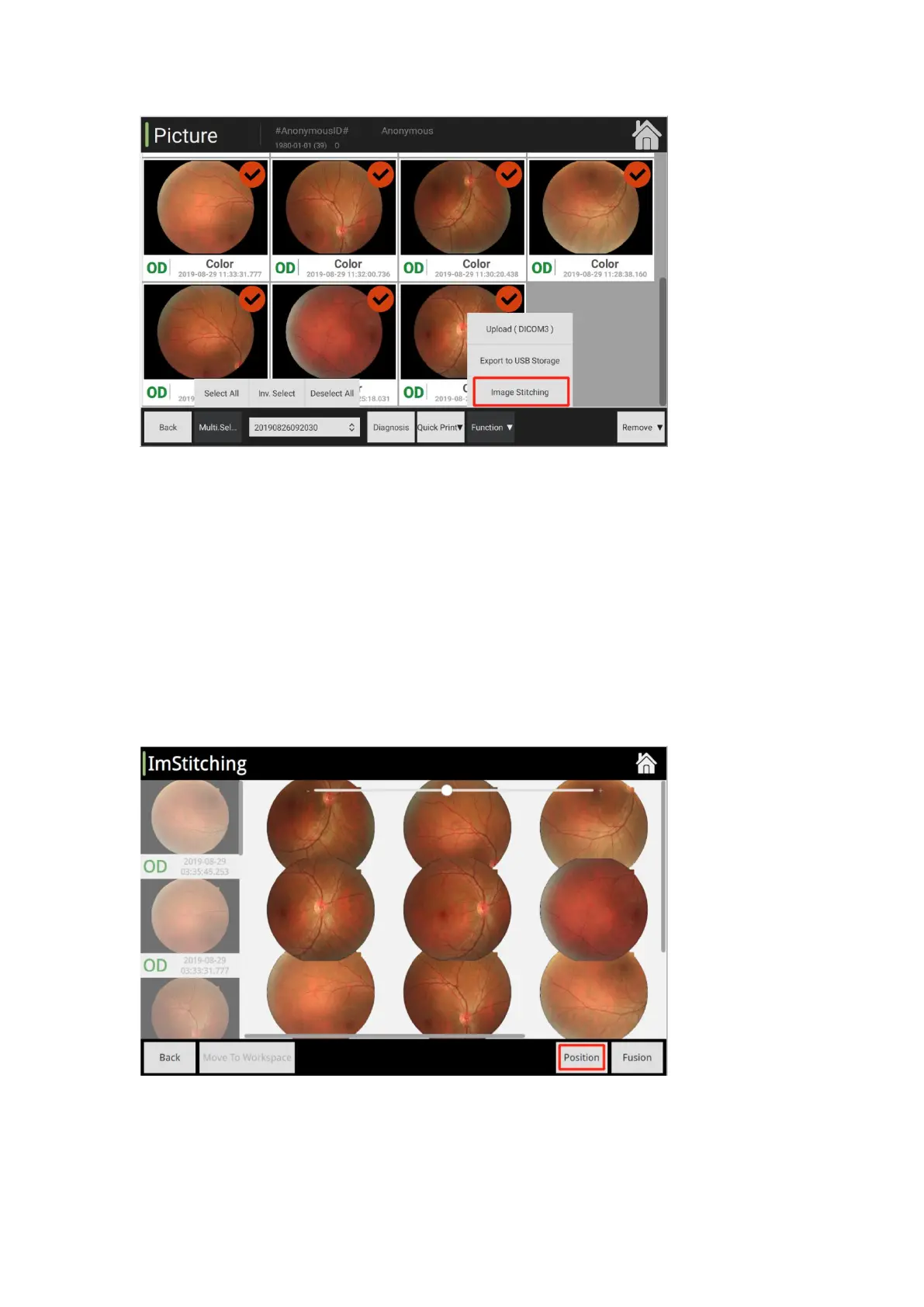
Select fundus images of the patient's one eye at different part for image mosaic.
Image mosaic: Combine several small images into one big image, on the preconditions that
these small images are images of the same patient's one eye.
Different positions: Adjust the position of inner fixation lamp, and require patient's eyes to
focus on different directions to acquire fundus images of different eye positions.
Number of image mosaic: Maximum 9 images for each time.
Select images as needed and then start the image mosaic.
Positioning: Click [Positioning] button to automatically align fundus images.
Image mosaic: After successful alignment, click [Image Mosaic] button.
Check the effect of image mosaic: If the image mosaic succeeds, return to the image
management interface, and the first image in the image list is the composite fundus image by
default after the image mosaic.



 To Next Page