- 4 -
Data and equipment interface
1) Transmission protocol: The software can carry out two-way data transmission between
different equipment via USB 2.0 data interface, with the transmission protocol being USB2.0
communication protocol.
2) Data will be saved in the disk of equipment permanently, with image files in bmp format
and user-defined header files in binary format.
Software environment
Windows 8.1 (64 bits) serves as the system software, without the need for additional
support software or application software.
1.11 Device installation
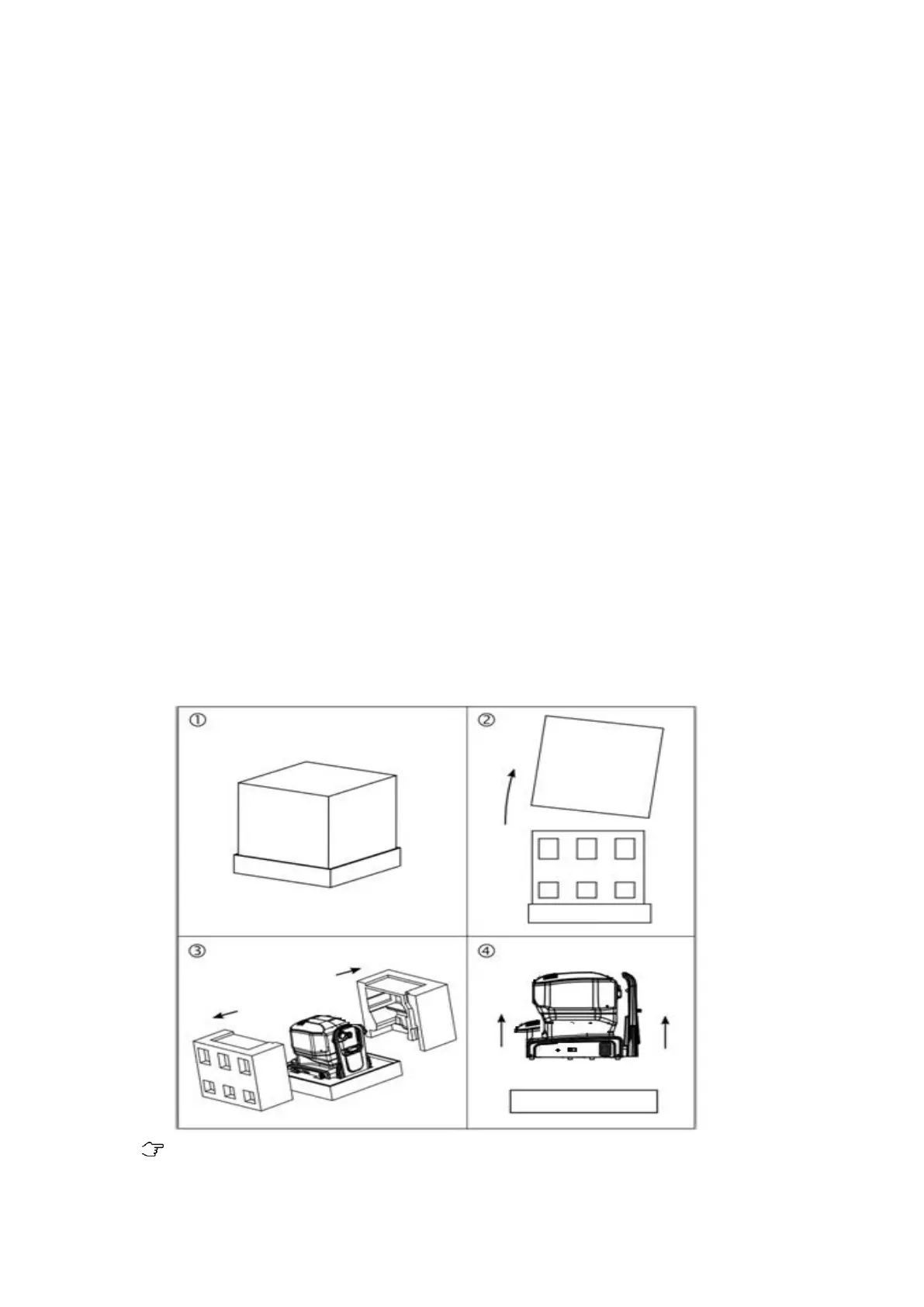
Remove the packing according to the following pictures, and keep the packing materials
properly for future use.
1) Place the packing box on the flat ground;
2) Remove the upper box;
3) Remove the foam surrounding the product;
4) Two workers work together to lift up the base of equipment from the front and back
end respectively, and put it on the flat ground smoothly.
Notes:
In order to prevent any damage to equipment or personnel, two workers shall be



 To Next Page