- 32 -
3. Image processing
After entering the composite image preview interface, process the image as needed.
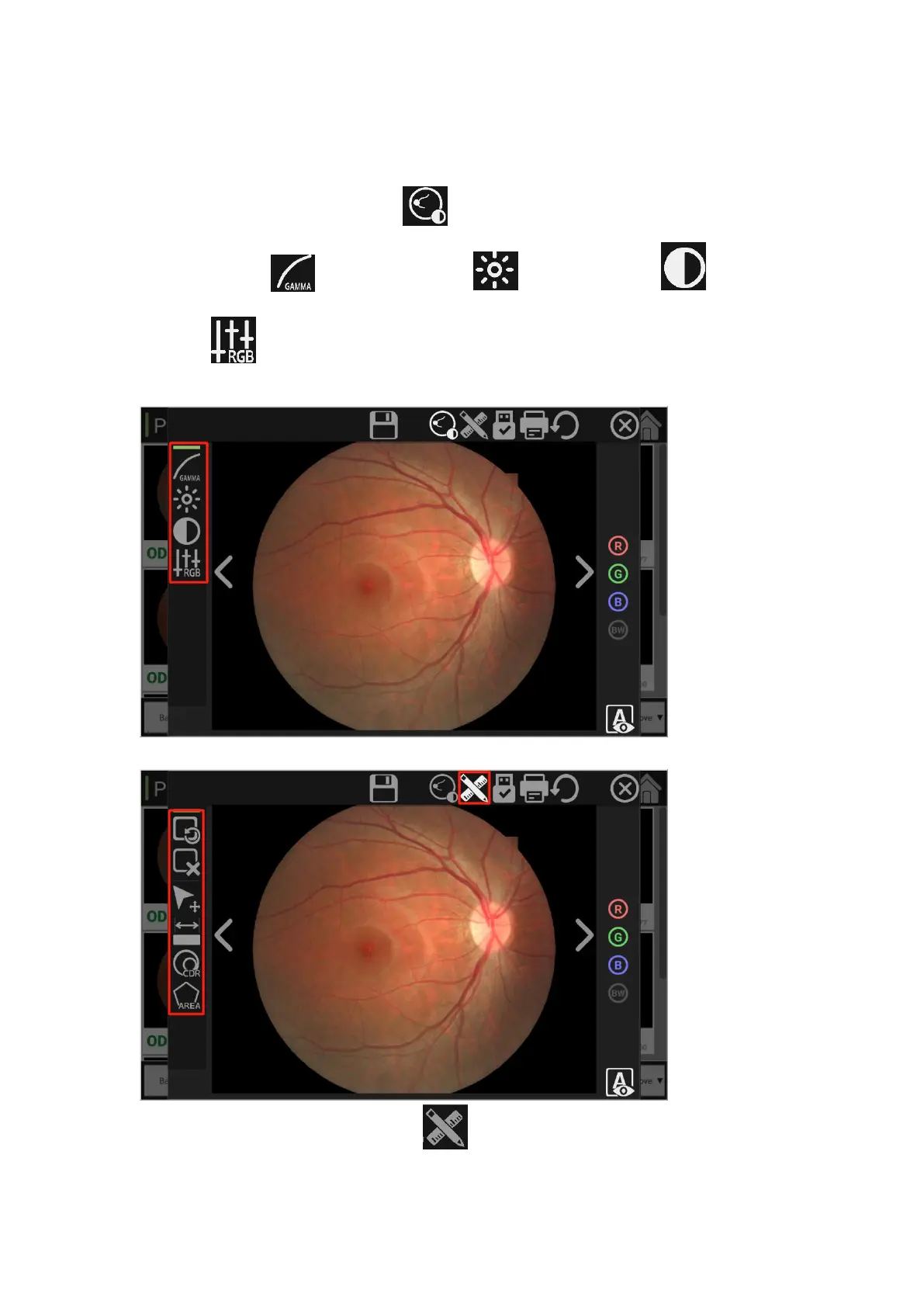
1、Image adjusting tool
Image intensification effect: Click button to adjust the image effect as needed
Gamma adjustment , brightness adjustment , contrast adjustment , RGB gain
adjustment . After the image effect intensification and adjustment is completed, click [Save]
to generate new images.
2、Image annotation tools
Annotation and measurement: Click button to annotate images as needed, and use
annotation tools (distance tool, CDR tool and polygon area calculation tool) to label and



 To Next Page