PROGRAMMING YOUR EWZ 201
NOTE: AFTER MAKING ANY CHANGES TO THE
PROGRAM, PRESS MODE TO GO TO RUN MODE
AND THEN PRESS EVENT TO UPDATE THE
LOAD STATUS.
AT POWER UP:
Unit should be program with AC power. Do not pro-
gram under super cap back up power. When power-
ing up the unit for the first time, wait 1-2 minutes to
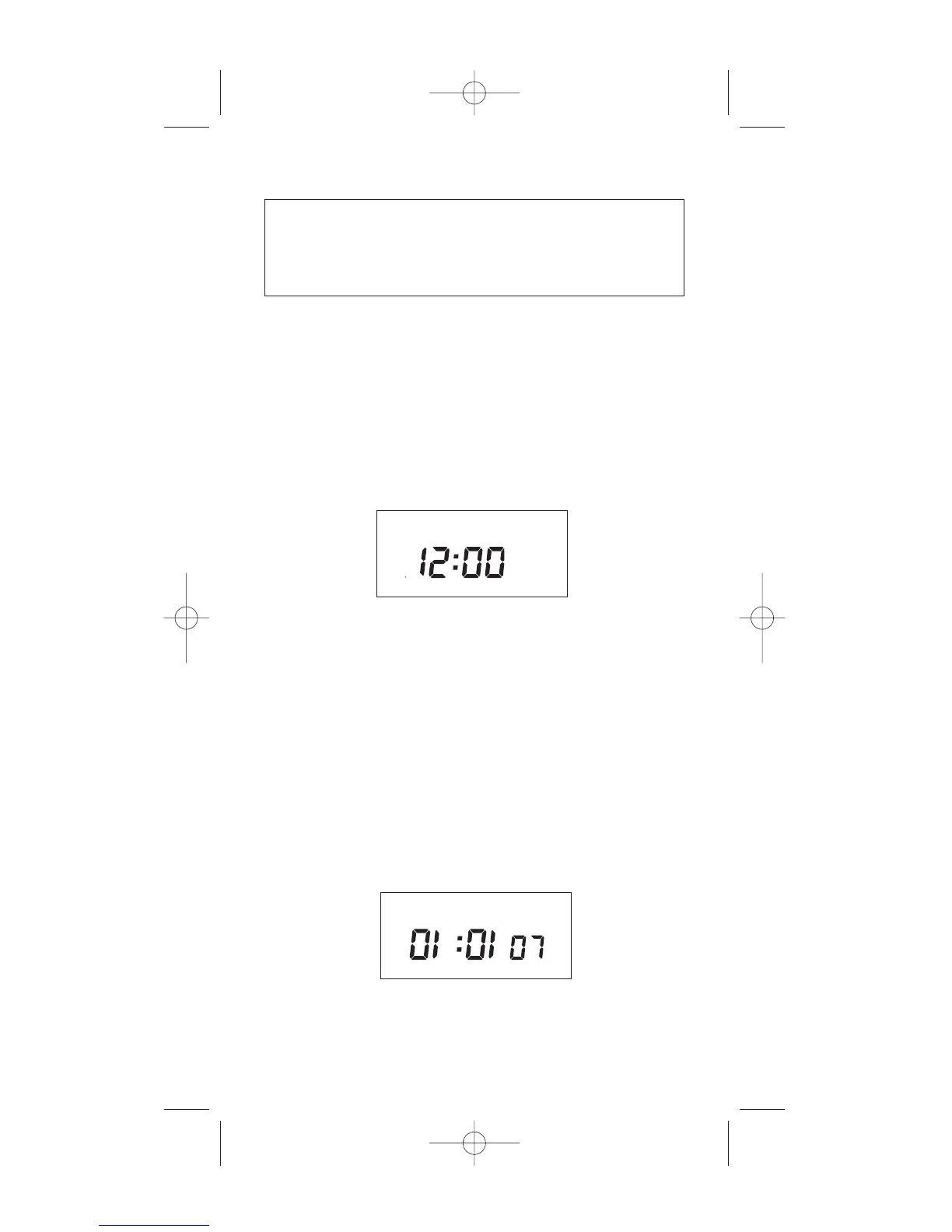
charge the supercap, then 12:00 AM will flash on display.
Press MODE to go to the CLK mode.
After pressing the MODE key the display will show:
1.0 TO SET CLOCK
Press HOUR and MIN to advance to the present
hour and mins. Check AM/PM, and press ENTER.
1.1 TO MODIFY CLOCK
Press MODE until the display shows: CLK. Press
HOUR and MIN. to modify clock and press ENTER.
2.0 TO SET DATE
If you are setting for the first time, display will show:
2
MO TU WE TH FR SA SU ASTRO
CH1 MOM AM PM OFFSET CH2
CLK DATE SCH AUTO MAN
MO TU WE TH FR SA SU ASTRO
CLK SCH AUTO MAN
DATE


 To Next Page