EasyManua.ls Logo

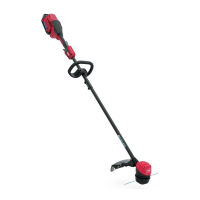
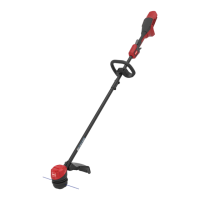
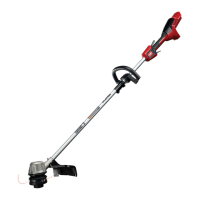
Toro 51830 - User Manual

Toro 51830
20 pages
Print Icon
To Next Page IconTo Next Page
Loading...
FormNo.3426-191RevD
Flex-ForcePowerSystem
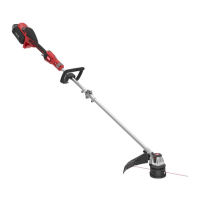
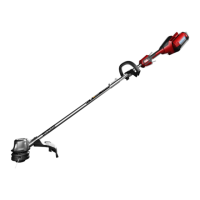
14in
or16in60VMAXStringTrimmer
ModelNo.51830—SerialNo.319000001andUp
ModelNo.51830T—SerialNo.319000001andUp
Registeratwww.Toro.com.
OriginalInstructions(EN)
*3426-191*D

Questions and Answers

  • L
    Leslie RussellAug 13, 2025
    Why my Toro 51830 does not start?
    • J
      Jeffrey PierceAug 13, 2025
      If your Toro Trimmer isn't starting, there are several potential reasons: 1. The battery might not be fully installed. Remove and re-insert the battery, ensuring it's fully latched. 2. The battery pack may need charging. Detach it from the tool and charge it. 3. The battery pack could be damaged, requiring a replacement. 4. There might be an electrical issue with the tool.
  • J
    Jaime OwensAug 17, 2025
    How to fix Toro 51830 Trimmer not reaching full power?
    • C
      Craig RayAug 17, 2025
      If your Toro Trimmer isn't running at full power, it could be due to: 1. Low battery charge. Remove the battery and fully charge it. 2. Blocked air vents. Ensure the air vents are clean and free from obstructions.
  • D
    deleonluisAug 21, 2025
    What to do if my Toro 51830 does not run or run continuously?
    • M
      Martha Wright DVMAug 21, 2025
      If your Toro Trimmer isn't running or runs continuously, it might be due to: 1. Moisture on the battery leads. Allow the battery to dry or wipe it dry. 2. The battery not being fully installed. Remove and re-insert the battery, ensuring it is fully latched.
  • D
    David DavisAug 25, 2025
    What to do if LED indicator light on Toro 51830 battery charger is blinking red?
    • A
      Adam DominguezAug 26, 2025
      If the LED indicator light on the battery charger is blinking red, it could mean: 1. There's a communication error between the battery and charger. Try removing the battery, unplugging the charger for 10 seconds, then plugging it back in and reattaching the battery. Repeat this process. If it still blinks after two attempts, recycle the battery. 2. The battery pack may be weak and needs to be properly disposed of at a battery recycling facility.
  • T
    Travis WilliamsAug 28, 2025
    Why is my Toro Trimmer producing excessive vibration or noise?
    • M
      mendozaashleyAug 29, 2025
      If your Toro Trimmer is producing excessive vibration or noise, consider the following: 1. Debris on the drum area. Clean any debris from the drum area. 2. Improperly wound spool. Advance the line using the trigger or rewind the spool.
  • J
    Jim EspinozaSep 1, 2025
    Why is the LED indicator light on my Toro 51830 Trimmer battery charger red?
    • H
      Hunter BryanSep 1, 2025
      If the LED indicator light on the battery charger is red, it could be that the charger or battery pack is outside the correct temperature range. Unplug the charger and move both the charger and battery to a dry place where the temperature is between 5°C (41°F) and 40°C (104°F).
  • K
    Katie MiddletonSep 5, 2025
    Why does the battery pack on my Toro 51830 Trimmer lose charge quickly?
    • P
      palmersuzanneSep 5, 2025
      If the battery pack loses charge quickly, it may be because it is outside the correct temperature range. Move the battery pack to a dry location where the temperature is between 5°C (41°F) and 40°C (104°F).
  • G
    grobertsSep 8, 2025
    What to do if my Toro 51830 battery charger is not working?
    • J
      joseph72Sep 9, 2025
      If the battery charger is not working, it could be due to: 1. The charger being outside the correct temperature range. Unplug the charger and move it to a dry place where the temperature is between 5°C (41°F) and 40°C (104°F). 2. The outlet not having power. Contact a licensed electrician to repair the outlet.

Summary

Safety Information

Important Safety Instructions

Comprehensive safety guidelines for operation, training, and preparation of the trimmer.

Safety and Instructional Decals

Explanation of various safety and operational decals found on the product for user awareness.

Introduction and Specifications

Introduction

Overview of the trimmer's intended use, model compatibility, and purpose.

Product Specifications

Details on appropriate temperature ranges for charging, using, and storing the trimmer.

Operation Procedures

Safe Operation Procedures

Guidelines for safe operation, including environmental considerations, starting, and handling.

Starting the Trimmer

Detailed steps for initiating the operation of the string trimmer.

Battery Pack Handling

Instructions for removing the battery pack and charging it properly.

Line Advancement

Methods for advancing the trimmer line using bump feed or manual techniques.

Setup and Assembly

Loose Parts Identification

List and purpose of loose parts included with the trimmer for verification.

Mounting the Battery Charger

Step-by-step guide for optionally mounting the battery charger to a wall.

Unfolding the Handle

Instructions for unfolding and securing the trimmer's handle assembly.

Installing the Auxiliary Handle

Steps to attach the auxiliary handle to the trimmer for improved control.

Installing the Guard

Procedure for attaching the protective guard to the trimmer base.

Adjustments and Maintenance

Adjusting the Cutting Swath

Guide to changing the trimmer's cutting width from 14 to 16 inches.

Operating Tips

Advice for efficient and safe trimmer operation, including cutting techniques.

Maintenance

Steps for cleaning and checking the trimmer after each use for optimal performance.

Replacing the String

Detailed instructions for loading new trimmer line into the spool head.

Storage and Troubleshooting

Storage

Guidelines for storing the trimmer, battery, and charger safely and properly.

Preparing the Battery Pack for Recycling

Information on recycling lithium-ion battery packs via the Call2Recycle program.

Troubleshooting

Common problems, their causes, and corrective actions for the trimmer.

California Proposition 65 Warning Information

Toro 51830 Specifications

General IconGeneral
BrandToro
Model51830
CategoryTrimmer
LanguageEnglish

Related product manuals