EasyManua.ls Logo

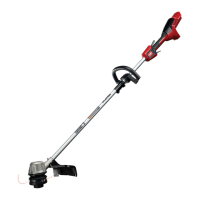
Toro 51831 - User Manual

Toro 51831
64 pages
Print Icon
To Next Page IconTo Next Page
Loading...
FormNo.3440-156RevD
Flex-ForcePowerSystem™13inor15in60V
MAXStringTrimmer
51831,51831T
Desbrozadoradehilo60VMAXde33cm
(13")o38cm(15")conFlex-ForcePower
System™
51831,51831T
DébroussailleuseàlFlex-ForcePower
System™60VMAXde33cm(13po)ou38
cm(15po)
51831,51831T
www.T oro.com.
*3440-156*

Questions and Answers

  • S
    Sandra GriffinAug 13, 2025
    How to fix a Toro Trimmer that won't start?
    • J
      Joel DawsonAug 13, 2025
      If your Toro Trimmer isn't starting, here are a few things to check: * Ensure the battery is fully installed and latched into the tool. Remove and replace it to be sure. * Make sure the battery pack is charged. If not, remove it and charge it. * The battery pack may be damaged. If so, replace it.
  • S
    Scott RiveraAug 17, 2025
    What to do if the LED indicator light on the Toro Trimmer battery charger is blinking red?
    • M
      Michael MartinAug 17, 2025
      If the LED indicator light on your battery charger is blinking red, there may be an error in communication between the battery and the charger, or the battery pack may be weak. Try removing the battery, unplugging the charger for 10 seconds, and then plugging it back in and reattaching the battery. If the light continues to blink red after two attempts, properly dispose of the battery at a recycling facility.
  • T
    thomasdanielAug 20, 2025
    Why is my Toro 51831 Trimmer not reaching full power?
    • M
      Michael BridgesAug 20, 2025
      If the Toro Trimmer does not reach full power, the battery pack charge capacity might be too low, so remove the battery pack from the tool and fully charge it. Alternatively, the air vents could be blocked, so try cleaning the air vents.
  • J
    Jason WilliamsAug 25, 2025
    Why is the LED indicator light on my Toro 51831 Trimmer battery charger red?
    • L
      Laura MortonAug 25, 2025
      If the LED indicator light on the battery charger is red, the charger or battery pack may be outside the correct temperature range. Unplug the charger and move both the charger and battery pack to a dry place where the temperature is between 5°C (41°F) and 40°C (104°F).
  • L
    luishansonAug 28, 2025
    What to do if my Toro 51831 Trimmer does not run or runs continuously?
    • A
      Ashley RoweAug 28, 2025
      If your Toro Trimmer is not running or runs continuously, the battery pack leads might have moisture on them. Allow the battery pack to dry or wipe it dry. Also, ensure the battery is fully installed into the tool by removing and replacing it, making sure it's fully installed and latched.
  • R
    ryan04Sep 1, 2025
    Why is my Toro 51831 Trimmer producing excessive vibration or noise?
    • S
      Stephen BrownSep 1, 2025
      If the Toro Trimmer is producing excessive vibration or noise, check for debris on the drum area and clean it off. Also, the spool might not be wound correctly; try advancing the line using the trigger switch and/or remove the line and wind the spool again.
  • G
    graywendySep 4, 2025
    What to do if the Toro 51831 battery charger is not working?
    • T
      Tara NguyenSep 4, 2025
      If the battery charger isn't working, it might be outside the correct temperature range. Unplug it and move it to a dry place where the temperature is between 5°C (41°F) and 40°C (104°F). Also, the outlet the charger is plugged into might not have power; contact a licensed electrician to repair the outlet.
  • S
    schmidtlydiaSep 8, 2025
    Why does the battery pack on my Toro Trimmer lose charge quickly?
    • J
      jackdaltonSep 8, 2025
      If the battery pack loses charge quickly, it may be outside the correct temperature range. Move the battery pack to a place where it is dry and the temperature is between 5°C (41°F) and 40°C (104°F).

Summary

Introduction

Safety

Training

Operator qualifications and responsibilities for safe appliance use.

Preparation

Pre-operation checks, safety precautions, and initial setup procedures.

Operation

Guidelines for safe and effective use of the trimmer during operation.

Maintenance and Storage

Maintenance

Procedures for cleaning, checking fasteners, and clearing debris for upkeep.

Storage

Guidelines for storing the tool, battery pack, and charger when not in use.

Safety and Instructional Decals

Setup

Loose Parts

List of included parts and their purpose for initial trimmer assembly.

Unfolding the Handle

Installing the Auxiliary Handle

Installing the Guard

Product Overview

Specifications

Key technical details of the trimmer, including model, voltage, and operating temperature ranges.

Operation

Starting the Trimmer

Instructions for powering on the trimmer using the lockout and run triggers.

Shutting Off the Trimmer

Steps to turn off the trimmer by releasing the operational triggers.

Removing the Battery Pack from the Trimmer

Procedure to safely detach the battery pack from the trimmer unit.

Charging the Battery Pack

LED Indicator Interpretation

Explanation of LED status lights on the battery charger for charging status.

Advancing the Line Using the Bump Feed

Advancing the Line Manually

Procedure for manually feeding trimmer line when bump feed is ineffective.

Adjusting the Cutting Swath

Maintenance

Replacing the String

Detailed steps for replacing the trimmer line, including spool and string handling.

Storage

Preparing the Battery Pack for Recycling

Instructions for preparing the battery pack for responsible disposal and recycling.

Troubleshooting

Tool Does Not Start

Steps to diagnose and resolve issues when the trimmer fails to start.

Battery Pack Issues

Solutions for common battery problems like quick discharge or charger faults.

California Proposition 65 Warning Information

Toro 51831 Specifications

General IconGeneral
BrandToro
Model51831
CategoryTrimmer
LanguageEnglish

Related product manuals