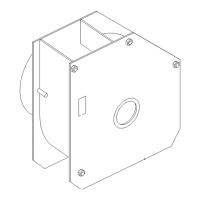
The Toro Horizon Control Module is a sophisticated electronic display and control system designed for Z Master Lawn Mowers, specifically models 74060, 74064, 74072, 74074, and 74096, with serial numbers 400000000 and up. This module serves as the central interface for operators to monitor and manage various aspects of their mower's operation, maintenance, and performance.
Function Description:
The Horizon Control Module provides real-time information and control capabilities through a backlit screen and multi-functional buttons. It displays critical operational data, system status, and error messages, enabling operators to make informed decisions and maintain the machine effectively. The module integrates with the mower's engine control unit (ECU) and other systems to provide a comprehensive overview of the machine's health and performance. Key functions include monitoring engine speed, hydraulic fluid temperature, engine temperature, fuel level, battery voltage, and the status of safety interlocks. It also manages the diesel particulate filter (DPF) regeneration process, provides maintenance reminders, and allows for adjustment of engine settings.
Important Technical Specifications:
The module is designed to operate within the mower's electrical system, monitoring various sensors and communicating with the ECU. It features a multi-colored LED status light that indicates normal operation (solid green), active faults (blinking red), or a clutch reset requirement (blinking green and orange). The display is backlit for visibility in low-light conditions. The system includes an audible alarm for critical and less critical errors, with distinct sounds for each. A 4-digit passcode (1982) protects access to advanced settings. The module tracks engine hours, PTO hours, and fuel consumption in US gallons/liters. It monitors system voltage for overvoltage (>16VDC) and undervoltage (<9VDC) conditions. Engine speed adjustments are made in 50 rpm increments.
Usage Features:
The Horizon Control Module offers several user-friendly features to enhance operation:
- Screen Icons: A variety of icons provide quick visual cues for different functions and statuses, including Gauge and Meters, Low Engine Speed, Processing, Advanced Settings, Battery Voltage, Transmission-Oil Maintenance, Engine-Oil Temperature, Engine Hours, Fuel Level, Engine-Oil Maintenance, Cancel/Exit, PTO, No (for menu screens), Toggle Between Screens, Parking Brake, Yes, Enter/Return, Neutral Lock, Decrease, Previous, Operator Presence Control (OPC), Increase, Next, Max Engine Speed, Play/Start, Reset, Efficient Engine Speed, Pause/Stop, and Error Warning.
- Engine Speed Modes: Operators can select from three engine speed modes: Low (for transport and wet mowing), Efficient (for normal mowing and fuel economy), and Maximum (for extreme mowing and high idle). The selected mode is illuminated on the panel.
- Safety Interlocks: The module displays the status of safety interlocks, ensuring the machine operates only under safe conditions (e.g., PTO disengaged, parking brake engaged, motion-control levers in NEUTRAL-LOCK, operator present). It prevents engine startup or shutdown if interlock conditions are not met.
- DPF Regeneration: The module actively manages the DPF regeneration process, which includes passive, auto, stationary, and recovery regeneration modes. It provides visual cues and alerts for regeneration status, including a 60-second timer for auto regeneration and prompts to increase RPM/load if conditions are not met. A CAUTION warns of high exhaust temperatures during regeneration.
- Menu Navigation: The Menu Selection Screen, accessed by placing motion-control levers in NEUTRAL-LOCK and holding the two outside LDU buttons, allows navigation through Maintenance and Service, Gauges and Meters, and Advanced Settings menus.
- Error Messages and Alarms: The system displays current error messages as text, along with the engine hours when they occurred. It provides audible alarms (fast chirp for critical, slow chirp for less critical) and turns the LED red for active faults. Operators can acknowledge and silence some alarms.
- Auto Idle Down Mode: If the operator leaves the seat and safety interlocks allow, the engine enters auto idle mode, reducing engine speed to low transport speed. It automatically returns to the previously selected speed when the operator returns to the seat.
- Engine Speed Adjustment: In Advanced Settings, operators can adjust the Maximum, Efficient, and Low set points for both transport (clutch disengaged) and mow (clutch engaged) modes.
- Calibration: The module allows for calibration of engine settings to match actual engine speed with commanded engine speed.
Maintenance Features:
The Horizon Control Module incorporates several features to assist with machine maintenance:
- Maintenance Reminders: The Maintenance and Service Menu provides screens for Hydraulic Trans Oil, Engine Oil, and Deck Gearbox Oil, displaying hours remaining until the next service is due. It also shows service history, indicating when previous resets were performed.
- DPF Soot Percentage: The Engine-Off Screen and Maintenance and Service Menu display the DPF soot percentage as a bar graph, indicating when a DPF regeneration may be needed. Operators can initiate a manual stationary regeneration if the soot percentage is high.
- Historical Error Log: The Historical Error screen in the Advanced Settings menu logs errors that are no longer active, showing the number of times each error occurred and the engine hour at which it last occurred.
- Module Information: The Module Information screen displays the installed software and hardware versions for both the Logic Display Unit (LDU) and the Master Control Unit (MCU), which is useful for troubleshooting and service.
- Factory Defaults: The Factory Defaults screen allows resetting system settings, including engine speed and alarm settings, back to their original factory configurations.
- Troubleshooting Guide: The manual provides a comprehensive troubleshooting table that lists system error messages, status LED indications, system actions, issue descriptions, and recommended corrective actions for various faults, such as Service the Engine Oil, Low Oil Pressure, Engine Over Temperature, System Overvoltage, Clutch Overcurrent, Engine MIL Errors, and Communication Errors. This guide helps operators and technicians diagnose and resolve issues efficiently.



 To Next Page
 General