Operation
12
Attachment
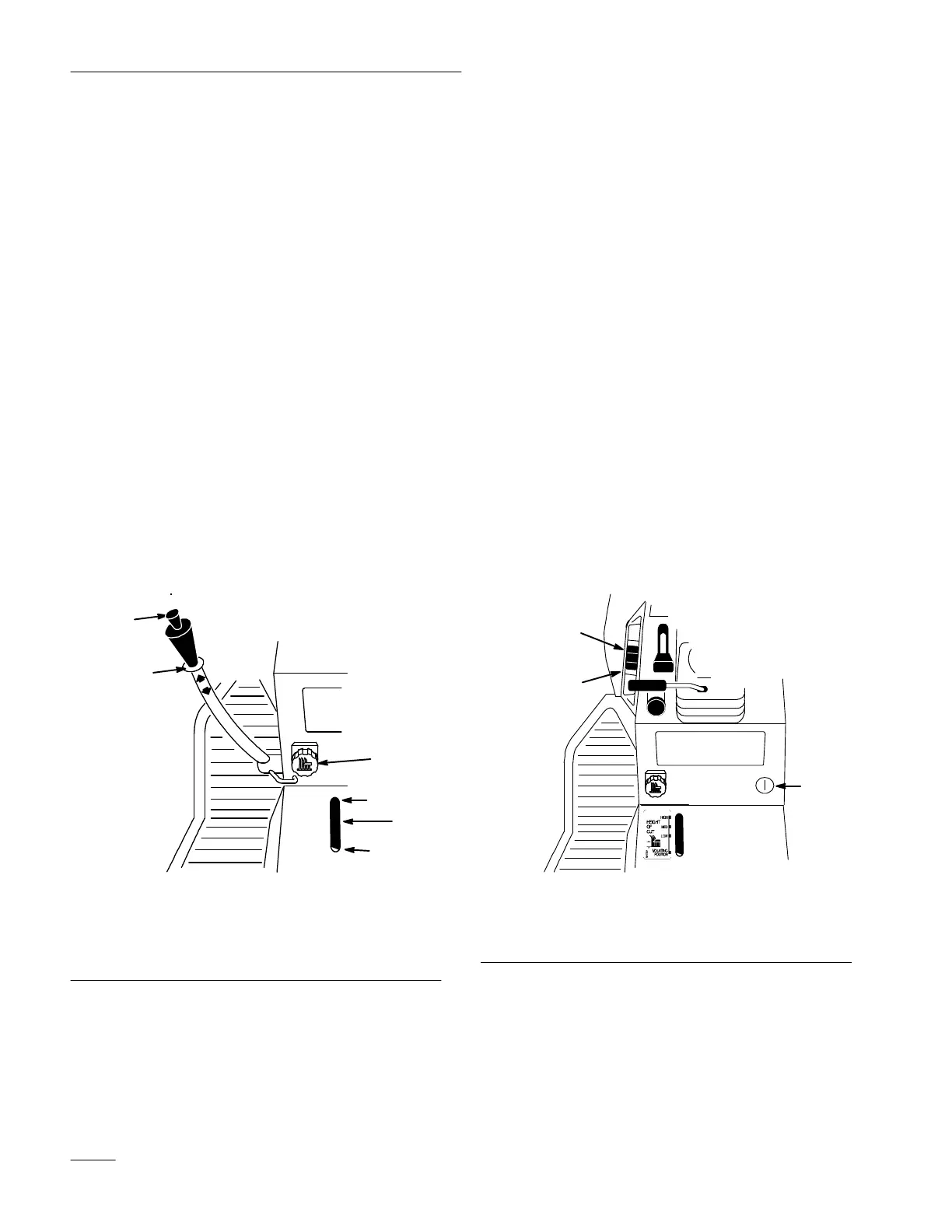
Lift Lever
The attachment lift lever (on some models) (Fig. 16)
is used to raise and lower various attachments.
Raising Attachments
1. Depress the brake pedal to stop the machine.
2. Pull attachment lift lever rearward until latch
locks. In this position the lift will hold the
attachment in the up, or raised position.
Lowering Attachments
1. Depress the brake and/or clutch pedal(s) to stop
the machine.
2. Pull attachment lift lever rearward, to release lift
pressure, and push the button on top to release
the latch. Move lift lever forward to lower
attachment.
1205
3
2
4
5
6
1
Figure 16
1. Lift
lever
2. Button
3. Dial-A-Height
4. Indicator
5. High
6.
Mounting position
Attachment
Power Lift
The attachment power lift (on some models) (Fig. 17)
is used to raise and lower attachments.
Raising Attachments
1. Turn key to the “ON” or “RUN” position
(Fig. 17).
2. Push the lift switch in the “UP” direction to raise
the attachment lift (Fig. 17). This will lift and
hold the attachment in the up, or raised position.
Lowering Attachments
1. Turn key to the “ON” or “RUN” position
(Fig. 17).
2. Push the lift switch in the “DOWN” direction to
lower the attachment lift (Fig. 17). This will
lower the attachment lift.
2266
2
1
3
Figure 17
1. Key
2. Lift
switch UP
3.
Lift switch DOWN


 To Next Page