50 180
3
190150 170160
6
130 14012090 110100403010 706020 80
1 2 4 5 7
200
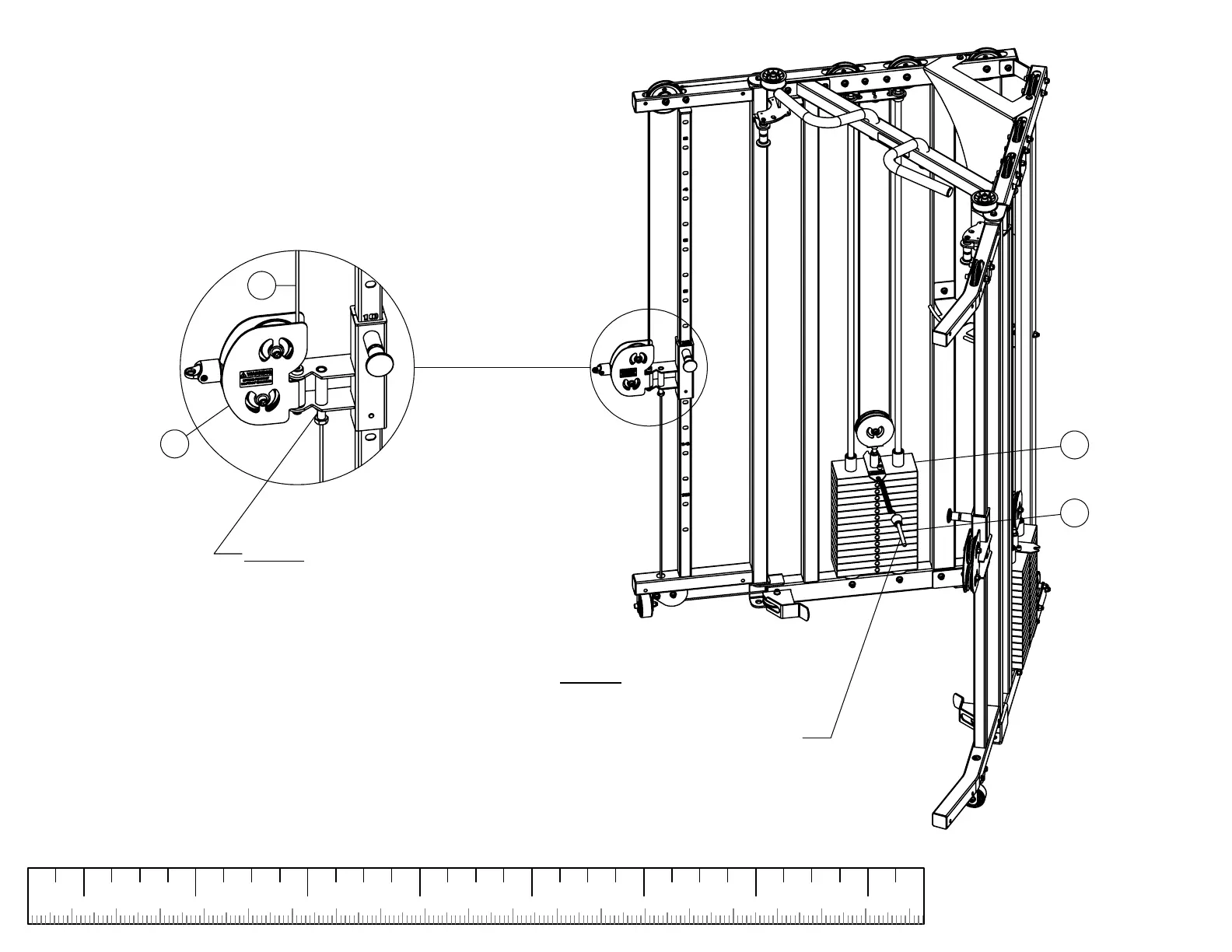
NOTE 1:
Lift head plate up and remove the
weight stack pin. Lower the head
plated back down on top of the first
plate
(SEE NOTE 2 ABOVE)
36
18
NOTE 2:
If there is a gap between the head
plate and first plate, loosen jam nut
and turn threaded end clockwise
until the head plate touches the first
plate.
SECURELY
tighten jam nut
To add tension to the cable, turn
the threaded end counter clockwise.
SECURELY
tighten jam nut.
41
24
SECURELY
tighten all bolt connections in this step.
32
STEP 26b CABLE ADJUSTMENT


 To Next Page