EasyManua.ls Logo

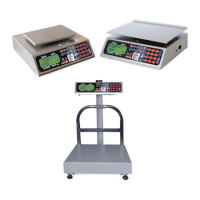
Torrey EQM 200/400 - User Manual

Torrey EQM 200/400
16 pages
Print Icon
To Next Page IconTo Next Page
Loading...
FABRICANTES DE BASCULAS TORREY
S.A. DE C.V.
ELECTRONIC SCALE
EQB/EQM
SERIES
OWNER’S MANUAL
BASCULA ELECTRONICA
SERIE
EQB/EQM
MANUAL DE USUARIO
REVISION:1.2
IMPORTANT:
BEFORE OPERATING THIS SCALE, PLEASE READ THIS MANUAL THOROUGHLY.
ANTES DE OPERAR SU BASCULA, FAVOR DE LEER ESTE MANUAL CUIDADOSAMENTE.
Question and Answer IconNeed help?

Do you have a question about the Torrey EQM 200/400 and is the answer not in the manual?

Summary

Important Warnings

General Safety and Handling Precautions

Key safety guidelines for operating and maintaining the scale to prevent damage or injury.

Installation Instructions

Keyboard Layout and Functions

Zero and Tare Functions

Details the use of the ZERO and TARE keys for accurate weighing operations.

Display Indicators and Readings

Operation Description

How to Weigh a Product

Step-by-step guide to weighing products on the scale for accurate measurements.

Using the Tare Function

Procedure for excluding container weight during a weighing operation.

Operation Features

Referencing to Zero

Procedure to reset the scale to zero, especially after voltage changes or rough handling.

Battery Usage and Charging

Information on operating the scale with battery and the recharging procedure.

Important Scale Messages

Maintenance and Cleaning

Troubleshooting Guide

Scale Does Not Operate

Troubleshooting steps for when the scale fails to power on.

Inconsistent Weight Readings

Diagnosing issues causing variable weight measurements for the same item.

Help Message Troubleshooting

Resolving the 'HELP' message, which may indicate overload or shipping damage.

Unload Message Troubleshooting

Troubleshooting the 'UNLOAD' message, usually related to plate positioning.

Technical Specifications

Summary

Important Warnings

General Safety and Handling Precautions

Key safety guidelines for operating and maintaining the scale to prevent damage or injury.

Installation Instructions

Keyboard Layout and Functions

Zero and Tare Functions

Details the use of the ZERO and TARE keys for accurate weighing operations.

Display Indicators and Readings

Operation Description

How to Weigh a Product

Step-by-step guide to weighing products on the scale for accurate measurements.

Using the Tare Function

Procedure for excluding container weight during a weighing operation.

Operation Features

Referencing to Zero

Procedure to reset the scale to zero, especially after voltage changes or rough handling.

Battery Usage and Charging

Information on operating the scale with battery and the recharging procedure.

Important Scale Messages

Maintenance and Cleaning

Troubleshooting Guide

Scale Does Not Operate

Troubleshooting steps for when the scale fails to power on.

Inconsistent Weight Readings

Diagnosing issues causing variable weight measurements for the same item.

Help Message Troubleshooting

Resolving the 'HELP' message, which may indicate overload or shipping damage.

Unload Message Troubleshooting

Troubleshooting the 'UNLOAD' message, usually related to plate positioning.

Technical Specifications

Torrey EQM 200/400 Specifications

General IconGeneral
Capacity200 kg / 400 kg
DisplayLCD
MaterialStainless Steel
Power SupplyAC 100-240 V / 50-60 Hz
FunctionsTare, Zero

Related product manuals