EasyManua.ls Logo

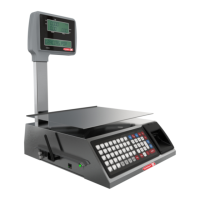
Torrey W-LABEL 40L - User Manual

Torrey W-LABEL 40L
61 pages
Print Icon
To Next Page IconTo Next Page
Loading...
TORREY SCALES
W-LABEL SERIES
USER MANUAL
Rev. 0.

Table of Contents

Question and Answer IconNeed help?

Do you have a question about the Torrey W-LABEL 40L and is the answer not in the manual?

Summary

Technical Specifications Description

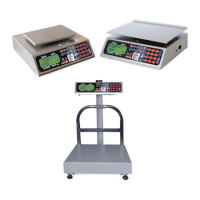
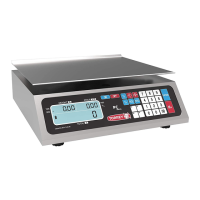
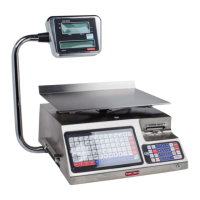
Label Weighing Scale Parts & Thermal Paper Roll

Labeling Pre-Packing Mode

Instructions for correctly placing labels in the printer for pre-packing.

Ticket Placement Mode of Sale

Instructions for correctly placing tickets in the printer for point of sale.

Entering the Setup Menu

Setting Operating Modes

Scale Configuration in Pre-Pause (Label) or Point of Sale (Ticket)

Steps to configure the scale for label printing or ticket issuance.

Products Configuration

Creating a Product

Step-by-step instructions for adding new products, including name, price, and PLU.

Edit a Product

Guide to modify existing product details such as name, price, and type.

Red Settings

Type of Connection Configuration

Guides the user through selecting and configuring the network connection type.

Printer Configuration

Date and Time Settings

Memory Settings

Delete Sales

Erases all sales records from the scale's memory.

Delete Products

Removes all product data saved in the scale's memory.

Delete All

Erases all sales and product data from the scale's memory.

Scales Operation

Product Sale

Apply Discounts

Returns

Change Operation (Ticket)

IOS Scale Link App V1.0.0

Set Connection with iOS Device

Guides the initial connection setup between the WLABEL scale and an iOS device.

Initial Scales Configuration on the iOS Device

Covers the essential initial configuration steps performed on the iOS device for scale integration.
Summary

Technical Specifications Description

Label Weighing Scale Parts & Thermal Paper Roll

Labeling Pre-Packing Mode

Instructions for correctly placing labels in the printer for pre-packing.

Ticket Placement Mode of Sale

Instructions for correctly placing tickets in the printer for point of sale.

Entering the Setup Menu

Setting Operating Modes

Scale Configuration in Pre-Pause (Label) or Point of Sale (Ticket)

Steps to configure the scale for label printing or ticket issuance.

Products Configuration

Creating a Product

Step-by-step instructions for adding new products, including name, price, and PLU.

Edit a Product

Guide to modify existing product details such as name, price, and type.

Red Settings

Type of Connection Configuration

Guides the user through selecting and configuring the network connection type.

Printer Configuration

Date and Time Settings

Memory Settings

Delete Sales

Erases all sales records from the scale's memory.

Delete Products

Removes all product data saved in the scale's memory.

Delete All

Erases all sales and product data from the scale's memory.

Scales Operation

Product Sale

Apply Discounts

Returns

Change Operation (Ticket)

IOS Scale Link App V1.0.0

Set Connection with iOS Device

Guides the initial connection setup between the WLABEL scale and an iOS device.

Initial Scales Configuration on the iOS Device

Covers the essential initial configuration steps performed on the iOS device for scale integration.
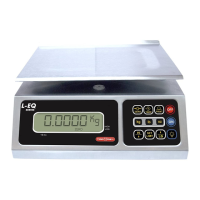
Torrey W-LABEL 40L Specifications

General IconGeneral
BrandTorrey
ModelW-LABEL 40L
CategoryScales
LanguageEnglish

Related product manuals