EasyManua.ls Logo

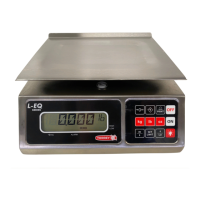
Torrey L-EQ HS Series - User Manual

Torrey L-EQ HS Series
19 pages
Print Icon
To Next Page IconTo Next Page
Loading...
REV 0
CODE: 13100907
OWNER’S MANUAL
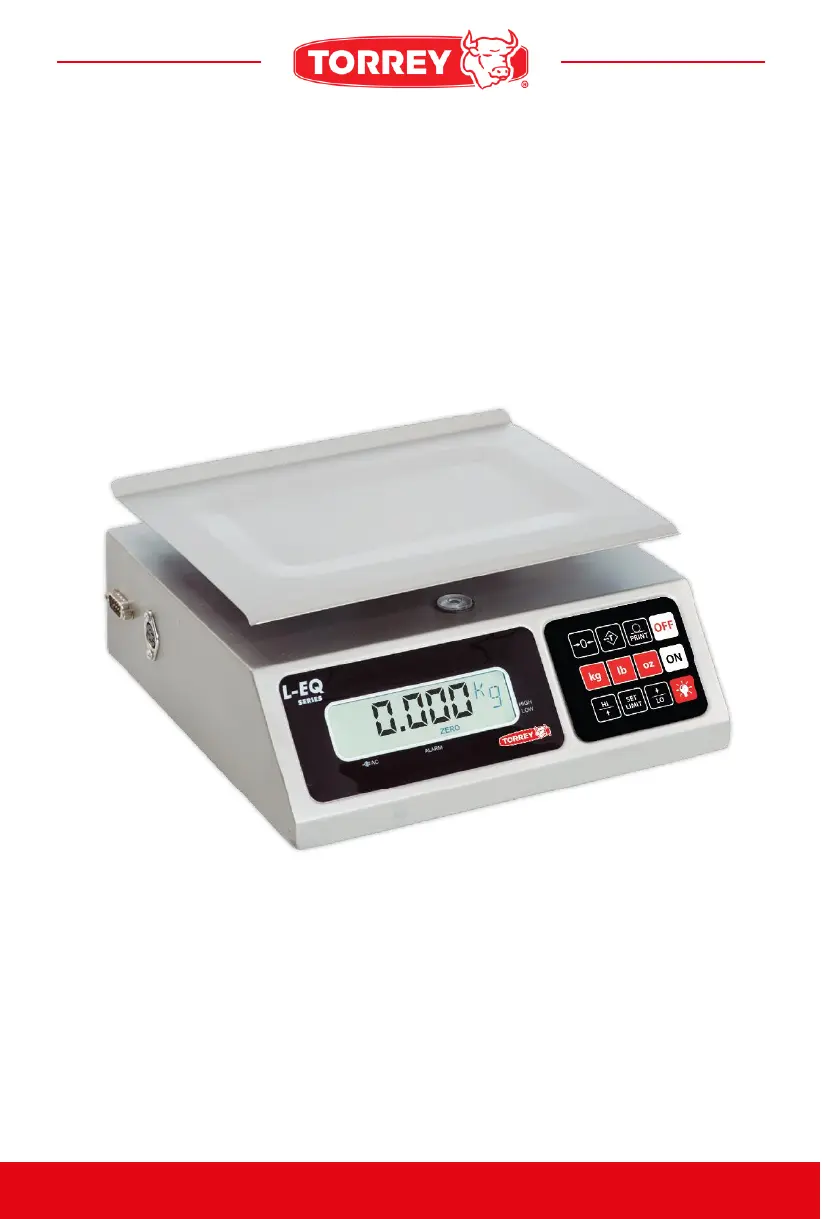
PORTIONING SCALE
BEFORE OPERATING THIS SCALE, PLEASE READ THIS MANUAL THOROUGHLY.
L-EQ HS Series

Questions and Answers

Summary

How to Operate

How to Weight a Product

Turn on the scale, place the product in the plate and the weight will be shown.

How to Use Tare Function

Eliminate container weight by pressing the TARE key to measure only the product.

How to Use Unit Keys

Use kg, lb, oz keys for weighing and automatic unit conversion.

How to Use Print Key

Send displayed data to a PC by pressing the PRINT key.

How to Use Reference Zero

Press ZERO key to reset display to zero when no product is on the scale.

How to Use Backlight

Use the scale's backlight to improve display visibility in low light.

How to Use Alarm Function

Activate and set high/low limits for the weight alarm.

LCD Display Screen

Connected Eliminator Indicator

Appears when the AC adapter is connected to the scale and power outlet.

Active Alarm Indicator

Indicates that a weight range has been set for the alarm.

Zero Indicator

Shown when the weight on the plate is zero.

Net Indicator

Indicates the "tare" function has been activated, showing net weight.

Low Indicator

Indicates weight is below the lower alarm limit.

High Indicator

Indicates weight is above the upper alarm limit.

Weight Unit Indicator

Displays the selected weight unit (kg, lb, oz).

Alphanumeric Indicator

Displays the weight and other messages from the scale.

Low Battery Indicator

Appears when battery power is low and needs recharging.

PC Communication

Display Weight Measure on PC

Steps to connect the scale and transmit weight data to a computer.

Format of Data Sent to PC

Describes the ASCII and hexadecimal format of data transmitted from the scale.

Other Important Messages That Appear on the Scale

Over Load Message

Indicates that the scale's maximum capacity has been exceeded.

Help Message

Appears if the scale is turned on with excess weight or has been mishandled.

Negative Weight Message

Indicates a negative weight, requiring reset or restart.

Low Battery Message

Signals insufficient battery charge, leading to scale shutdown.

Summary

How to Operate

How to Weight a Product

Turn on the scale, place the product in the plate and the weight will be shown.

How to Use Tare Function

Eliminate container weight by pressing the TARE key to measure only the product.

How to Use Unit Keys

Use kg, lb, oz keys for weighing and automatic unit conversion.

How to Use Print Key

Send displayed data to a PC by pressing the PRINT key.

How to Use Reference Zero

Press ZERO key to reset display to zero when no product is on the scale.

How to Use Backlight

Use the scale's backlight to improve display visibility in low light.

How to Use Alarm Function

Activate and set high/low limits for the weight alarm.

LCD Display Screen

Connected Eliminator Indicator

Appears when the AC adapter is connected to the scale and power outlet.

Active Alarm Indicator

Indicates that a weight range has been set for the alarm.

Zero Indicator

Shown when the weight on the plate is zero.

Net Indicator

Indicates the "tare" function has been activated, showing net weight.

Low Indicator

Indicates weight is below the lower alarm limit.

High Indicator

Indicates weight is above the upper alarm limit.

Weight Unit Indicator

Displays the selected weight unit (kg, lb, oz).

Alphanumeric Indicator

Displays the weight and other messages from the scale.

Low Battery Indicator

Appears when battery power is low and needs recharging.

PC Communication

Display Weight Measure on PC

Steps to connect the scale and transmit weight data to a computer.

Format of Data Sent to PC

Describes the ASCII and hexadecimal format of data transmitted from the scale.

Other Important Messages That Appear on the Scale

Over Load Message

Indicates that the scale's maximum capacity has been exceeded.

Help Message

Appears if the scale is turned on with excess weight or has been mishandled.

Negative Weight Message

Indicates a negative weight, requiring reset or restart.

Low Battery Message

Signals insufficient battery charge, leading to scale shutdown.

Torrey L-EQ HS Series Specifications

General IconGeneral
BrandTorrey
ModelL-EQ HS Series
CategoryScales
LanguageEnglish

Related product manuals