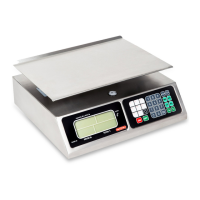
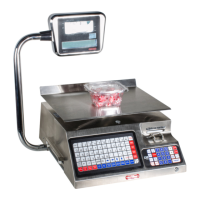
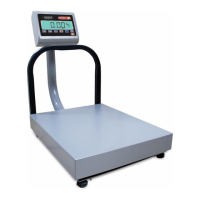
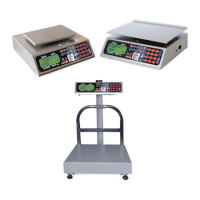
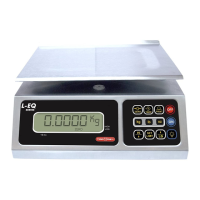
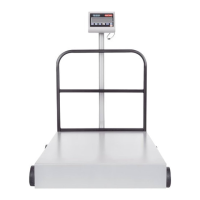
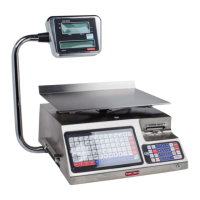
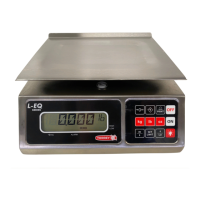
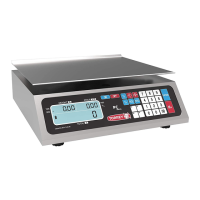
The TORREY PC Series Electronic Scale is a versatile and robust weighing instrument designed for commercial tasks, offering accuracy and efficiency. This manual covers models PC-80L, PC-80LT, PC-40L, PC-40LT, and PC-20/20T, providing comprehensive instructions for installation, operation, and maintenance.
Function Description
The primary function of the TORREY PC Series Electronic Scale is to accurately weigh products and calculate their total price based on a user-entered unit price. It is designed to streamline commercial operations by providing precise measurements and calculations, thereby reducing human error and saving time. The scale can operate using either an AC/DC power supply or a built-in rechargeable battery, offering flexibility in various commercial environments. It features a customer view finder, allowing customers to see the weight and total price simultaneously.
Important Technical Specifications
The PC Series scales come in different models with varying capacities and divisions:
- PC-80L & PC-80LT:
- Max. Capacity: 80 lb
- Min. Division: 0.02 lb
- Max. Tare: 80 lb
- PC-40L & PC-40LT:
- Max. Capacity: 40 lb
- Min. Division: 0.01 lb
- Max. Tare: 40 lb
- PC-20/20T:
- Max. Capacity: 20 kg
- Min. Division: 0.005 kg
- Max. Tare: 9.999 kg
All models share a maximum price display of $999.99 and operate within a temperature range of 14 to 104 °F (-10 to 40 °C). The AC/DC power supply output is 6 Vd.c. 500 mA. The cabinet and plate are constructed from stainless steel, ensuring durability and resistance to corrosion. The scale includes a level bubble for accurate setup and leveling bases for adjustment.
Usage Features
The scale is equipped with a membrane keyboard with large, readable keys for easy data entry. The general view finder (LCD display) provides essential information, including weight, unit price, total amount, and various indicators such as "ZERO," "NET," "FIXED PRICE," "AC/DC POWER SUPPLY," "KG," and "LB."
- Weighing a Product: After initialization, the scale displays zeroes. Placing a product on the plate immediately shows its weight.
- Entering Prices: Unit prices (per pound or kilogram) are entered using the numerical keypad, and the total amount is automatically calculated and displayed.
- Clearing Wrong Prices: Incorrect price entries can be cleared manually using the "C" key or automatically by removing the product from the plate (unless the fixed price function is active).
- Fixed Price Function: This feature allows a unit price to be "fixed" in the display, preventing it from clearing automatically when the product is removed. This is useful for weighing the same product repeatedly.
- Tare Function: The "TARE" function allows users to subtract the weight of a container, ensuring only the product's net weight is considered. This function is subtractive from the scale's maximum capacity.
- Reference to Zero: This function has two uses:
- Permanent Tare: Similar to the tare function, but for repeated use with the same container.
- Zero Adjustment: Corrects minor weight discrepancies or ensures the "ZERO" flag is on when no weight is on the plate, addressing voltage variance or other factors.
- Price Add-Up: The scale can accumulate total prices for multiple items, allowing for a running total during a transaction.
- Price Multiplier Function: Keys for 1/2 and 1/4 lb or kg modes automatically adjust the unit price per pound or kilogram.
- Memory Storage (PLU's): The scale has 100 memory locations (00-99) to store frequently sold product prices. Prices can be saved and recalled using the "STO" and "RCL" keys, or via direct access keys (M1-M15).
- Backlight: The display backlight can be turned on automatically when connected to AC power or manually. It turns off automatically when operating on low battery or can be turned off manually to conserve battery life.
- Power Off Timer: When operating on battery power and not connected to AC/DC, the scale automatically turns off after 15 minutes of inactivity to save electricity and prolong battery life.
Battery Usage and Recharge
The scale operates with a 4-volt built-in rechargeable battery. For recharging, connect the AC/DC power supply for 10 hours while the scale is turned off. The battery's service life is related to charge/discharge cycles, with a typical life of up to 1000 cycles. The warranty for the battery is limited to six months from the purchase date. A "Lo bAt" indicator warns of low battery, initially flickering and then becoming fixed before the scale automatically shuts down.
Counters
The scale includes two internal counters: a Calibration counter (displaying the number of times the scale has been recalibrated) and a Configuration counter (displaying the number of times the internal configuration has been changed). These counters are accessible only by authorized inspectors and cannot be modified by the user.
Important Messages
The scale displays various messages to indicate operational status or issues:
- "OLOAD": Indicates that the weight on the plate exceeds the maximum capacity.
- "HELP": Appears if the scale is turned on with excessive weight or if it was roughly handled during shipment, indicating potential damage.
- "PLS UnLOAD": Appears if the scale is turned on with a product already on the plate.
- Dashed Lines in "TOTAL": Indicates that the total price exceeded 999,999.
- "Lo bAt": Low battery warning.
- Arrow Indicators: An arrow pointing to "P-PACK" indicates "FIXED PRICE" mode is active. An arrow pointing to the AC/DC power supply symbol indicates the scale is connected to 120 VCA.
Maintenance Features
Proper maintenance is crucial for the scale's longevity and accuracy:
- Cleaning: Do not wash the scale with a flow of water. Use a damp rag for daily cleaning of the plate, cover, and keyboard. For oily substances, use a dry, clean rag. Avoid solvents or corrosive liquids.
- Connections: Periodically check the AC/DC power supply jack and cable for good condition, ensuring no damage or tangles.
- Leveling: Regularly check that the scale is correctly leveled using its four bases and the level bubble.
- Obstructions: Ensure no papers or other materials obstruct the plate or plate-holder.
- Pest Control: Place insecticide around the scale's base to prevent insects (especially roaches) from damaging internal electronic components.
- Environmental Conditions: Do not expose the scale to temperatures below -10 °C (14 °F) or above 40 °C (104 °F).
- Troubleshooting: The manual provides a troubleshooting guide for common issues like the scale not operating, inconsistent weights, or error messages, suggesting simple checks and adjustments before contacting an authorized distributor.
The TORREY PC Series Electronic Scale is a reliable and user-friendly device, designed to meet the demands of various commercial weighing applications with precision and ease.


 To Next Page
 General