8
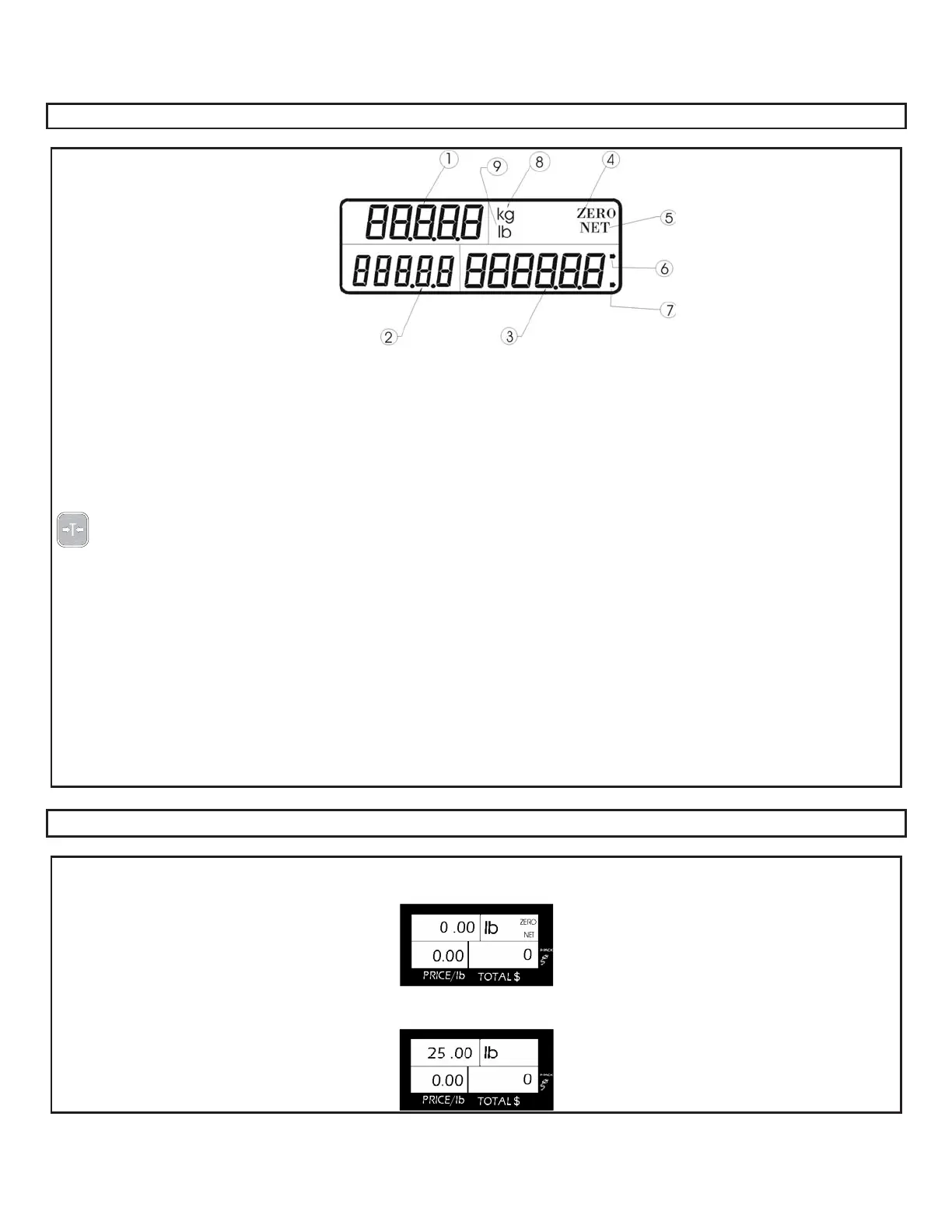
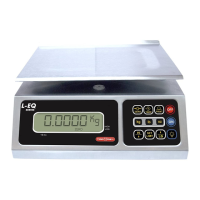
GENERAL VIEW FINDER ( LCD DISPLAY )
1 .- UPPER-LEFT indicator: shows the products weight in POUNDS or KILOGRAMS when this happens, the symbol lb or
kg appears in the alphanumeric ("MODE") indicator e .
2 .- PRICE indicator: shows the price per POUND or KILOGRAM of the product. This price can have up to 5 digits.
3 .- Total amount to pay indicator (" TOT AL "): shows the partial or total sale during a commercial transaction
4 .- ZERO indicator: this reference to ZERO indicates that the scale is ready to start weighing products. The indicators
disappear when a weight is placed on the scale.
5 .- .- NET indicator: indicates that the TARE function has been activated. This indicator disappears when you press the
key.
6 .- FIXED PRICE indicator: when it is activated, it indicates that the price per POUND or KILOGRAM thatisshowninthe
indicator will not be cleared automatically when the product is removed from the scale (it is fixed).
7 .- AC/DC POWER SUPPLY indicator: it means that the scale was connected to the AC/DC power supply.
8 .- KG INIDICATOR - Is showed when the scale is configured in kilograms.
LB INDICATOR - Is showed when the scales is configured in pounds.
OPERATIONS DESCRIPTION.
HOW TO WEIGHT A PRODUCT
At the end of scale initialization, zeroes will ap
pear in the view finder
, indicating that the scale is ready to use.
If not, see section reference to zero. Th
en place the product to be weighed on th
e plate and you will see the weight in the
corresponding indicator.
9
.-



 To Next Page