9
HOW TO ENTER PRICES
The product price per pound or kilogram is entered pressing the numbers of the keyboard to indicate the desired value.
This value will appear in the "PRICE" indicator and the total amount to pay will be calculated automatically being shown in the
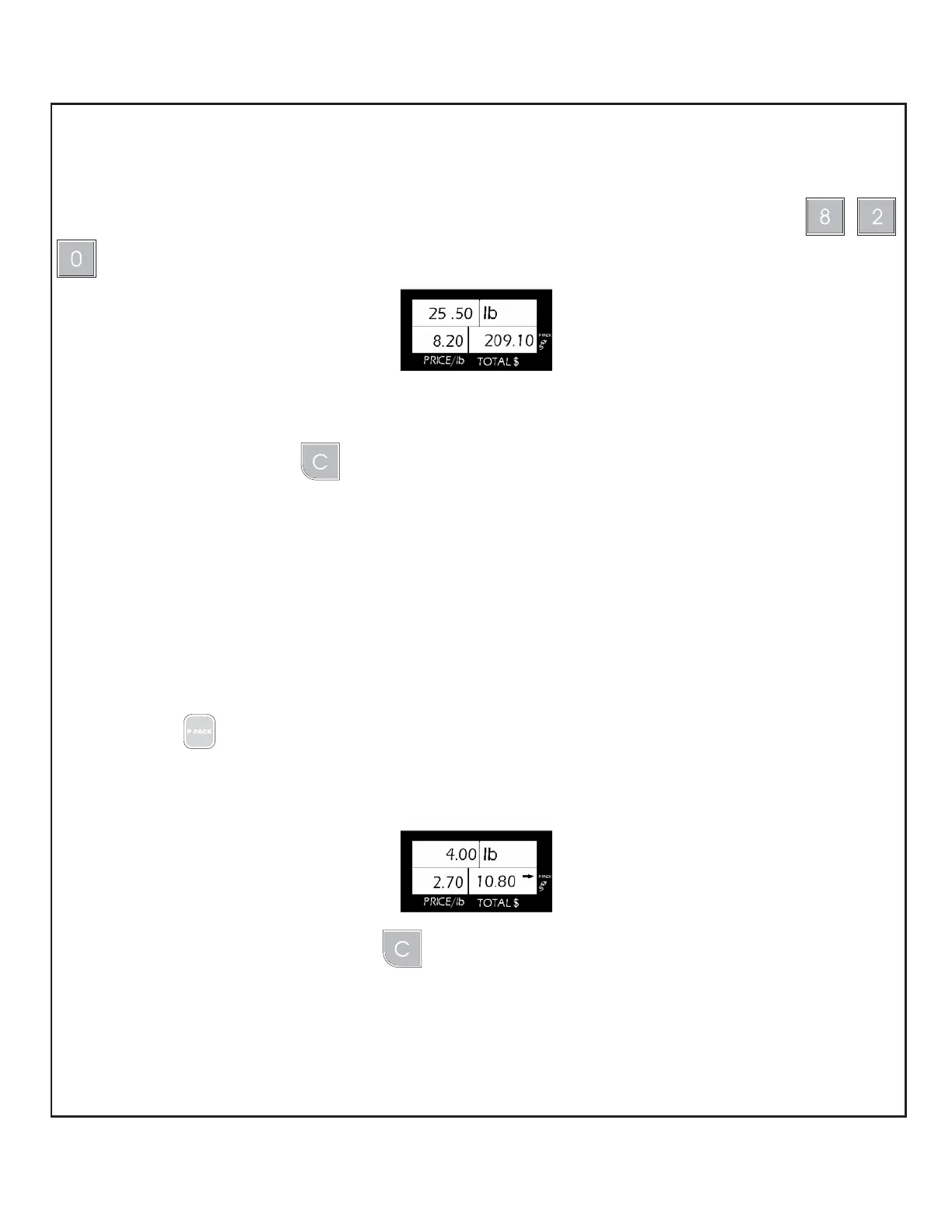
"TOTAL" indicator. For example, if the product price per pound in the previous examples is $8.20, just press
and the following display will appear:
HOW TO CLEAR WRONG PRICES
When a mistaken price is entered, you can clear it in two ways:
a) Manually: Simply press the clear key and enter the correct price.
b) Automatically: The price is automatically cleared removing the product from the plate, except if it's not enabled the fixed
price function.
FIXED PRICE FUNCTION
When it is necessary to constantly be weighing the same kind of product, one does not change its price, you can use the
"FIXED PRICE" function. It is used to keep the price "FIXED" in the "PRICE" indicator avoiding it to be automatically cleared
when the weight is removed from the scale.
To fix a price, follow these steps:
1.- Place the product on the plate.
2.- Enter the product price per pound or kilogram.
3.- Press .
After these steps, a small arrow will light up in the upper rig ht corner of the "TOTAL" indicator, pointing to the label "P-
PACK" (fixed price). As an example, suppose that the product is ham, the weight is 4 pounds, and the price is $2.70 per
pound after entering the fixed price, the view finder will look like this:
To clear the fixed price function, just press the key.
USE OF THE "TARE"
When you wish to weight a product in a container but you do not want to consider the containers weight during the
operation, you can use the TARE function. To use this function follow this steps:



 To Next Page