Disc playback
48
1
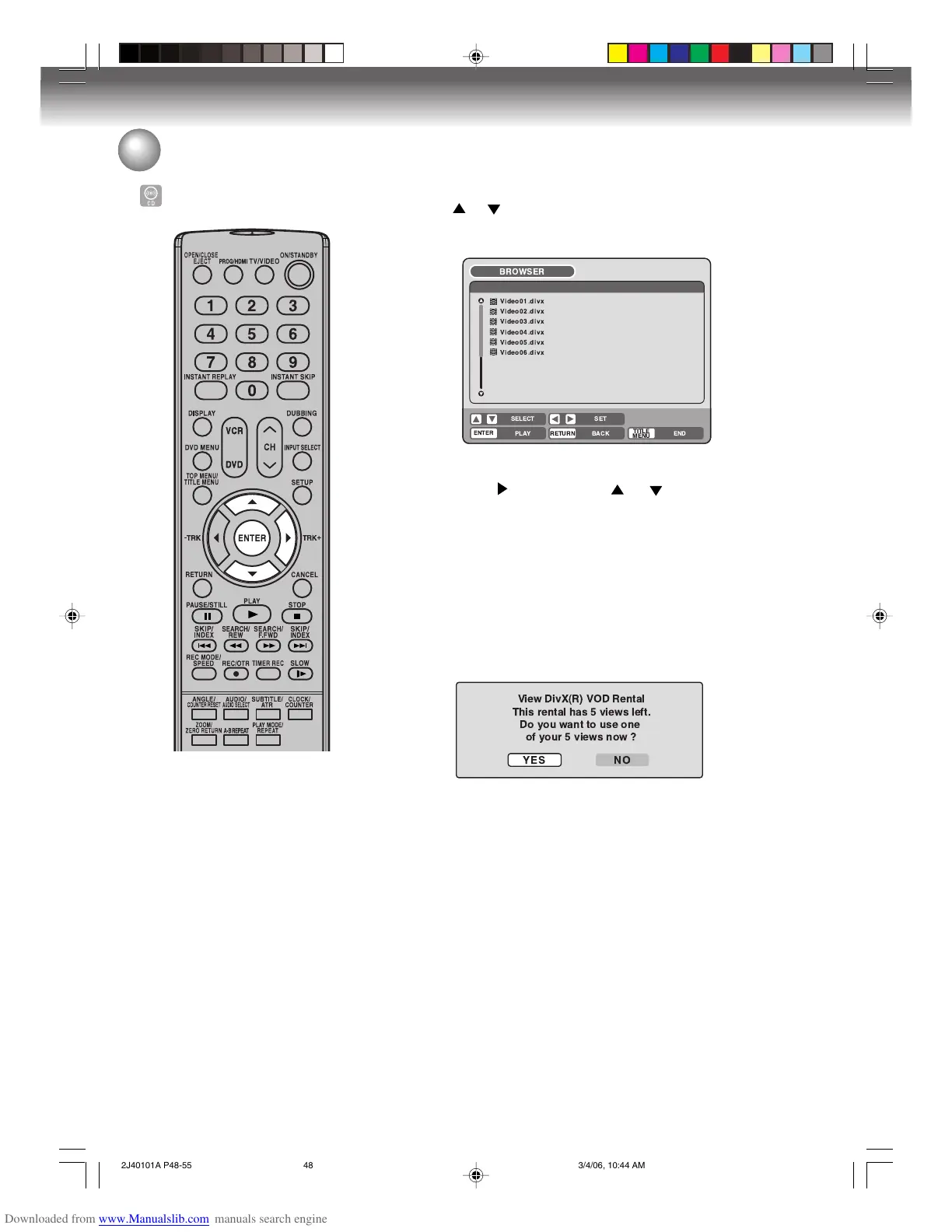
Press or to select DivX
®
file.
• If the disc includes more than 10 files, you can move to the next
or previous page. (See page 43.)
2
Carry out the item a or b listed below.
a: Press ENTER.
b: Press
and then press or to select “PLAY” and
press ENTER.
The selected title is played back.
•You can use Fast forward, Review, Still, Frame advance, SKIP
6/7, and Slow motion playback (See page 37).
DivX
®
video specifications
• DivX
®
file must have the extension
letters “.avi” “.div” or “.divx”
• DivX® version: DivX® 3, 4, 5, and 6
(specifically 3.1.1, 4.1.2, 5.0.2, 5.0.5, 5.1.1,
5.2.1, 6.0 at Home Theater profile).
Audio format:
MPEG1 Layer2 (MP2), MPEG1 Layer3(MP3)
Bit rate: 8kbps - 320kbps
Sampling frequencies: 32kHz, 44.1kHz, 48kHz
Resolution: Max 720 x 576 (at 25fps)
Max 720 x 480 (at 30fps)
NOTE:
It may take a while to start to play DivX
®
video.
Please wait until picture appears on screen.
If the incorrect DRM file is loaded, “Authorization Error This player
is not authorized to play this video.” will appear on the screen.
When you attempt to play DivX
®
VOD, the number of plays is lim-
ited and the following message will appear on the screen. If you
wish to play it, select “YES”.
• If the number of plays goes over the limit, then “Rental Expired”
will be displayed, in which case the file will not be played.
MP3/WMA/JPEG/DivX
®
playback
Playing back DivX
®
video files
BROWSER
PLAY RETURN
TITLE
MENU
BACK END
SELECT
SET
Video01.divx
Video02.divx
Video03.divx
Video04.divx
Video05.divx
Video06.divx
ENTER
2J40101A P48-55 3/4/06, 10:44 AM48



 To Next Page