Editing the disc
74
Editing an original title
NOTE:
If the original title is erased the cre-
ated playlist is also erased.
Erasing an original title
You can erase an original title. Erasing the title deletes both the title
and the recording saved under that title name. Erase the original title
after checking its title. The erased title cannot be restored.
When you erase the title, you can increase the disc space.
1
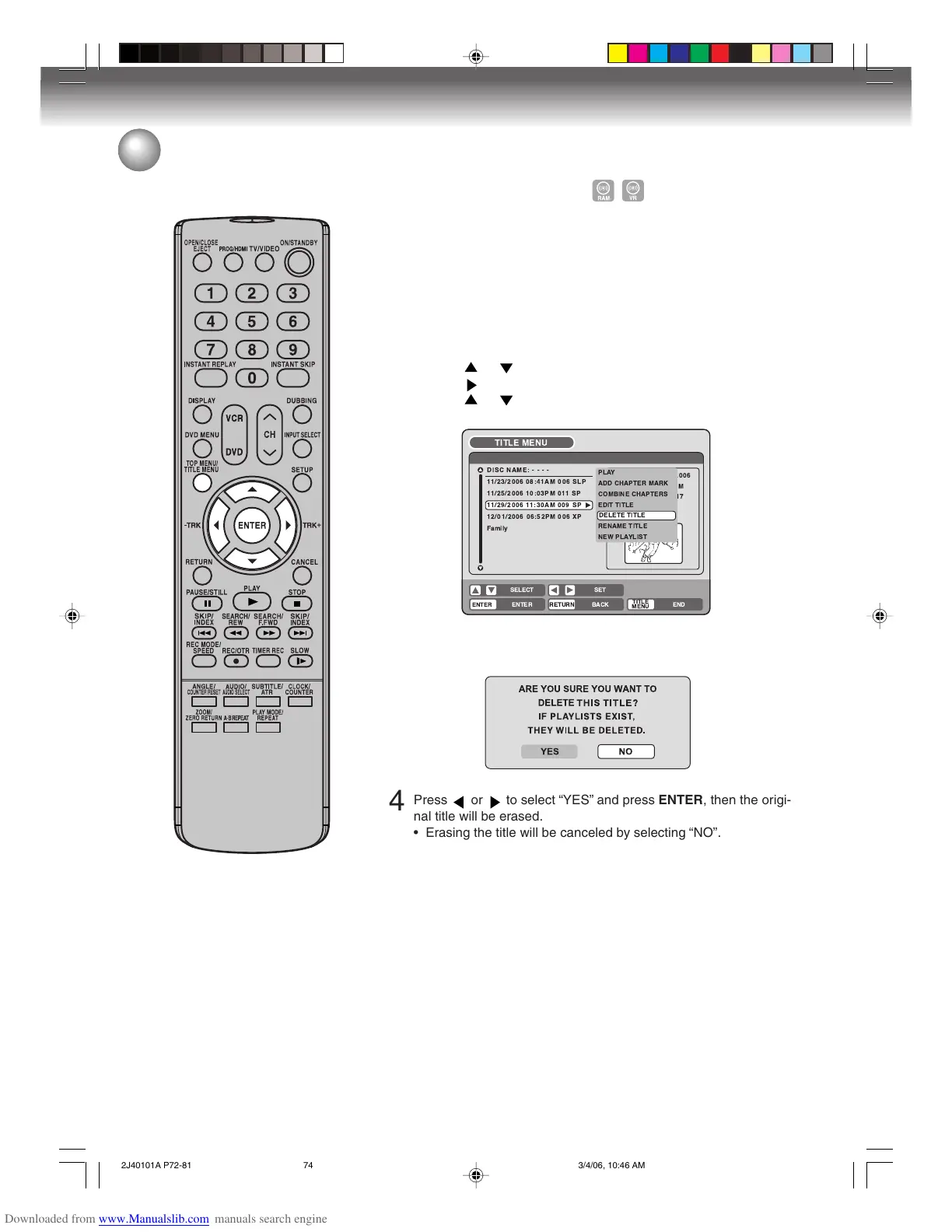
Press TITLE MENU to display the title menu.
2
Select the original title you want to erase.
• Press or to select the original title.
• Press to display the editing menu of original title.
• Press
or to select “DELETE TITLE”.
3
By pressing ENTER, the following message screen will appear.
!"#
%& '
&
(
)
&
( &
* )
4
Press or to select “YES” and press ENTER, then the origi-
nal title will be erased.
• Erasing the title will be canceled by selecting “NO”.
2J40101A P72-81 3/4/06, 10:46 AM74



 To Next Page