EasyManua.ls Logo

Toshiba D-VR5SU - Combining the title

Toshiba D-VR5SU
92 pages
Print Icon
To Next Page IconTo Next Page
To Previous Page IconTo Previous Page
Loading...
Editing the disc
68
Editing a playlist
Combining the title
You can create a playlist by combining the several original titles or playlists.
To combine the titles, it is necessary to create a playlist at first. By
combining the titles in the playlist, a playlist where several titles are
combined is created.
1
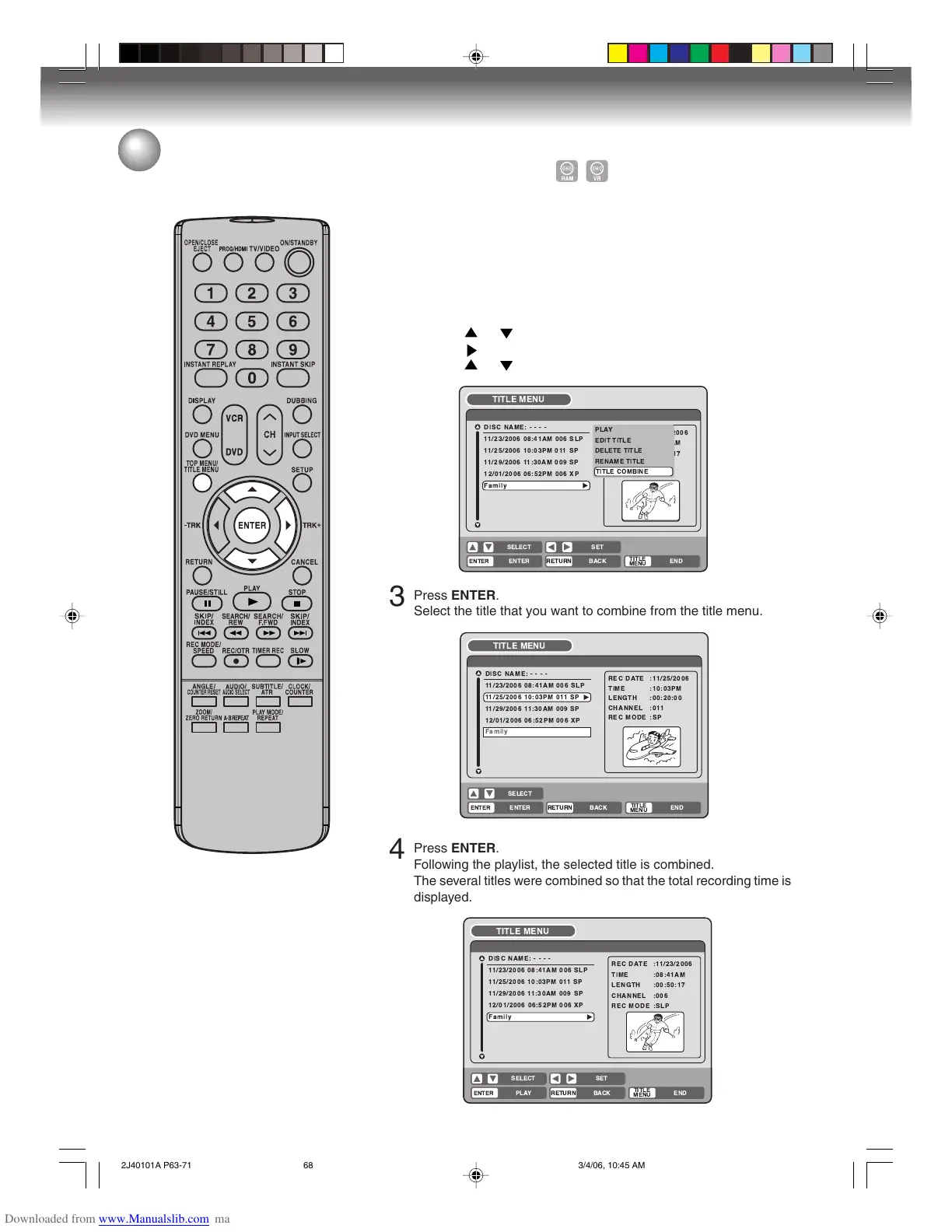
Press TITLE MENU to display the title menu.
2
Select the playlist where you want to combine the titles.
• Press or to select the playlist.
• Press to display the editing menu of the playlist.
• Press
or to select “TITLE COMBINE”.

 





 
   
  
   
   
 !
"#$ %
  
 
'( )
( 
 * 
 
+
 
 
 
 *
 *
3
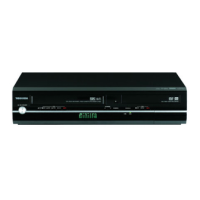
Press ENTER.
Select the title that you want to combine from the title menu.

  



 
   
  
   
   
 !"#
  
 
%& 
& 
 ' 
 
4
Press ENTER.
Following the playlist, the selected title is combined.
The several titles were combined so that the total recording time is
displayed.

 





 
   
  
   
   
 !"
#$%!&
  
 
() *
) 
 + 
 
2J40101A P63-71 3/4/06, 10:45 AM68

Table of Contents