EasyManua.ls Logo

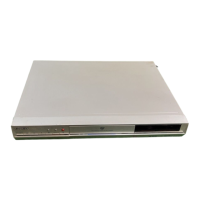
Toshiba DR20KB - User Manual

Toshiba DR20KB
76 pages
Print Icon
To Next Page IconTo Next Page
Loading...
1
EN
DVD VIDEO RECORDER
DR20KB
OWNER’S MANUAL
Introduction Connections
Basic Setup /
TV View Operation
Recording Playback Editing Function Setup Others
© 2010 Toshiba Corporation
For Customer Use:
Carefully read the Model No. and Serial No. located at the
back of the unit and enter the information below. Retain
this information for future reference.
Model No. __________________________
Serial No. __________________________
E7TE0BD_EN.book Page 1 Friday, March 5, 2010 5:08 PM

Table of Contents

Questions and Answers

  • Y
    youngerikaAug 20, 2025
    How to fix no image from HDMI connection on Toshiba DVR?
    • T
      Terri GutierrezAug 20, 2025
      If there is no image from an HDMI connection on your Toshiba DVR, first verify the HDMI connection and its status. Then, confirm that the connected monitor or device supports HDCP, as the unit requires HDCP support to output a video signal. Check the HDMI settings and ensure that the output format of your Toshiba DVR matches the supported input format of the connected device. If connected to an unauthorized display device, commercial DVD-video playback may be restricted.
  • A
    Andrew BrownAug 22, 2025
    How to troubleshoot power not turning on for Toshiba DVR?
    • S
      Stephanie OlsonAug 22, 2025
      If your Toshiba DVR does not turn on, ensure the AC power cord is securely connected. Also, check the batteries in the remote control, as weak batteries can prevent the unit from powering on.
  • G
    Gene JonesAug 25, 2025
    What to do if TV channels cannot be changed on Toshiba DVR?
    • B
      Brian MendozaAug 25, 2025
      If TV channels on your Toshiba DVR are not changing, ensure that all connections are securely and correctly made, and that the cables are not damaged. If the connections are fine, try performing the “Channel” setting procedure.
  • E
    Elizabeth SinghAug 26, 2025
    Why Toshiba DVR unit does not function?
    • K
      Keith HudsonAug 26, 2025
      If your Toshiba DVR is not functioning, it could be due to a prohibited operation, indicated by a “ ” symbol or an error message. Another possible cause is weak or exhausted batteries in the remote control. Replace the batteries to ensure proper operation.
  • P
    patrick49Aug 27, 2025
    What to do if no picture, sound or menu appears on Toshiba DVR screen?
    • R
      Robert PowersAug 28, 2025
      If no picture, sound, or menu appears on the screen of your Toshiba DVR, check that all connections are made securely and correctly, and inspect the cables for any damage. Also, verify that the correct external input channel is selected on your TV and that you have completed the “Channel” setting.
  • C
    Charles WintersAug 29, 2025
    Why clock display does not appear on Toshiba DVR front panel?
    • I
      iwhiteAug 29, 2025
      If the clock display does not appear on the front panel of your Toshiba DVR, first ensure that the AC power cord is securely connected. If there was a power failure, check the breaker and the “Clock” setting. Also, when the unit is in standby mode, the front panel display is off because Power Saving mode is enabled.
  • R
    Rachel SmithAug 31, 2025
    How to reset parental lock password on Toshiba DVR?
    • B
      Bryan KentAug 31, 2025
      If you forget the password for the parental lock on your Toshiba DVR, you should cancel the password and reset the level.
  • E
    Erin HendrixSep 3, 2025
    Why DVC cannot be operated with Toshiba DVR?
    • K
      Kelly BradySep 3, 2025
      If the DVC cannot be operated with your Toshiba DVR, it may be due to signal input or DVC operation being disabled, depending on the type of DVC. If a DVC signal cannot be input, use an external input (AV2/AV3) for analogue connection via audio/video cables. Use a Scart adapter for connecting to AV2. Also, DVC control may be disabled depending on the DVC type, even outside camera mode. In this case, switch to DVD control and execute the normal recording procedure while operating the DVC.
  • T
    tracydanielsSep 4, 2025
    Why settings are lost on Toshiba DVR?
    • A
      Anna SullivanSep 4, 2025
      If some settings are lost on your Toshiba DVR even after following the correct procedure, it may be because the AC mains cable was unplugged while the warning message “Saving settings. Please wait.” was displayed. Avoid unplugging the AC mains cable while this message is displayed, as it takes about 1 minute to save the settings.
  • A
    Andres HendricksSep 6, 2025
    How to fix DV signal input on Toshiba DVR?
    • S
      Stephen Li Jr.Sep 7, 2025
      If you cannot input a DV signal into your Toshiba DVR, first turn on the power supplies for both the DVR and the DVC, ensuring both units have stopped operating before connecting. Only a “DVC-SD” signal can be input from the DVC to this unit, as other signal types are not supported. Do not connect any device other than the DVC, as recorders or PCs with other DV terminals will not allow the DV function to operate. If the DVC is not recognized after connection, turn off the power supply for the unit and reconnect the DVC.

Toshiba DR20KB Specifications

General IconGeneral
TunerNTSC
Audio Recording SystemDolby Digital
Output Resolution480i
Remote ControlYes
Playback FormatsDVD-R, DVD-RW, DVD+R, DVD+RW
Video Recording SystemMPEG-2
InputsComposite, S-Video
OutputsComposite, S-Video
Weight2.7 kg

Related product manuals