4.INSTALLING PRINTER DRIVERS FOR MACINTOSH
Installing the Printer on Mac OS X 10.4.x to Mac OS X 10.10.x 133
4 INSTALLING PRINTER DRIVERS FOR MACINTOSH
Installing plug-ins(Mac OS X 10.4.x-10.6.x)
This section describes how to install plug-ins to Macintosh.
When installing them, you can use the following functions:
Watermark
This function allows you to print a watermark such as [Confidential], [Draft], [Proof] or [Top Secret] over a
document.
e-Filing
This function allows you to store print jobs in e-Filing on this equipment.
For details on watermarks and e-Filing, refer to the Printing Guide.
It is unnecessary to install plug-ins separately in the following case, because they are installed
automatically when you install the PPD file.
- The PPD file used for Mac OS X 10.7 or later is installed when you are using the e-STUDIO407CS
Series.
The following describes an installation on Mac OS X 10.6.x. The procedure is the same when other versions
of Macintosh are used.
1
Insert the Install Disc into the disc drive and open the “MacPPD/OSX10_4-10_6” folder.
2
Copy the GZIP file (TOSHIBA_eS-Ex_Features.dmg.gz) to the desktop.
3
Double-click the GZIP file on the desktop.
The Disk Image file (TOSHIBA_eS-Ex_Features.dmg) is extracted on the desktop.
If the installer window appears, go to step 5.
4
Double-click the Disk Image file (TOSHIBA_eS-Ex_Features.dmg).
The installer window appears.
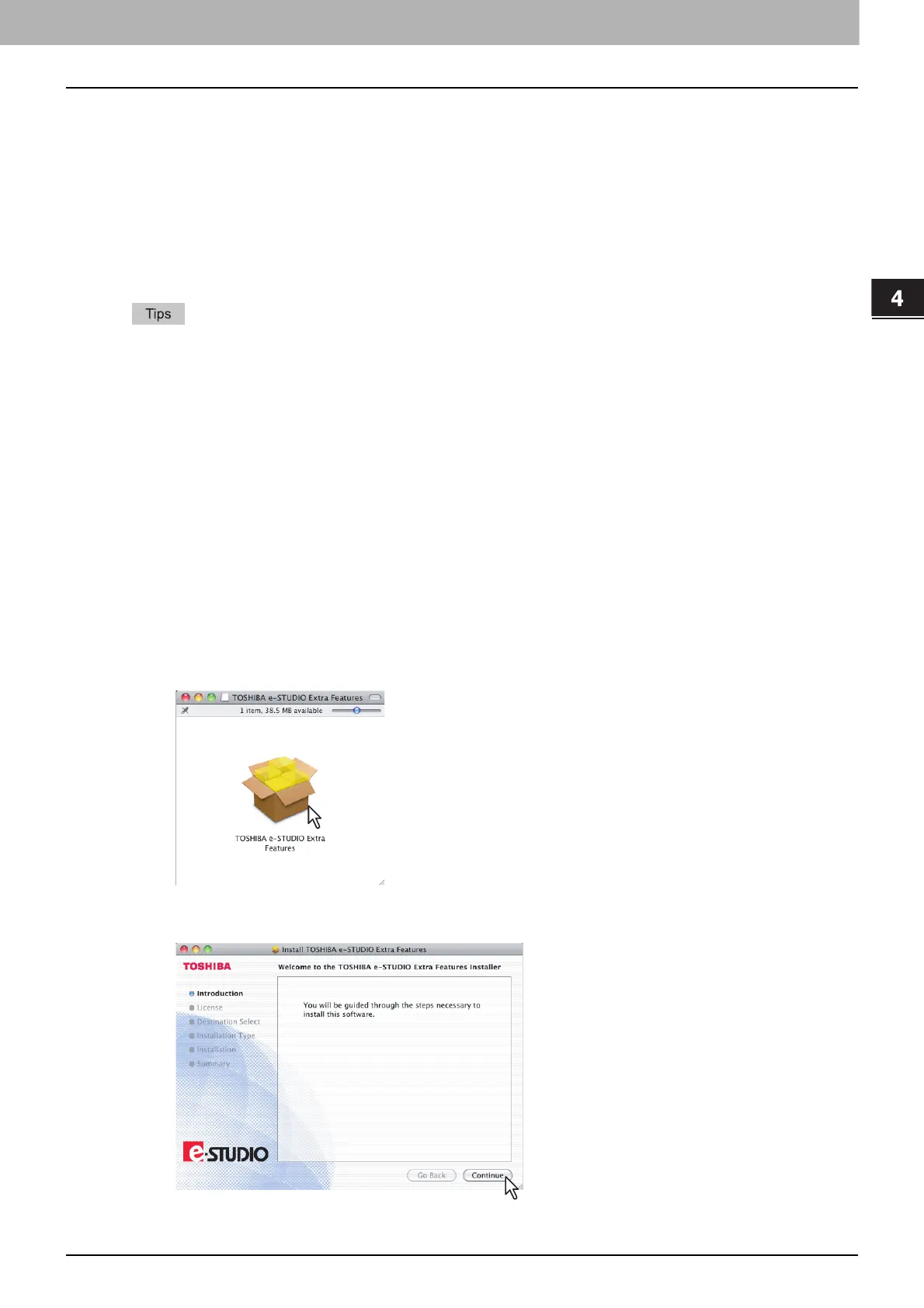
5
Double-click the icon in the installer window.
The installer starts.
6
Click [Continue].
The [Software License Agreement] window is displayed.



 To Next Page
 Loading...











