3.INSTALLING PRINTER DRIVERS FOR WINDOWS
Installing the Printer Drivers 47
3 INSTALLING PRINTER DRIVERS FOR WINDOWS
8
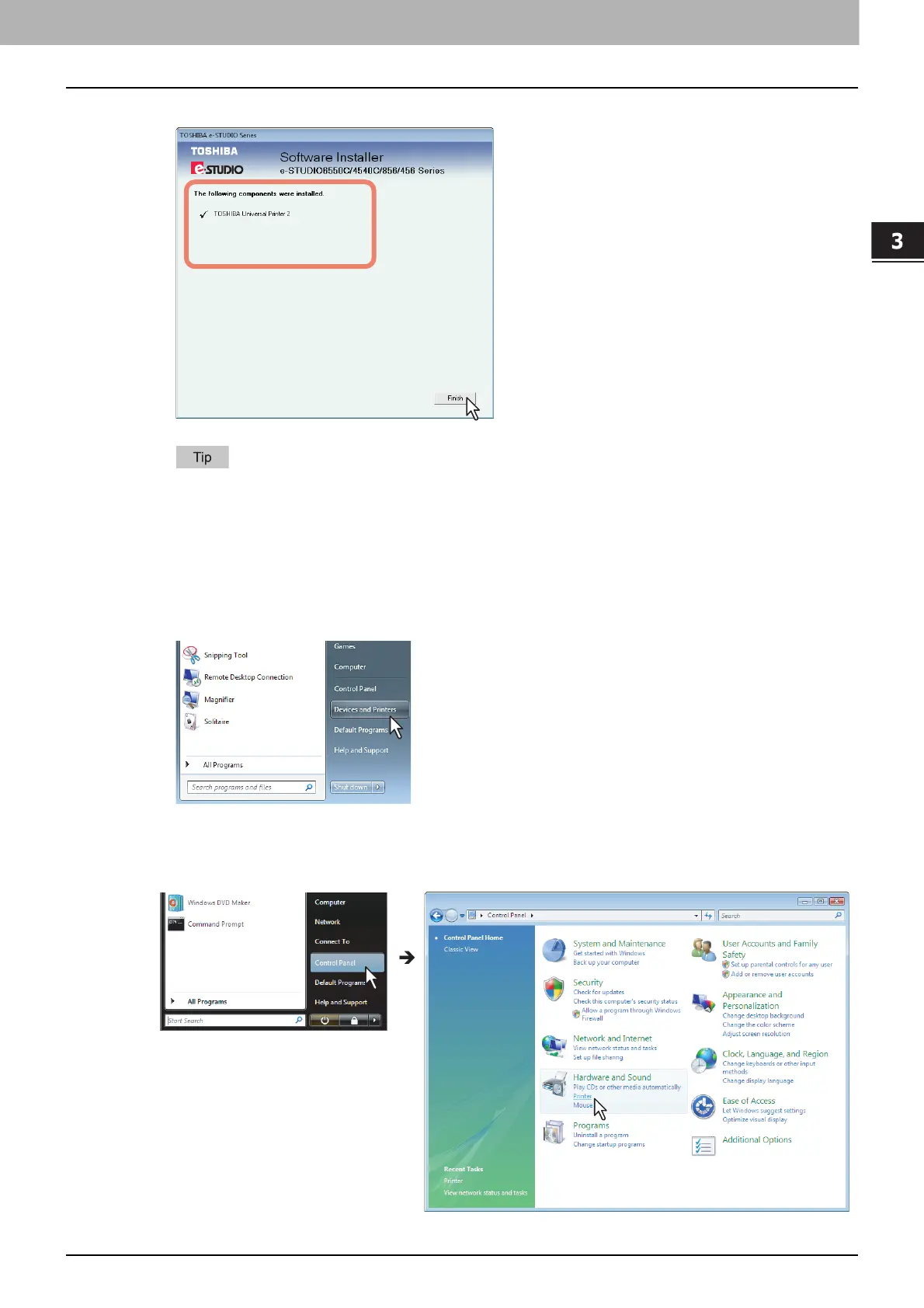
Confirm that the installation is completed, and then click [Finish].
The Installer may ask you to restart your computer. If it does, select “Yes, I want to restart my
computer now.” and click [Finish] to restart your computer.
9
Click [Exit].
When a message appears asking whether to finish the installation, click [Yes].
10
Open the printers folder.
When you are using Windows 7
Click [Start] and click [Devices and Printers] to open the [Devices and Printers] folder.
When you are using Windows Vista / Windows 2008 Server
Click the start button, select [Control Panel] and click [Printer] under [Hardware and Sound] to open
the [Printers] folder.



 To Next Page
 Loading...











