3 INSTALLING PRINTER DRIVERS FOR WINDOWS
50 Installing the Printer Drivers
12
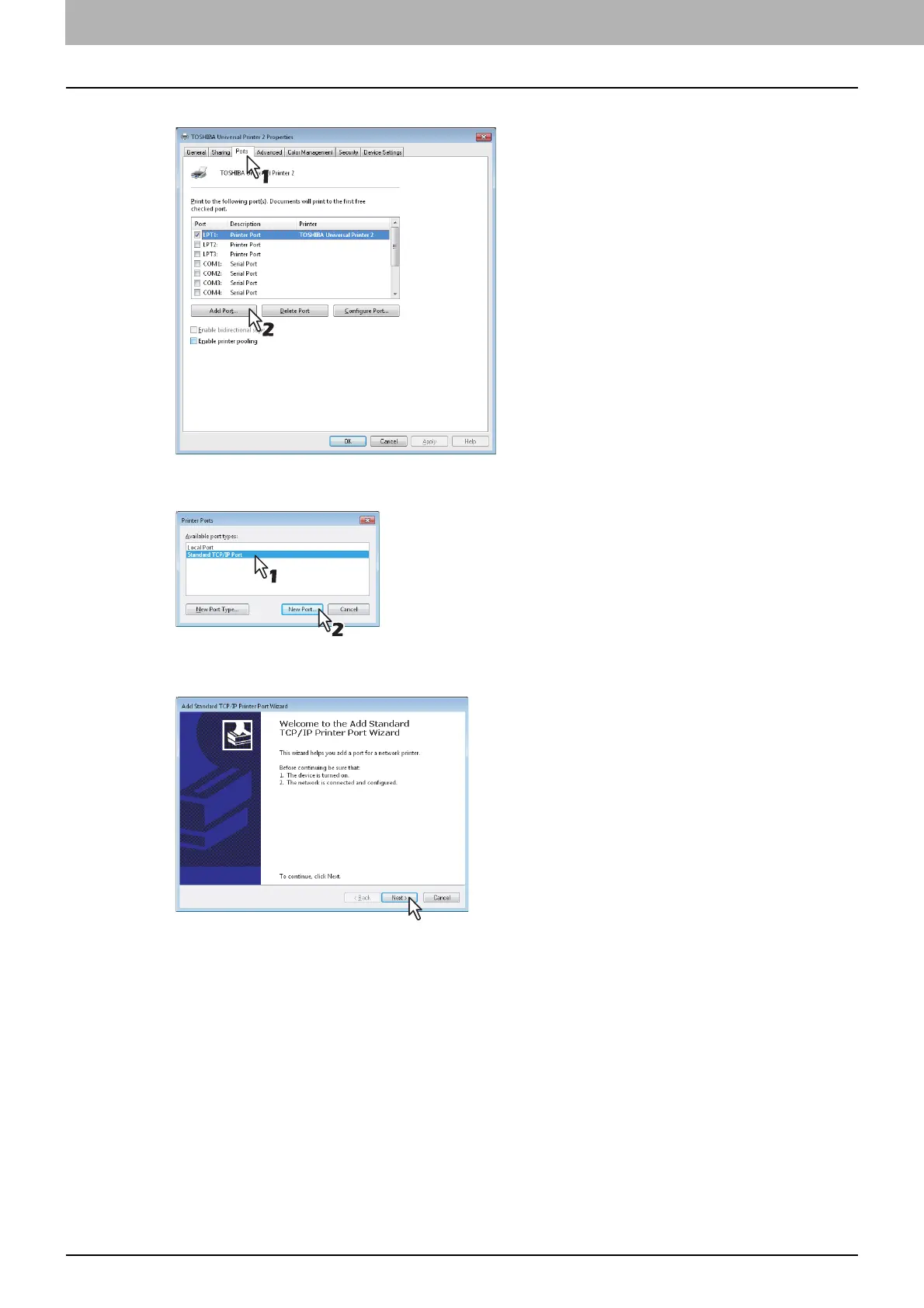
Click the [Ports] tab and click [Add Port].
The [Printer Ports] dialog box appears.
13
Select [Standard TCP/IP Port] and click [New Port].
The [Add Standard TCP/IP Printer Port Wizard] dialog box appears.
14
Click [Next].



 To Next Page
 Loading...











