3 INSTALLING PRINTER DRIVERS FOR WINDOWS
94 Other Installations
5
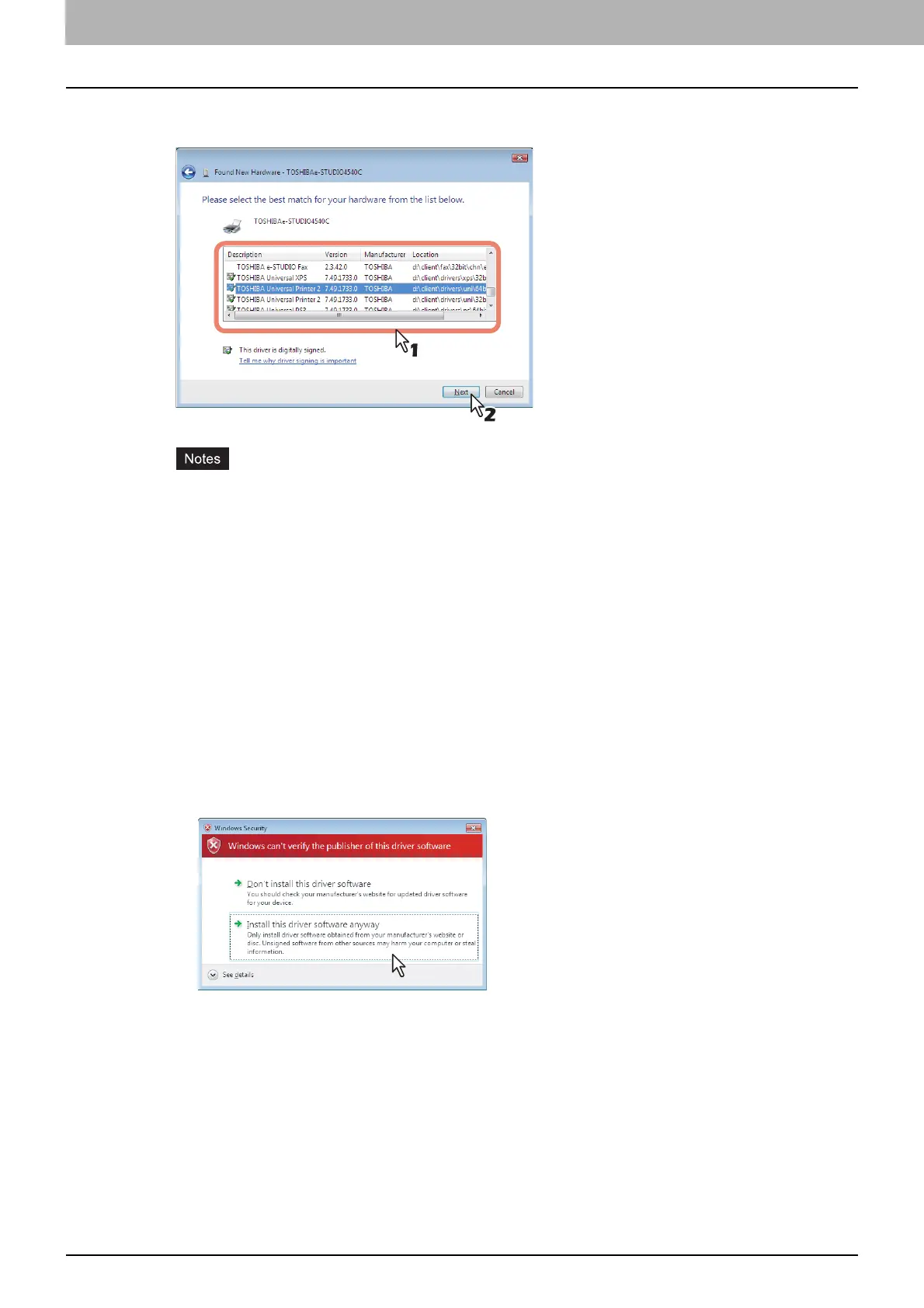
The printer drives are automatically detected and displayed in the list. Select a printer
driver to be installed and click [Next].
All available drivers are listed. If a wrong driver is installed, printing may not be performed
properly.
When using the Windows computer 32-bit edition, select the following folder:
- Universal Printer 2 driver
[Install Disc]:\Client\Drivers\UNI\32bit
- Universal PS3 printer driver
[Install Disc]:\Client\Drivers\PS\32bit
- Universal XPS printer driver
[Install Disc]:\Client\Drivers\XPS\32bit
When using the Windows computer 64-bit edition, select the following folder:
- Universal Printer 2 driver
[Install Disc]:\Client\Drivers\UNI\64bit
- Universal PS3 printer driver
[Install Disc]:\Client\Drivers\PS\64bit
- Universal XPS printer driver
[Install Disc]:\Client\Drivers\XPS\64bit
If the following message appears, click [Install this driver software anyway] to proceed with the
installation.



 To Next Page
 Loading...











