3.INSTALLING PRINTER DRIVERS FOR WINDOWS
Other Installations 97
3 INSTALLING PRINTER DRIVERS FOR WINDOWS
6
Insert the Install Disc into the disc drive.
When you insert the Install Disc into the disc drive, Software Installer may launch automatically. In this
case, click [Exit] to close it and continue the operation.
7
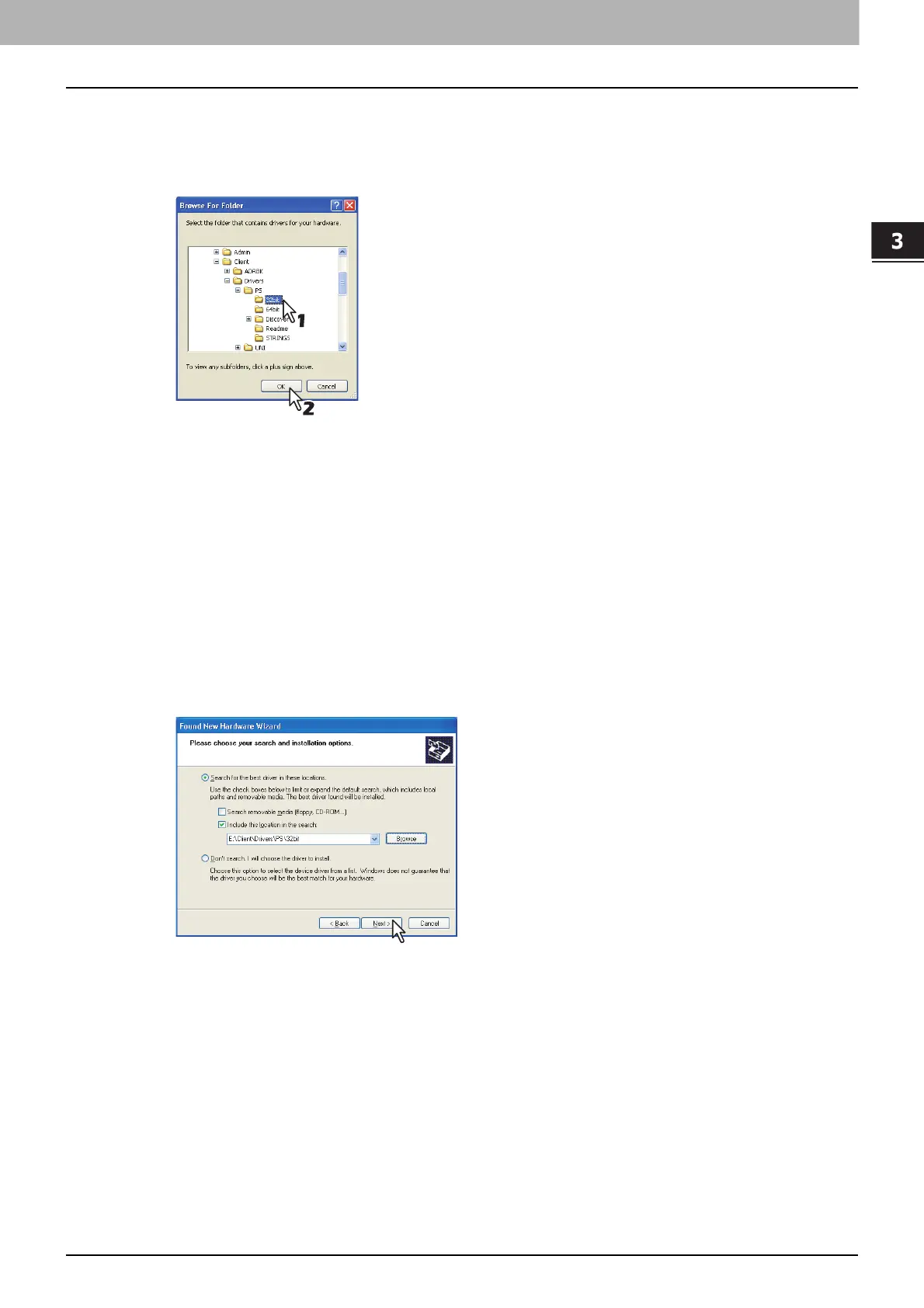
Locate the directory where the printer driver is located and click [OK].
When using the Windows computer 32-bit edition, select the following folder:
- Universal Printer 2 driver
[Install Disc]:\Client\Drivers\UNI\32bit
- Universal PS3 printer driver
[Install Disc]:\Client\Drivers\PS\32bit
- Universal XPS printer driver
[Install Disc]:\Client\Drivers\XPS\32bit
When using the Windows computer 64-bit edition, select the following folder:
- Universal Printer 2 driver
[Install Disc]:\Client\Drivers\UNI\64bit
- Universal PS3 printer driver
[Install Disc]:\Client\Drivers\PS\64bit
- Universal XPS printer driver
[Install Disc]:\Client\Drivers\XPS\64bit
8
Click [Next].
The screen for choosing the printer driver is displayed.



 To Next Page
 Loading...











