Chapter 2
The Grand Tour
This chapter identifies the various components of the computer - it is
recommended that you become familiar with each before you operate the
computer.
Legal Footnote (Non-applicable Icons)
For more information regarding Non-applicable Icons, please refer to the
Legal Footnotes section in Appendix C.
Please handle your computer carefully to avoid scratching or damaging the
surface.
Computer
Front side
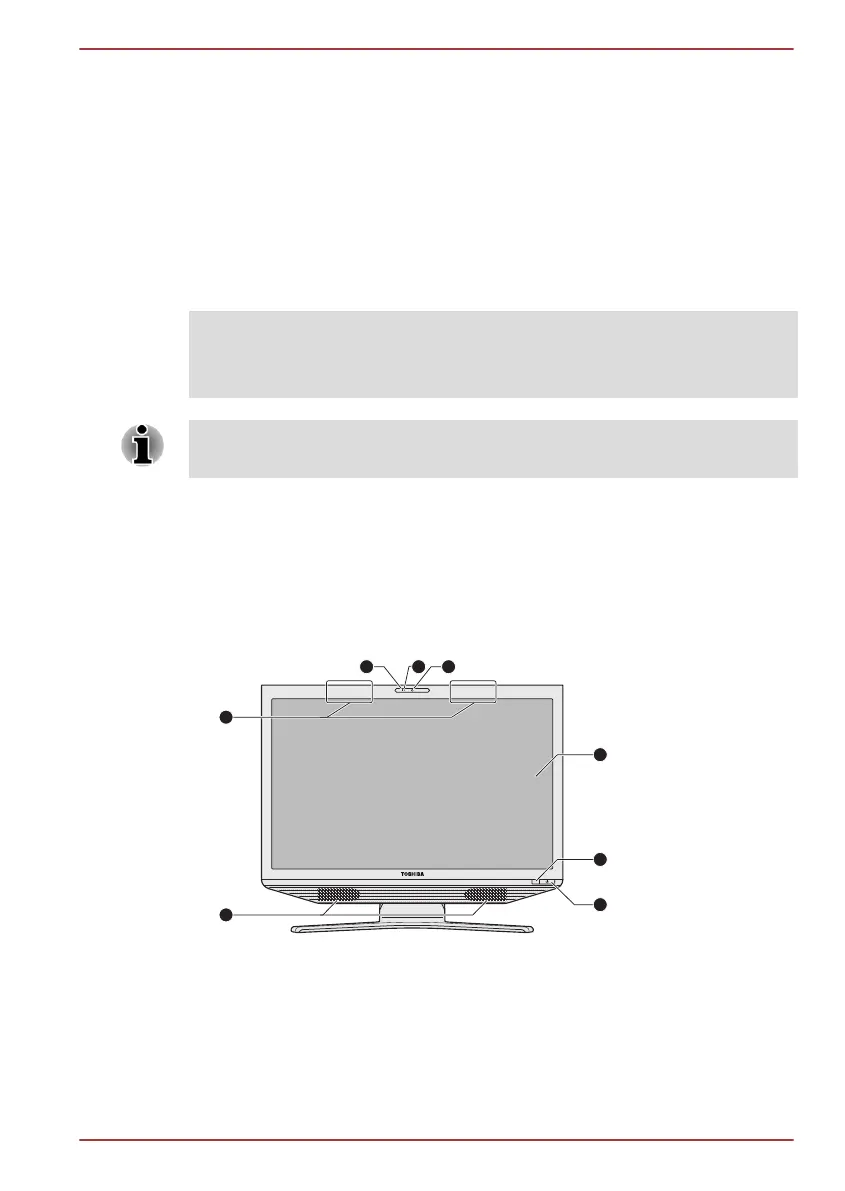
The following figure shows the computer’s front side.
Figure 2-1 Front side of the computer
1. Bluetooth antenna, Wireless LAN
antennas (not shown)*
5. CIR in Window*
2. Microphone 6. Power button
3. Web Camera LED 7. Stereo speakers
4. Web Camera 8. Display screen
* Provided with some models.
Product appearance depends on the model you purchased.
TOSHIBA DX730/DX735/Qosmio DX730 Series
User's Manual 2-
1



 To Next Page
 Loading...







