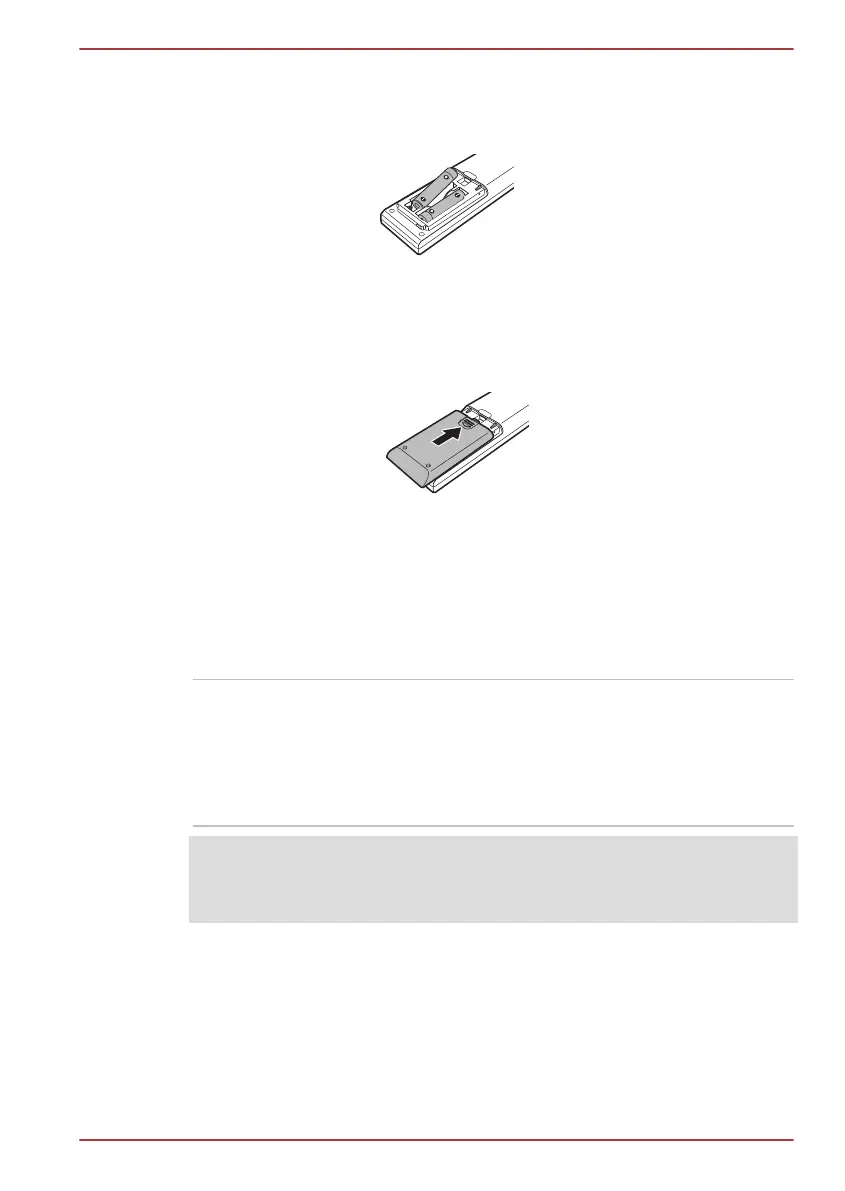
2. Insert the batteries in place. Be sure to place the batteries with correct
polarities.
Figure 2-12 Inserting the batteries
1. Batteries
3. Close the battery cover securely until it clicks.
Figure 2-13 Closing the battery cover
1. Battery cover
Internal Hardware Components
This section describes the internal hardware components of your computer.
The actual specifications may vary depending on the model you
purchased.
CPU The processor type varies depending on model.
To check which type of processor is included in
your model, open the TOSHIBA PC Diagnostic
Tool Utility by clicking Start -> All Programs ->
TOSHIBA -> Support & Recovery -> PC
Diagnostic Tool.
Legal Footnote (CPU)
For more information regarding CPU, please refer to the Legal Footnotes
section in Appendix C.
TOSHIBA DX730/DX735/Qosmio DX730 Series
User's Manual 2-18



 To Next Page
 Loading...







