EasyManua.ls Logo

Toshiba RAD-Y200H - User Manual

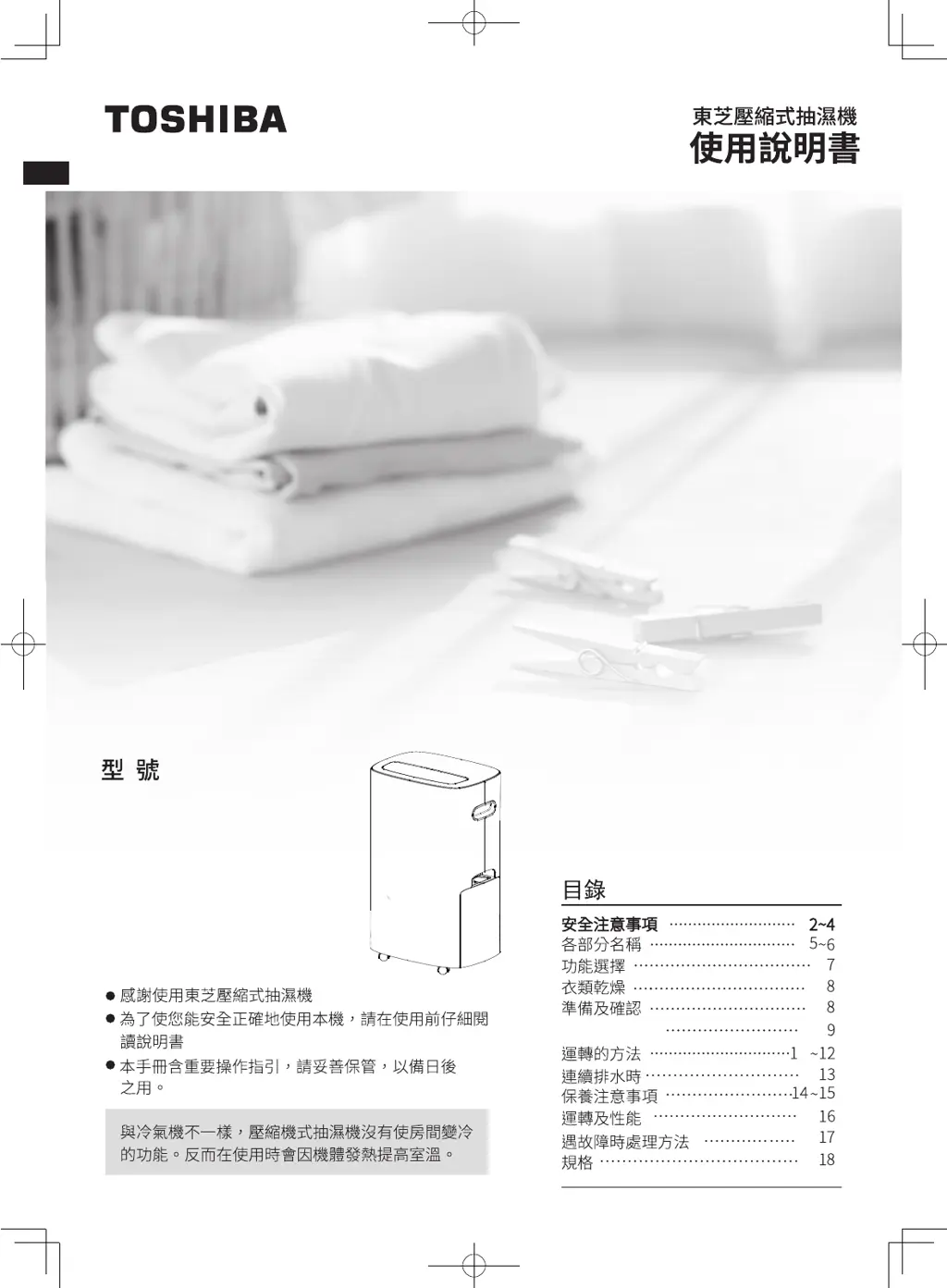
Toshiba RAD-Y200H
36 pages
Print Icon
To Next Page IconTo Next Page
Loading...
0
RAD-Y200H
RAD-Y250H
RAD-Y300H
<家庭用>
濾網安裝方法

Questions and Answers

  • R
    Ryan SolisAug 4, 2025
    What to do if Toshiba RAD-Y200H has poor dehumidification results?
    • V
      vjensenAug 4, 2025
      If your Toshiba Dehumidifier isn't dehumidifying effectively, it could be due to low room temperature or humidity, which reduces its performance. Also, check the air outlet and air intake for any obstructions and remove them.
  • B
    Brandy HigginsAug 9, 2025
    How to stop water leakage from Toshiba Dehumidifier?
    • B
      blucasAug 10, 2025
      If your Toshiba Dehumidifier is leaking water, check that the drain hose is securely attached. Also, inspect the drainage system for any blockages and unclog the hose if necessary.
  • B
    Brian KhanAug 14, 2025
    Why is my Toshiba RAD-Y200H frosted up?
    • M
      Melissa ThomasAug 14, 2025
      If your Toshiba Dehumidifier is frosted up, it may be due to a low ambient temperature, which activates the defrost operation. This is not a malfunction; the defrosting operation could be activated by the Drying Inside Operation.
  • D
    David WoodAug 19, 2025
    Why my Toshiba RAD-Y200H Dehumidifier does not operate?
    • D
      dhoAug 19, 2025
      If your Toshiba Dehumidifier isn't turning on, first ensure the power cord is fully plugged into the power socket. Also, check if the water tank is full or not properly inserted; empty it and re-insert it correctly. Finally, verify that the room temperature is within the recommended range of 5-32°C, as the unit may not operate outside this range.
  • A
    Ashley HensleyAug 25, 2025
    How to fix abnormal operating noises in Toshiba RAD-Y200H Dehumidifier?
    • M
      Maria KaufmanAug 25, 2025
      If your Toshiba Dehumidifier is making unusual noises, make sure it's placed on a stable, level surface. Check and clear any blockages from the air intake. Note that the sound of flowing water is normal, as it's due to the refrigerant moving inside the unit.
  • J
    jonathandavisAug 29, 2025
    What to do if no air comes out of Toshiba RAD-Y200H Dehumidifier?
    • T
      tabithasinghAug 29, 2025
      If no air is coming out of your Toshiba Dehumidifier, the air intake might be blocked. Clear any items obstructing the air intake.

Summary

Safety Precautions

Fire, Electric Shock, and Injury Prevention

Key warnings to prevent fire, electric shock, and personal injury during operation.

Operating and Handling Prohibitions

Prohibitions related to operating the dehumidifier, power cord, and general usage.

Power Supply and Cord Safety

Rules for Safe Power Supply and Cord Usage

Rules for safe use of power supply, plug, and cord to prevent shock and fire.

Environment and Installation Safety Guidelines

Safety guidelines for setting up the dehumidifier in various environments and locations.

Safe Power Cord Handling and Usage

Precautions for Power Cord Handling

Precautions for handling power cords and avoiding improper usage.

Maintenance and Cleaning Safety Measures

Safety measures during maintenance and cleaning of the unit.

Moving and Storage Safety Guidelines

Guidelines for safely moving and storing the dehumidifier.

Component Parts

Front and Rear Component Identification

Labels and identifies components visible from the front and rear of the unit.

Water Tank Details and Cautions

Details about the water tank, its cover, and important cautions.

Installation and Placement Guidelines

Required Installation Clearances

Specifications for air space around the unit for effective operation.

Environment Setup Cautions

Cautions regarding draining the tank and minimizing door openings for energy saving.

Control Panel Overview

Key Functions and Button Operations

Describes the purpose and operation of each key button on the control panel.

Display Icons and Indicators

Explains the meaning and display of various icons on the unit's screen.

Function Options

Dehumidification and Laundry Drying Modes

Details on Automatic Mode and Laundry Drying Mode for dehumidifying.

Internal Dry Operation Function

Explanation of the internal dry function to prevent mildew growth inside the unit.

Laundry Drying Mode Usage

Optimizing Laundry Drying Performance

Tips on hanging, positioning laundry, and unit placement for faster drying.

Factors Affecting Drying Time

Situations that may increase laundry drying time.

Water Tank Preparation and Insertion

Removing and Emptying the Water Tank

Step-by-step guide on how to safely remove and empty the water tank.

Inserting the Water Tank Correctly

Instructions for correctly installing the water tank back into the unit.

Filter Installation Method

Filter Frame Removal and Installation

How to remove the filter frame and install the filter.

Reinstalling the Filter Frame

How to put the filter frame back into the machine.

How to Operate - Basic Functions

Initial Setup: Plug-in and Power Switch

Instructions for plugging in the unit and turning it on.

Mode Selection and Humidity Setting

How to choose modes and set the desired humidity level.

How to Operate - Advanced Functions

Fan Speed and Swing Control

How to adjust fan speed and operate the swing function.

Special Function Keys: Internal Dry & Ions

Using the Function key for internal dry and negative ions operations.

Sleep Mode and Timer Settings

How to activate sleep mode, control display, and set the timer.

Emptying the Water Tank

Tank Removal and Water Release Procedure

Procedures for pulling out the tank and tilting it to empty.

Reinserting the Water Tank Correctly

How to properly place the water tank back into the unit.

Moving and Storing the Dehumidifier

Safe Moving and Handling Procedures

How to switch off, unplug, and lift the unit for moving.

Caster Operation and Floor Impact Avoidance

Handling casters when stuck and avoiding floor damage.

Continuous Drainage Setup

Drain Hose Installation and Specifications

Steps to connect the drain hose and details on hose requirements.

Maintenance - Unit Body and Water Tank

Cleaning the Main Unit Body and Control Panel

How to wipe and clean the exterior and control panel of the unit.

Water Tank Cleaning and Reinstallation

Step-by-step guide to remove, clean, and reinsert the water tank.

Filter Maintenance and Cleaning

Filter Cleaning Procedure and Prohibitions

Steps for cleaning the filter and methods to avoid.

Operation and Performance Characteristics

Dehumidifying Capacity and Performance Factors

Information on dehumidifying capacity and influencing factors like temperature and humidity.

Defrost Cycle and Temperature Effects

Explanation of the automatic defrost cycle and how operation affects room temperature and noise.

Troubleshooting Common Issues and Error Codes

Symptom-Based Troubleshooting Remedies

Solutions for common symptoms like no operation, poor dehumidification, or noises.

Error Code Descriptions and Meanings

Meanings of error codes displayed on the unit.

Product Specifications and Disposal

Product Parameter Details

Information on model, power, capacity, dimensions, and operating range.

Fuse Parameters and Disposal Guidelines

Details on fuse parameters and proper disposal of the unit.

Toshiba RAD-Y200H Specifications

General IconGeneral
BrandToshiba
ModelRAD-Y200H
CategoryDehumidifier
LanguageEnglish

Related product manuals