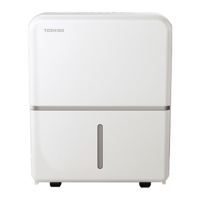
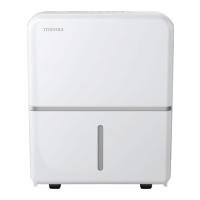
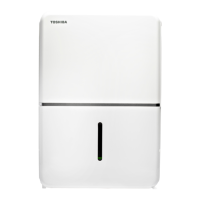
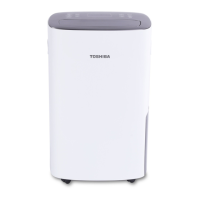
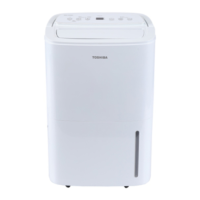
This document is a user manual for a Toshiba Dehumidifier, covering models TDDP2213ES2, TDDP3513ES2, TDDP5013ES2, and TDDP5013ES2P. It provides comprehensive information on safety, operation, installation, care, cleaning, and troubleshooting.
Function Description
The Toshiba Dehumidifier is designed to remove excess moisture from the air, helping to create a more comfortable and healthier indoor environment. It can operate in various modes, including comfort dehumidifying, continuous dehumidifying, and pump draining (on some models). The unit features an auto-defrost function to prevent frost buildup on the evaporator coils and an auto-restart function that restores previous settings after a power cut. It also includes a bucket full light and an auto-shut-off mechanism when the water bucket is full or not properly placed.
Important Technical Specifications
- Humidity Control Range: 35% RH to 85% RH (Relative Humidity) in 5% increments.
- Operating Temperature Range: The unit is designed to operate in a working environment between 5°C/41°F and 32°C/90°F.
- Timer Settings: Can be set from 0 to 24 hours for both ON and OFF functions.
- Air Filter: Requires cleaning every two weeks or after 250 hours of fan motor operation (indicated by a flashing LED).
- Continuous Draining Hose (optional): ID ≥ Ø 5/16" with a female threaded end (ID: M = 1").
- Pump Drain Hose (on some models): OD = Φ1/4", supplied.
Usage Features
Control Panel and Modes
The dehumidifier features a control panel with several buttons and indicator lights:
- PUMP Button (Pump models only): Activates the pump operation for continuous draining. Requires the pump drain hose to be installed and the continuous drain hose removed. Not recommended below 0°C (32°F).
- FILTER Button: Resets the filter indicator light after cleaning the air filter. The light flashes after 250 hours of fan motor operation.
- COMFORT Button: Activates the comfort dehumidifying operation, automatically setting to a preset humidity and fan level.
- CONT (continuous) Button: Activates continuous dehumidifying, where the humidity level is automatically set and cannot be manually changed.
- TURBO Button: Controls fan speed, allowing selection between Turbo and normal fan speed for faster moisture removal.
- TIMER Button: Used to set the Timer ON and Timer OFF functions from 0 to 24 hours.
- Up/Down Buttons: Adjust humidity levels (35% RH to 85% RH) or timer settings (0 to 24 hours).
- POWER Button: Turns the dehumidifier on and off.
Indicator Lights
- Comfort dehumidifying operation on indicator light
- Clean filter indicator light
- Bucket full indicator light
- Continuous operation on indicator light
- Auto defrost operation on indicator light
- High fan indicator light
- Timer on/off indicator light
- LED Display: Shows set humidity level (35% to 85%), auto start/stop time (0-24), and actual room humidity level (30% RH to 90% RH).
Error Codes and Protection Codes
The LED display may show error codes:
- AS: Humidity sensor error. Unplug and replug the unit; if the error persists, contact Customer Service.
- ES: Evaporator tube temperature sensor error. Unplug and replug the unit; if the error persists, contact Customer Service.
- P2: Bucket is full or not in the right position (for units without pump feature). Empty and replace the bucket.
- Eb: Bucket is removed or not in the right position (for units with pump feature). Replace the bucket.
Water Collection
The dehumidifier offers two ways to remove collected water:
- Using the bucket: The unit will shut off when the bucket is full. The bucket should be pulled out carefully to avoid spills.
- Continuous draining: Water can be automatically emptied into a floor drain using a water hose (not included for non-pump models, supplied for pump models). The hose must be securely attached, level, or sloped downward to ensure proper drainage. For pump models, a pump drain hose is used.
Maintenance Features
Cleaning
- Grill and Case: Clean with water and a mild detergent. Avoid bleach, abrasives, or splashing water directly onto the unit.
- Bucket: Clean thoroughly every few weeks with clean water and mild detergent to prevent mold, mildew, and bacteria growth. Do not use a dishwasher.
- Air Filter: Remove the filter, wash with clean water, dry, and re-install. This should be done every two weeks or when the filter indicator light flashes. Operating without a filter can lead to performance loss and damage.
Storage
For long periods of non-use:
- Allow the unit to rest for one full day to dry out the system naturally.
- Clean the unit, water bucket, and air filter.
- Wrap the power cord with its buckle.
- Cover the unit with a plastic bag.
- Store the unit upright in a dry, well-ventilated place.
Safety Precautions
The manual emphasizes several safety precautions:
- Electrical Safety: Plug into a properly grounded wall receptacle. Do not use damaged power cords or share outlets. Avoid modifying the power cord or using unapproved extension cords.
- Placement: Place the unit on a level, sturdy floor, at least 8 inches away from walls or other objects to ensure proper air circulation. Do not use in small spaces or where water may splash onto the unit.
- Operation: Do not insert fingers or foreign objects into grills or openings. Do not climb or sit on the unit. Ensure filters are securely inserted.
- Water Spills: If water enters the unit or if the unit is knocked over, turn it off, unplug it, and contact a qualified service technician.
- Flammable Materials: Do not store or use gasoline or other flammable vapors and liquids near the unit.
- Children: Supervise children to ensure they do not play with the unit.
- Thunderstorms: Unplug the unit during thunderstorms to prevent damage.
- Power Cord: Do not run the cord under carpeting, throw rugs, or furniture. Arrange it away from traffic areas to prevent tripping hazards.

 Need help?
 General

 To Next Page