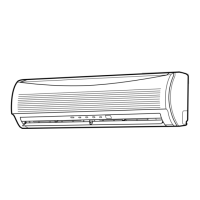
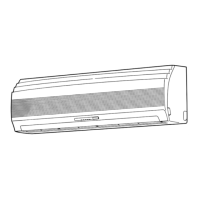
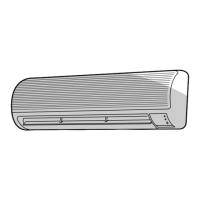
This document describes the Toshiba RAS-10JKVP-E / RAS-10JAVP-E and RAS-13JKVP-E / RAS-13JAVP-E Air Conditioner (Split Type), providing an owner's manual in multiple languages.
Function Description
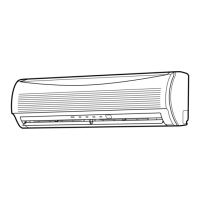
The Toshiba Air Conditioner is a split-type system designed for general public use, offering automatic operation, cooling, heating, and dry modes, as well as an air purifying function. The system consists of an indoor unit and an outdoor unit. The indoor unit includes a room temperature sensor, front panel, air inlet grille, air filter, air outlet, horizontal and vertical air flow louvers, display panel, infrared signal receiver, remote control, dust collecting unit, and an air ionizer. The outdoor unit features a drain hose, refrigerant connecting pipe, electric wires, air inlet, and air outlet.
The air conditioner can operate in various modes:
- Automatic Operation (AUTO/A Mode): The unit automatically selects cooling, heating, or fan-only operation based on the room temperature. Fan speed and louver position are also automatically controlled.
- Cooling/Heating Operation: Allows manual selection of cooling or heating modes with adjustable temperature and fan speed.
- Dry Operation: Automatically selects cooling dry operation based on the difference between the temperature setting and actual room temperature. Fan speed is fixed to AUTO and low.
- Air Purifying Operation (PAP): Activates the Plasma Air Purifying (PAP) operation, turning on the PLASMA indicator and activating the plasma pure filter and air ionizer. This function can be started or stopped independently or in conjunction with air conditioner operation.
- Hi POWER Operation: Provides rapid cooling or heating by automatically controlling room temperature, air flow, and operation mode.
- Economy Operation (ECO): Operates the air conditioner economically by preventing overcooling or overheating in minimum operation zones by adjusting the temperature setting and automatically controlling fan speed.
- Timer Operation (ON/OFF Timer): Allows users to set specific times for the air conditioner to start (ON timer) or stop (OFF timer) operation. Combined timers (OFF -> ON or ON -> OFF) are also available, including a daily combined timer for recurring schedules.
- Memory/Preset Operation: Enables storing frequently used operation settings (MODE, Temperature, FAN, TIMER, Hi POWER) for quick recall using the MEMO and PRESET buttons.
A three-minute protection feature prevents immediate restart after operation or power restoration to protect the machine. The unit also features preheating during heating operation, warm air control, and automatic defrosting to maintain heating efficiency in cold conditions.
Important Technical Specifications
The manual provides specifications for two models: RAS-10JKVP-E / RAS-10JAVP-E and RAS-13JKVP-E / RAS-13JAVP-E.
Power Supply:
- 220-240 V~, 50 Hz
- 220 V~, 60 Hz
RAS-10JKVP-E / RAS-10JAVP-E:
- Cooling Capacity (kW): 2.5
- Heating Capacity (kW): 3.2
- Cooling Current (A): 0.15 (Indoor), 2.58-2.35 (Outdoor)
- Cooling Power (W): 30 (Indoor), 540 (Outdoor)
- Heating Current (A): 0.15 (Indoor), 3.44-3.14 (Outdoor)
- Heating Power (W): 30 (Indoor), 720 (Outdoor)
- Dimensions (Indoor Unit): Width 790 mm, Height 250 mm, Depth 208 mm
- Dimensions (Outdoor Unit): Width 780 mm, Height 550 mm, Depth 270 mm
- Net Weight (kg): 10 (Indoor), 38 (Outdoor)
RAS-13JKVP-E / RAS-13JAVP-E:
- Cooling Capacity (kW): 3.5
- Heating Capacity (kW): 4.2
- Cooling Current (A): 0.15 (Indoor), 4.40-4.02 (Outdoor)
- Cooling Power (W): 30 (Indoor), 920 (Outdoor)
- Heating Current (A): 0.15 (Indoor), 5.07-4.63 (Outdoor)
- Heating Power (W): 30 (Indoor), 1060 (Outdoor)
- Dimensions (Indoor Unit): Width 790 mm, Height 250 mm, Depth 208 mm
- Dimensions (Outdoor Unit): Width 780 mm, Height 550 mm, Depth 270 mm
- Net Weight (kg): 10 (Indoor), 38 (Outdoor)
Operating Temperature Conditions:
- Cooling: Outdoor 10°C to 43°C, Room 21°C to 32°C (Room relative humidity less than 80%)
- Heating: Outdoor -15°C to 24°C, Room Less than 28°C
- Dry: Outdoor 10°C to 43°C, Room 17°C to 32°C
Usage Features
The air conditioner is controlled primarily via a remote control, which features an infrared signal transmitter, mode select button, temperature adjustment buttons, fan speed button, auto louver (swing) button, set louver (fix) button, ON/OFF timer buttons, reserve (SET) button, cancel (CLR) button, high power button, memory (MEMO) button, automatic operation (AUTO) button, economy (ECO) button, filter button, preset button, and air purifying (PAP) button. The remote control display shows the transmission mark, mode indicator, temperature indicator, air purifying indicator, fan speed indicator, timer and clock time indicator, Hi POWER indicator, MEMORY indicator, ECO indicator, and an A.B change indicator.
Remote Control Usage:
- Battery Installation: Requires two AAA batteries. Batteries should be removed if the remote control is not used for over a month to prevent leakage.
- Clock Setting: The clock can be set using the ON and SET buttons.
- Signal Transmission: The remote control should be pointed towards the indoor unit's receiver, with a maximum distance of 7 meters. Obstructions or certain types of fluorescent lighting can interfere with signal reception.
- Air Flow Direction: Vertical air flow can be adjusted automatically (SWING) or set to a fixed position (FIX) using the remote control. Horizontal air flow is adjusted manually by grasping levers on the louver.
Auto Restart Operation:
- The unit has an automatic restarting function that allows it to resume operation with previous settings after a power shutdown. This feature is not factory-set and must be activated by holding down the RESET button on the indoor unit for 3 seconds.
Economical Operation Hints:
- Maintain comfortable room temperature.
- Clean air filters every two weeks.
- Avoid opening doors and windows unnecessarily.
- Use window curtains to block direct sunlight during cooling and retain heat during heating.
- Utilize the timer function effectively.
- Adjust air flow direction for uniform circulation.
Maintenance Features
Regular maintenance is crucial for optimal performance and longevity of the air conditioner.
Indoor Unit and Remote Control Cleaning:
- Wipe with a dry cloth. For extremely dirty indoor units, use a cloth dipped in cold water.
- Avoid using damp cloths on the remote control, alcohol, benzene, thinner, glass cleaner, polishing powder, or other solvents, as these can damage the unit's surface.
- Before cleaning, turn off the main power switch or circuit breaker.
Air Filter Cleaning:
- Clean air filters every two weeks.
- Procedure:
- Turn off the air conditioner.
- Open the air inlet grille by lifting it to the horizontal position.
- Grasp the left and right handles of the air filter, lift slightly, and pull it out.
- Use a vacuum cleaner or wash with water. Dry in the shade.
- Insert the air filter, ensuring edges fit firmly.
- Close the air inlet grille.
- The FILTER indicator on the indoor unit turns on after cleaning is due; press the FILTER button on the remote control or RESET button on the indoor unit to turn it off.
Air Inlet Grille Cleaning:
- Clean with water using a soft sponge or towel. Avoid metallic scrubbing brushes or hard brushes.
- For extremely dirty grilles, use a neutral kitchen detergent and rinse thoroughly.
- Wipe dry before reattaching.
Zeolite-plus Filter and Zeolite-3G Filter:
- These filters are supplied with the unit and should be attached after installation.
- Cleaning: Clean approximately once every six months, or when the dust collecting unit is cleaned.
- Turn off the air conditioner.
- Open the air inlet grille and remove the air filter.
- Remove the Zeolite-plus and Zeolite-3G filters from the front panel.
- Wash with water. For heavy dirt, use a vacuum cleaner first, then a neutral detergent solution, and rinse thoroughly with clean water. Do not rub the filter surface.
- Allow to dry in the sun for about six hours.
- Reattach the filters, then the air filter, and close the grille.
- Replacement: It is recommended to replace these filters approximately every six years, as deodorizing performance may decrease with prolonged use or heavy staining (e.g., from cigarette smoke). Replacement filters are sold separately (Zeolite-plus filter: RB-A607DE, Zeolite-3G filter: RB-A608DE).
Air Ionizer Cleaning:
- Clean approximately once every six months, or when the dust collecting unit is cleaned.
- Procedure:
- Turn off the air conditioner and power supply.
- Fully open the vertical air flow louvers by hand.
- Use a toothbrush to rub the ends of the metal pins inside the air ionizer (dark blue) three or four times. Do not use cotton swabs or other objects with fluff.
- Close the vertical air flow louvers.
- Caution: Avoid touching the metal pins inside the air ionizer to prevent electrical shock.
Dust Collecting Unit Cleaning:
- Clean when the FILTER indicator (orange) turns on (after approximately 1000 hours of PAP operation) or about once every six months.
- Clean if the unit makes humming, clicking, or buzzing sounds.
- Procedure:
- Turn off the air conditioner and power supply.
- Open the air inlet grille and remove the air filter.
- Grasp the handles of the dust collecting unit and pull it out.
- Wash and dry the unit (similar to Zeolite filters).
- Reattach the dust collecting unit, ensuring it is fully inserted into the holders.
- Reattach the air filter and close the inlet grille.
Long-Term Storage:
- If not using the unit for at least one month:
- Perform fan operation for three to four hours to dry the inside of the unit.
- Stop the air conditioner and turn off the circuit breaker.
- Clean the air filters.
- Remove batteries from the remote control.
Pre-Operation Check:
- Ensure air filters are installed.
- Check that the air inlet and outlet of the outdoor unit are not blocked.


 To Next Page

 General