EasyManua.ls Logo

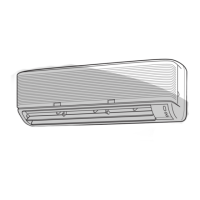
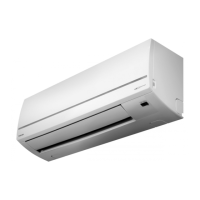
Toshiba RAS-10YKH-E - User Manual

Toshiba RAS-10YKH-E
67 pages
Print Icon
To Next Page IconTo Next Page
Loading...
SERVICE MANUAL
FILE NO. DAS-SM-00-003
AIR-CONDITIONER
SUPPLEMENT
SPLIT WALL TYPE
RAS-10YKH-E
/
RAS-10YAH-E
RAS-13YKH-E
/
RAS-13YAH-E
RAS-10YKH-ES
/
RAS-10YAH-ES
RAS-13YKH-ES
/
RAS-13YAH-ES

Table of Contents

Question and Answer IconNeed help?

Do you have a question about the Toshiba RAS-10YKH-E and is the answer not in the manual?

Summary

1. SPECIFICATIONS

INDOOR UNIT

Details specifications for Indoor Units.

OUTDOOR UNIT

Details specifications for Outdoor Units.

2. CONSTRUCTION VIEWS

2-1. Indoor Unit

Illustrates the construction and dimensions of the indoor unit.

2-2. Outdoor Unit

Illustrates the construction and dimensions of the outdoor unit.

4. SPECIFICATIONS OF ELECTRICAL PARTS

4-1. Indoor Unit

Lists electrical components and their specifications for the indoor unit.

4-2. Outdoor Unit

Lists electrical components and their specifications for the outdoor unit.

5. REFRIGERANT CYCLE DIAGRAM

6. CONTROL BLOCK DIAGRAM

7. OPERATION DESCRIPTIONS

7-1. FAN ONLY Operation

Describes the operation mode when only the fan is active.

7-2. COOL Operation

Details the control logic and operation for cooling mode.

7-3. DRY Operation

Explains the functionality and control during dry mode operation.

7-4. HEAT Operation

Describes the operational procedures and controls for heating mode.

7-5. AUTO Operation

Details how the unit automatically selects modes based on room temperature.

7-6. ECONO. Mode

Explains the energy-saving mode and its operation.

7-7. Current Limit Control

Describes how the unit manages current to prevent overload.

7-8. High-Temperature Limit Control

Explains controls to prevent overheating in heating operation.

7-9. Low-Temperature Limit Control

Explains controls to prevent freezing in cooling operation.

7-10. Cool Airflow Prevention Control

Describes airflow control during heating to prevent cool drafts.

7-11. Defrost Operation

Details the process and conditions for defrosting the unit.

7-12. Auto Restart Function

Explains the automatic restart feature after power interruptions.

8. INSTALLATION PROCEDURE

8-1. Safety Cautions

Outlines critical safety warnings and precautions for installation.

8-2. Installation Diagram of Indoor and Outdoor Units

Provides visual guidance for the physical installation process.

8-3. Installation

Covers installation procedures and optional parts.

8-4. Indoor Unit

Details installation steps specific to the indoor unit.

8-5. Outdoor Unit

Details installation procedures specific to the outdoor unit.

8-6. Others

Covers miscellaneous installation-related tasks like leak tests and operation checks.

9. TROUBLESHOOTING CHART

9-1. What to be Prechecked First

Basic checks to perform before detailed troubleshooting.

9-2. Primary Judgement of Trouble Sources

Methods for initial diagnosis of unit malfunctions.

9-3. Troubleshooting Flowcharts

9-3-1. Power can not be Turned on (No Operation at All)

Flowchart for diagnosing power-on issues.

9-3-2. Power can not be Turned on after Replacing Indoor P.C. Board

Troubleshooting specific to post-PC board replacement power issues.

9-3-3. Outdoor Unit does not Operate

Flowchart for troubleshooting outdoor unit operation failure.

9-3-4. Only Compressor does not Operate

Flowchart for diagnosing compressor-specific issues.

9-3-5. Only Outdoor Fan does not Operate

Flowchart for troubleshooting outdoor fan failure.

9-3-7. Only the Indoor Fan does not Operate

Flowchart for troubleshooting indoor fan failure.

10. PART REPLACEMENT

10-1. Indoor Unit

Procedures for replacing parts of the indoor unit.

11. EXPLODED VIEWS AND PARTS LIST

11-1. Indoor Unit

Exploded view and parts list for the indoor unit.

11-2. Outdoor Unit

Exploded view and parts list for the outdoor unit.

Summary

1. SPECIFICATIONS

INDOOR UNIT

Details specifications for Indoor Units.

OUTDOOR UNIT

Details specifications for Outdoor Units.

2. CONSTRUCTION VIEWS

2-1. Indoor Unit

Illustrates the construction and dimensions of the indoor unit.

2-2. Outdoor Unit

Illustrates the construction and dimensions of the outdoor unit.

4. SPECIFICATIONS OF ELECTRICAL PARTS

4-1. Indoor Unit

Lists electrical components and their specifications for the indoor unit.

4-2. Outdoor Unit

Lists electrical components and their specifications for the outdoor unit.

5. REFRIGERANT CYCLE DIAGRAM

6. CONTROL BLOCK DIAGRAM

7. OPERATION DESCRIPTIONS

7-1. FAN ONLY Operation

Describes the operation mode when only the fan is active.

7-2. COOL Operation

Details the control logic and operation for cooling mode.

7-3. DRY Operation

Explains the functionality and control during dry mode operation.

7-4. HEAT Operation

Describes the operational procedures and controls for heating mode.

7-5. AUTO Operation

Details how the unit automatically selects modes based on room temperature.

7-6. ECONO. Mode

Explains the energy-saving mode and its operation.

7-7. Current Limit Control

Describes how the unit manages current to prevent overload.

7-8. High-Temperature Limit Control

Explains controls to prevent overheating in heating operation.

7-9. Low-Temperature Limit Control

Explains controls to prevent freezing in cooling operation.

7-10. Cool Airflow Prevention Control

Describes airflow control during heating to prevent cool drafts.

7-11. Defrost Operation

Details the process and conditions for defrosting the unit.

7-12. Auto Restart Function

Explains the automatic restart feature after power interruptions.

8. INSTALLATION PROCEDURE

8-1. Safety Cautions

Outlines critical safety warnings and precautions for installation.

8-2. Installation Diagram of Indoor and Outdoor Units

Provides visual guidance for the physical installation process.

8-3. Installation

Covers installation procedures and optional parts.

8-4. Indoor Unit

Details installation steps specific to the indoor unit.

8-5. Outdoor Unit

Details installation procedures specific to the outdoor unit.

8-6. Others

Covers miscellaneous installation-related tasks like leak tests and operation checks.

9. TROUBLESHOOTING CHART

9-1. What to be Prechecked First

Basic checks to perform before detailed troubleshooting.

9-2. Primary Judgement of Trouble Sources

Methods for initial diagnosis of unit malfunctions.

9-3. Troubleshooting Flowcharts

9-3-1. Power can not be Turned on (No Operation at All)

Flowchart for diagnosing power-on issues.

9-3-2. Power can not be Turned on after Replacing Indoor P.C. Board

Troubleshooting specific to post-PC board replacement power issues.

9-3-3. Outdoor Unit does not Operate

Flowchart for troubleshooting outdoor unit operation failure.

9-3-4. Only Compressor does not Operate

Flowchart for diagnosing compressor-specific issues.

9-3-5. Only Outdoor Fan does not Operate

Flowchart for troubleshooting outdoor fan failure.

9-3-7. Only the Indoor Fan does not Operate

Flowchart for troubleshooting indoor fan failure.

10. PART REPLACEMENT

10-1. Indoor Unit

Procedures for replacing parts of the indoor unit.

11. EXPLODED VIEWS AND PARTS LIST

11-1. Indoor Unit

Exploded view and parts list for the indoor unit.

11-2. Outdoor Unit

Exploded view and parts list for the outdoor unit.

Toshiba RAS-10YKH-E Specifications

General IconGeneral
BrandToshiba
ModelRAS-10YKH-E
CategoryAir Conditioner
LanguageEnglish

Related product manuals