
 Need help?
Do you have a question about the Toshiba RAS-B10G3KVSGB-E and is the answer not in the manual?
Function to limit current and power consumption for energy saving and compressor longevity.
Information on downloading and installing the Toshiba Home AC Control application.
Step-by-step guide for registering a user account for the AC control application.
Initial steps to open the application and access the login screen.
How to input user credentials to log into the Toshiba Home AC Control application.
Choosing the connection method for adding an AC unit to the app via wireless adapter.
Instruction to activate AP mode by pressing and holding the MODE button on the remote.
How the wireless adapter becomes active via the remote control for AC control.
Selecting the method to connect the AC to the home Wi-Fi router.
Entering the Wi-Fi network name (SSID) and password to connect the AC.
Accessing options related to all air conditioners, such as adding groups.
Options for managing groups of air conditioners, including selection and renaming.
Individual settings and operations for a specific air conditioner unit.
Process to create a new group of air conditioners for coordinated control.
Adding individual AC units to an existing group for management.
Removing specific AC units from a group.
Selecting the days of the week for setting the weekly schedule.
Setting up a weekly operational schedule for all connected AC units.
This document is the owner's manual for Toshiba Inverter Air Conditioners, covering both single and multi-type indoor and outdoor units. It provides comprehensive instructions for operation, maintenance, and wireless LAN connection.
The Toshiba Inverter Air Conditioner is designed to provide cooling, heating, and dry operation for residential and commercial spaces. It features an inverter technology for energy efficiency and precise temperature control. The system can be controlled via a wireless remote control or through a smartphone application (Toshiba Home AC Control) via a Wireless LAN connection.
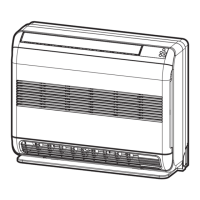
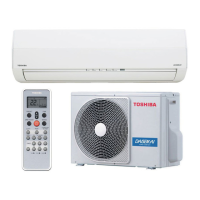
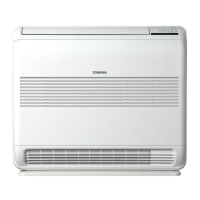
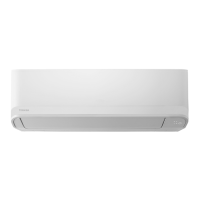
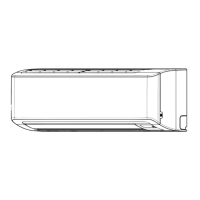
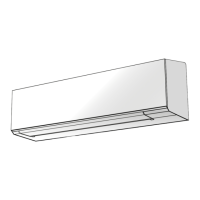
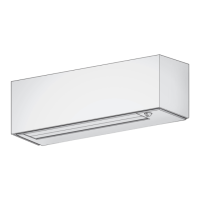
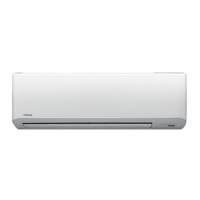
The manual lists several indoor and outdoor unit models:
The remote control uses two AAA batteries. The temperature setting range is 17°C to 30°C for cooling/fan only and dry modes, and 5°C to 30°C for heating mode (with 8°C operation available for energy saving).
The indoor unit display includes indicators for:
The remote control features an infrared signal emitter and buttons for:
The louver can be adjusted for vertical (Up-Down) and horizontal (Left-Right) swing. A "HADA Care Flow" option directs airflow upward to the ceiling for indirect airflow and homogenized room temperature. Manual louver adjustment is not recommended.
The MENU button on the remote control allows access to advanced settings:
If the remote control is misplaced or discharged, the unit can be started/stopped using the RESET button on the indoor unit. This sets the operation mode to AUTOMATIC, preset temperature to 24°C, and fan speed to automatic.
Allows differentiation between two air conditioners in close proximity by assigning a remote control to either "A" (default) or "B" mode.
The air conditioner can be controlled via a smartphone or tablet application.
The manual provides a list of common issues and their potential causes, such as the unit not operating (power switch off, circuit breaker activated, power stoppage, ON timer set) or abnormal cooling/heating (blocked filters, improper temperature setting, open windows/doors, blocked outdoor unit, low fan speed, FAN or DRY mode, POWER SELECTION active).
The application provides energy monitoring features, including cost calculation, currency selection, and display of energy consumption data (daily, weekly, monthly, yearly) in stack, cluster, or line graphs. Data can be exported via email. The power consumption displayed is an estimate.
In case of problems, users can check the Help menu within the application. It also states that the Wireless Adapter must be installed, maintained, repaired, and removed by a qualified installer or service person. Contact a dealer or service center if the equipment malfunctions.
 General
| Brand | Toshiba |
|---|---|
| Model | RAS-B10G3KVSGB-E |
| Category | Air Conditioner |
| Language | English |



 To Next Page
