Installing an optional interface adapter card (Quick Installation)
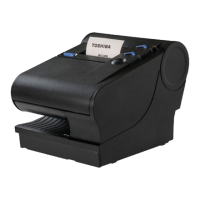
There is an option slot on the back of the Toshiba 6145 printer that can extend the functionality
of the base printer.
Table 1. Available option cards
Device Description
Ethernet 10/100 Ethernet port for connection to an industry standard
Ethernet LAN
WiFi 801.11 a/b/g/n Wireless LAN Adapter
• Frequency Band of 802.11 b/g/n - 2.4 Ghz, power 17 dBm
• Frequency Band of 802.11 a/n - 5 Ghz, power 10 dBm
If an optional interface adapter card is included with your order, complete the following steps to
install.
Attention: instructions assume power has not yet been applied to the printer. If it has,
disconnect power before installing the option card.
1.
Loosen the screw A .
2.
Slide the blank slot cover B out of the unit (save the blank slot cover in case you need it in
the future).
Figure 1. Remove the blank option card
3. Insert and align the optional interface card into the card slot, and slide the interface card
into place.
4.
Tighten the screw A .
Note: An interface option card (Ethernet or WiFi) and USB are not intended to be used
concurrently, except where the USB is used for configuration. Concurrent use of both
interfaces can cause errors on one or both interfaces.
Connecting communication cables
If applicable, connect your communication cables (PoweredUSB, standard USB, Ethernet, or
RS-232 cable) to the printer, the host system, or applicable communications port.
If you are using a PoweredUSB:
Power off the host system before connecting the cables.
10 TCx Dual Station Printers Quick Installation Guide



 To Next Page
 Loading...