EasyManua.ls Logo

Toshiba TD-E653 - Page 25

Toshiba TD-E653
35 pages
Print Icon
To Next Page IconTo Next Page
To Previous Page IconTo Previous Page
Loading...
English - 24 -
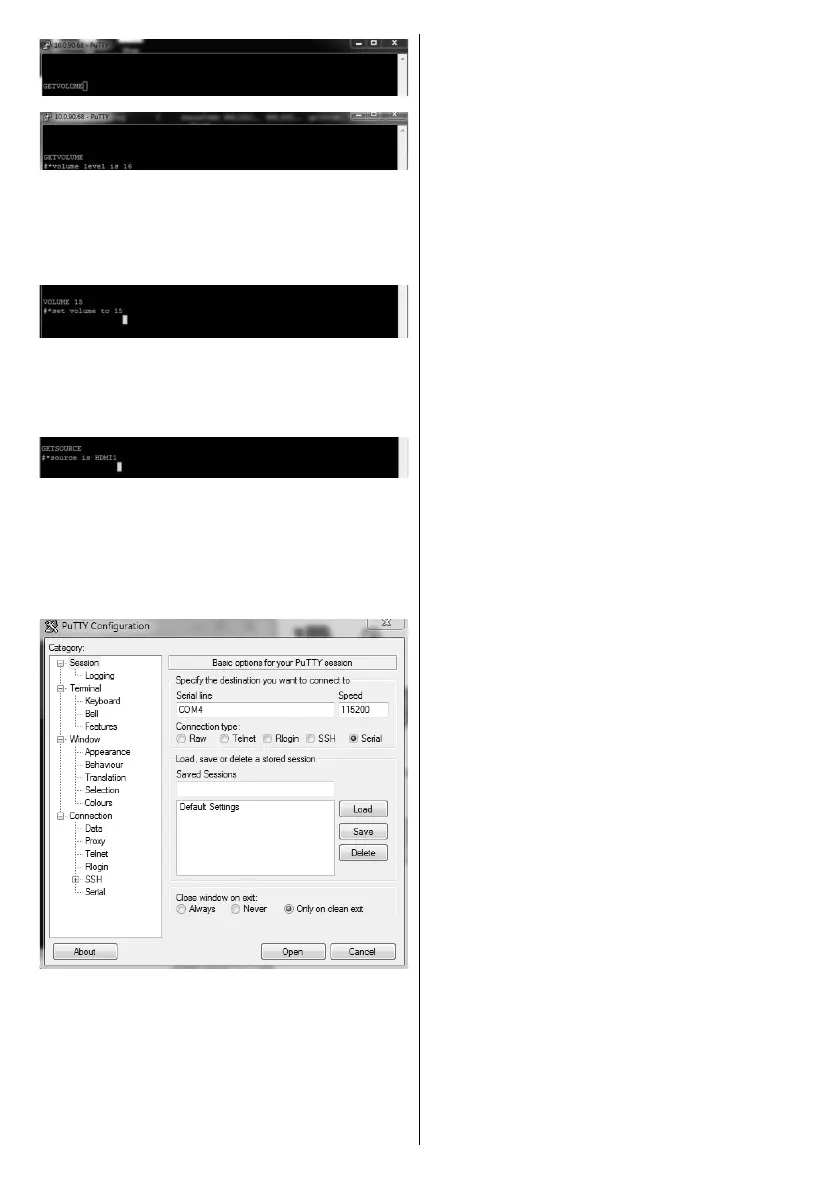
Another example;
     

the changes from the Display.
The last example ;

source should be displayed on the putty window as
shown in the picture below.
Connecting to the Display (RS232 port)
Run the software and select Serial as Connection
Type        
Serial Line (in the following example it is COM4)
and “115200”       
Open button.

Related product manuals